Playbook: stop reordering what already sits on the shelf
The situation
A sensor sells in two colours. The black one moves; the white one does not. The product total looks healthy, but the white variant holds 42 units against a reorder point of 10, and the reorder point still proposes purchases whenever stock dips. The excess ties up capital that should be working elsewhere.
The screenshots come from the Otiox demo workspace. To follow along, choose Switch to demo in the sidebar — changes there never touch your live data.
Step 1 — See the excess
Go to Inventory → Integrity and run a scan. Open the Overstock above reorder buffer finding.
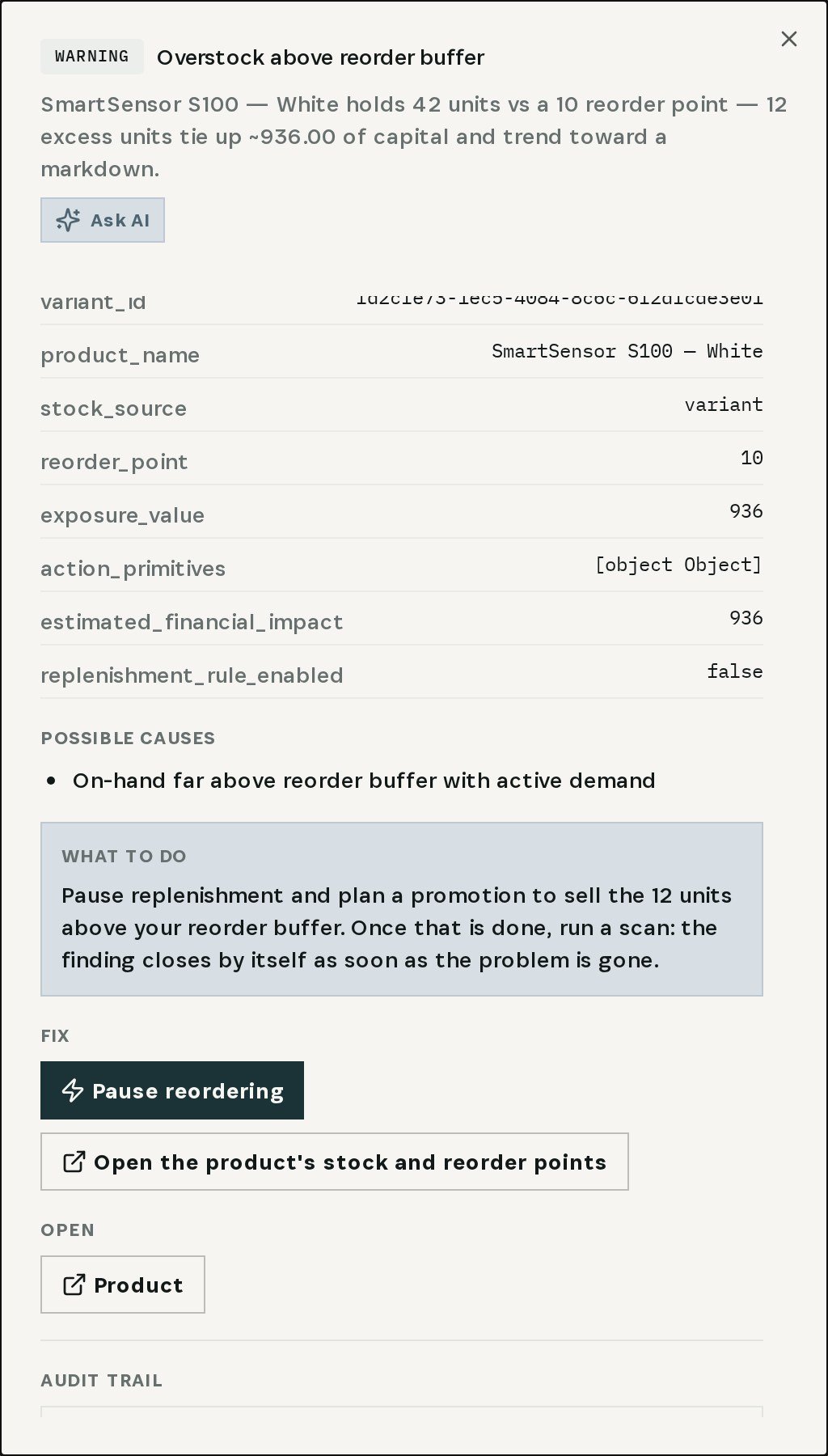
The finding names the item and variant, the units above the buffer and the capital they hold. What to do suggests pausing replenishment and planning a promotion for the excess.
Step 2 — Pause reordering
Choose Pause reordering.
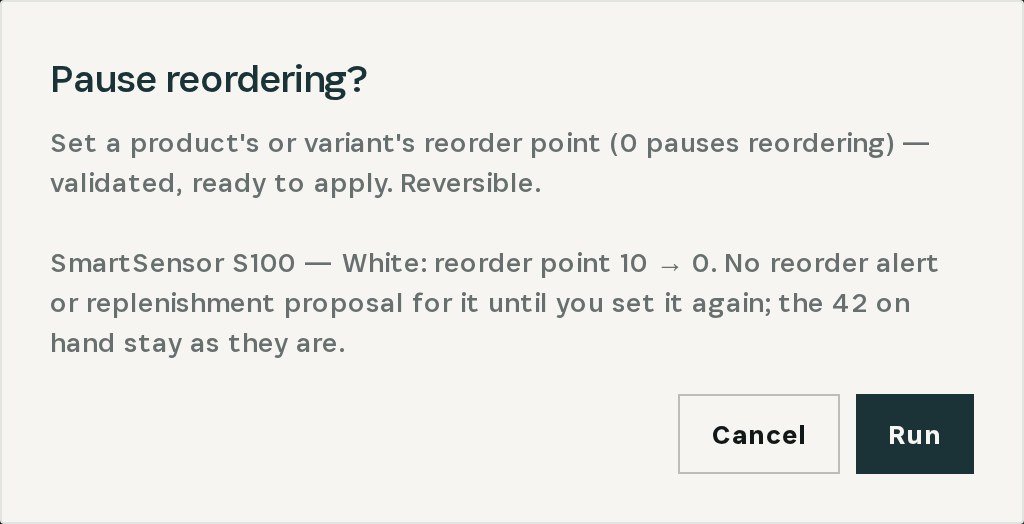
Otiox previews exactly what changes: the variant's reorder point goes from 10 to 0, and the 42 units on hand stay as they are. On Run, no reorder alert or replenishment proposal is raised for that variant until you set a reorder point again. If an automatic replenishment rule also covers the item, pausing the rule is offered as well.
Step 3 — Sell down, then resume
Plan a promotion for the units above the buffer. When stock is back to a normal level, set the reorder point again on the product or variant. The next integrity scan closes the finding by itself once the item is no longer above its buffer.
What you have at the end
- Every product and variant measured against its own reorder point.
- New purchases stopped for items that already have too much.
- The capital tied up, in plain numbers, before it becomes a markdown.
Related
- Use case: Expiring Stock — /use-cases/expiring-stock
- Use case: Stock Count — /use-cases/stock-count