Overproduction

The plan says build thirty SmartSensors this morning. Open orders need four. The shelf already holds almost eighty.

Manufacturing orders outlive the reason they were created: a forecast that changed, a customer order that was cut, a duplicate. They still get built — tying up materials, machine time and cash. Otiox's Integrity Engine checks every planned order against all known demand and flags the ones nothing calls for, before the first component is consumed.
app.otiox.comFig. 00
Integrity · beyond demand
Planned, and nothing calls for it
MO-2026-0001 · SmartSensor S100
Demand signalSourceUnits
Planned on this orderMO-2026-000130
Free stockon hand78
Open salescustomer orders4
Reorder pointmaterial plan20
Units beyond known demand: 30
Fix

Open the order and reduce its quantity — components scale with it.

MO-2026-0001: SmartSensor S100 × 10. Finding closes on the next scan.

01The Challenge

Nobody cancels an order that no longer has a reason.

MO-2026-0001 was planned for 30 SmartSensor S100. Since then, free stock has reached 78, open sales need 4 and the reorder point is 20. Nothing known calls for this order — but it is scheduled, the SMT line is booked and the components are on the pick list. In most ERPs it simply gets built.
  1. 01
    Orders stay scheduled after their demand disappears
  2. 02
    Free stock, open sales, reorder points and sub-assembly needs live on different screens
  3. 03
    Materials and machine time go into stock nobody needs
  4. 04
    The excess shows up months later as a write-down
02SEE IT IN OTIOX

The same situation, in the product.

Real screens from the Otiox demo workspace, step by step.
  1. 01

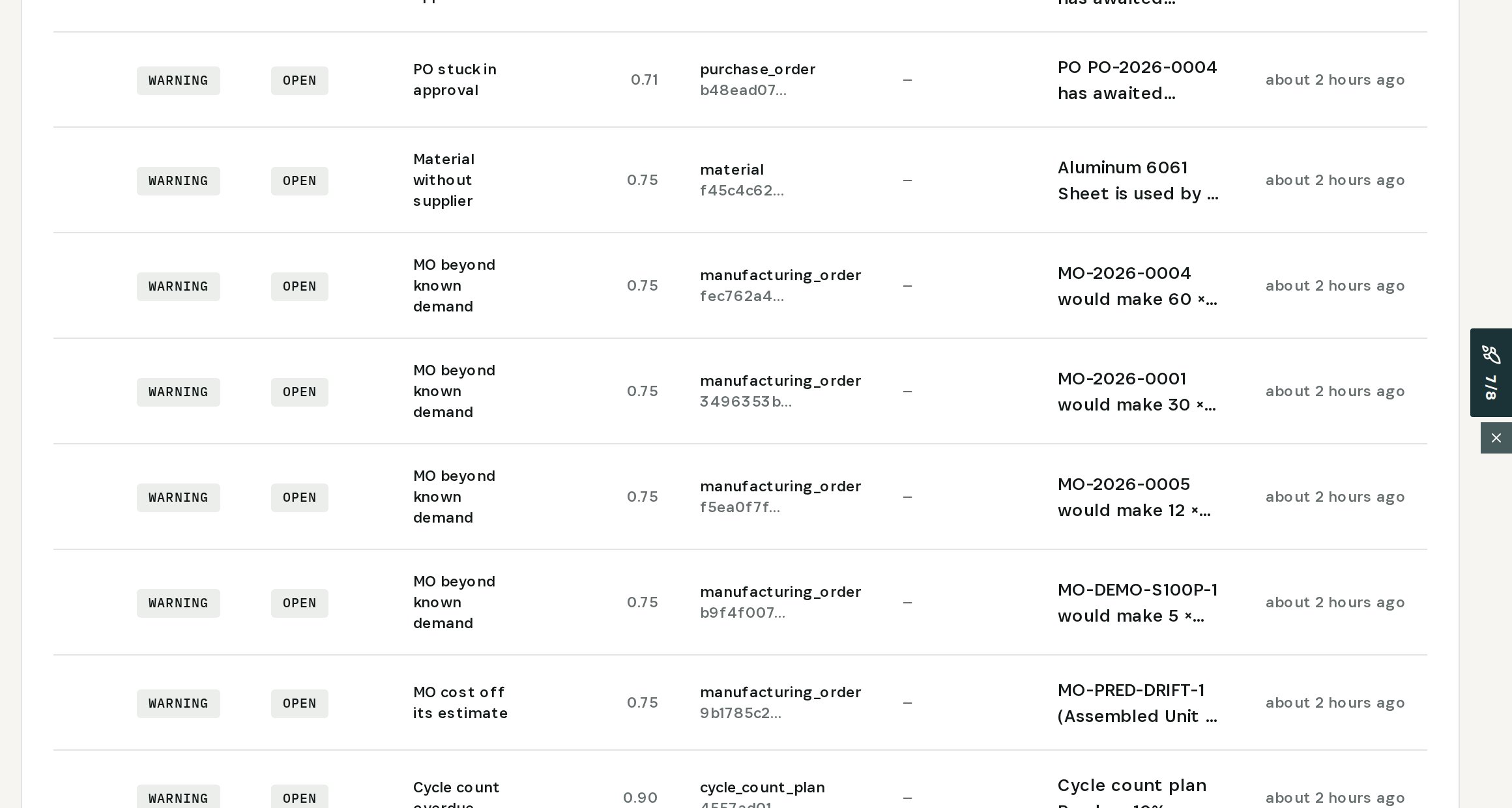
    See orders nothing calls for

    Inventory → Stock Integrity: MO beyond known demand, four orders in the demo.
    See orders nothing calls for
  2. 02

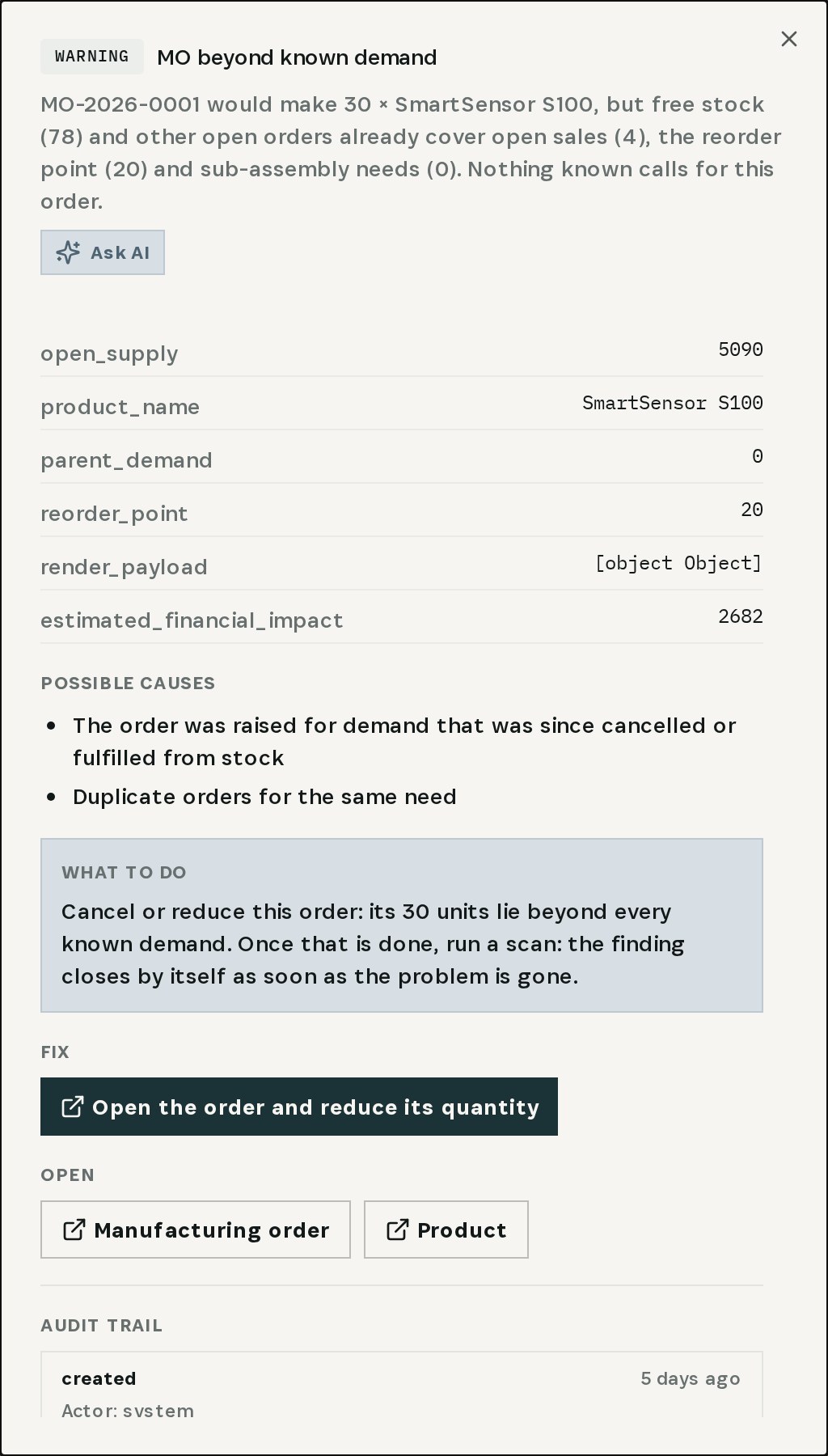
    Open the finding

    MO-2026-0001 would make 30 SmartSensor S100; free stock 78 and other orders already cover open sales 4 and the reorder point 20.
    Open the finding
  3. 03

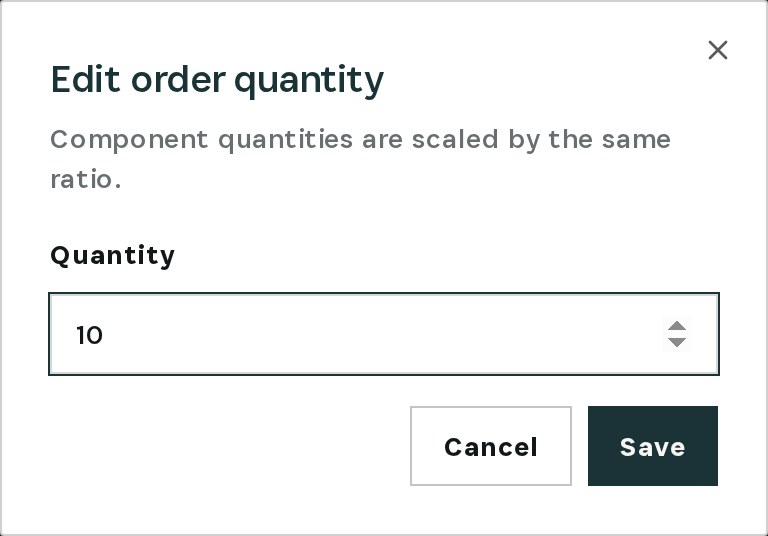
    Reduce the quantity

    Open the order and reduce its quantity opens the dialog directly; components scale by the same ratio.
    Reduce the quantity
  4. 04

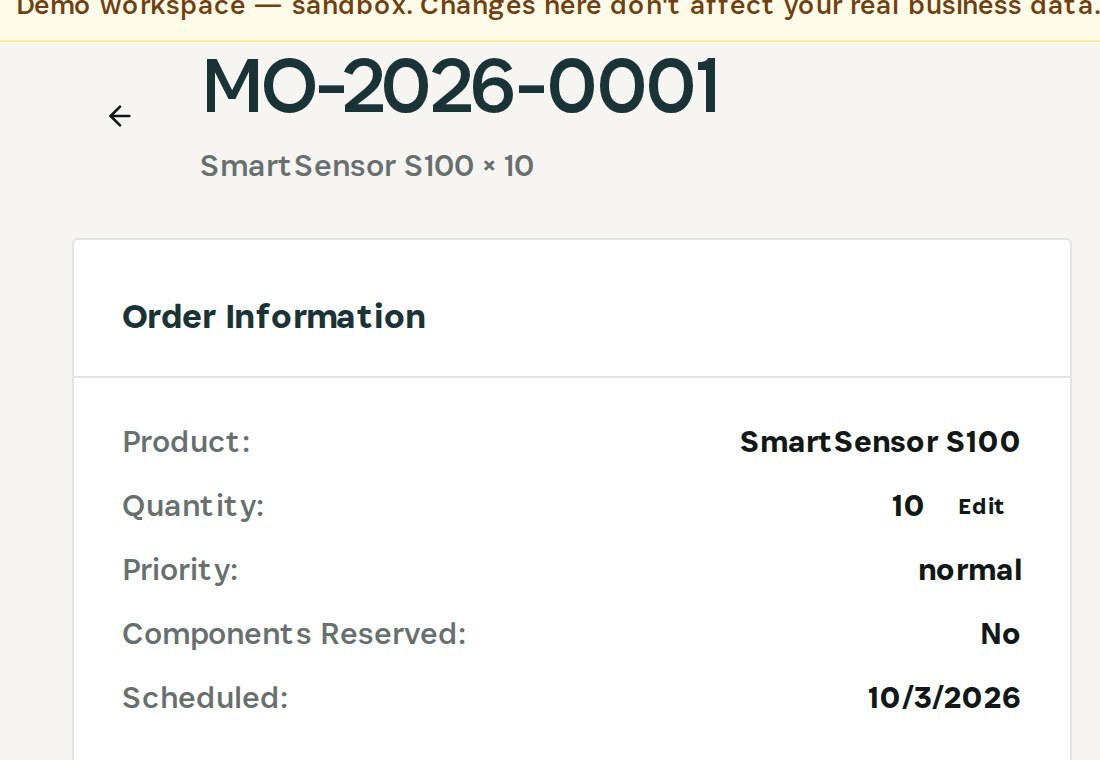
    Check the order

    MO-2026-0001 now reads SmartSensor S100 × 10, still scheduled.
    Check the order
03

How It Works

Purpose-built features that solve these exact problems.
01

Demand check per order

The Integrity Engine compares each planned manufacturing order with free stock, other open orders, open sales, the reorder point and sub-assembly needs.
02

The reason, in numbers

The finding shows exactly what already covers demand — 78 free, 4 sold, reorder point 20 — so the decision is obvious.
03

Caught before it starts

Orders are flagged while still scheduled, before components are reserved or consumed.
04

One click to the fix

Open the order and reduce its quantity straight from the finding; components scale with it.
05

Closes by itself

Once the order no longer exceeds demand, the next scan resolves the finding.
04

What You'll Gain

Tangible improvements that impact your bottom line.
  1. 01
    Build what is needed

    Every planned order is checked against all known demand.

  2. 02
    Materials stay free

    Components go to orders that have a reason.

  3. 03
    Capacity for real work

    Machine time isn't spent on stock nobody asked for.

  4. 04
    No surprise write-downs

    Excess is stopped before it is made.

05

Real-World Scenarios

See how this works in practice.
Scenario 1

Thirty planned, four needed

MO-2026-0001: 30 × SmartSensor S100 against 78 free, 4 open sales and a reorder point of 20.
Scenario 2

Four orders flagged

The demo has four manufacturing orders beyond known demand.
Scenario 3

Cut to ten

The quantity is reduced from the finding; component quantities scale with it.
06

The Transformation

From chaos to clarity.
Before
  • Orders built after their reason is gone
  • Demand checked by hand, if at all
  • Materials and capacity spent on excess
  • Write-downs months later
After
  • Every order checked against known demand
  • The covering stock and sales, in numbers
  • Quantity reduced from the finding
  • Finding closes on the next scan
07

Frequently Asked Questions

Quick answers to common questions.
01What counts as known demand?
Open sales, the reorder point and sub-assembly needs of other orders — set against free stock and what other open orders will already produce.
02Does Otiox cancel or change the order?
No. The finding opens the order's quantity dialog; you decide whether to reduce it or cancel it.
03What happens to the components when I reduce the quantity?
Component quantities are scaled by the same ratio as the order.
04What if the order is for a forecast the system doesn't know?
Then keep it and mark the finding resolved with a note — the check only knows the demand that is in Otiox.
Overproduction

Ready to transform your overproduction?

See how Otiox can solve your specific challenges.