Forgotten Purchase Order

The buyer thinks it's ordered. The supplier has never seen it.

A purchase order saved as a draft looks exactly like one that was sent — until the delivery date passes and nothing arrives. Otiox's Integrity Engine flags every draft that has sat unsent for too long and takes you straight to sending it, or cancelling it if it's no longer needed.
app.otiox.comFig. 00
Integrity · purchasing
Saved, never sent
The supplier has not received these orders
OrderSupplierDraft since
PO-2026-0001MetalCo GmbHSep 25
PO-2026-0005ElectroParts KRSep 26
Expected arrival on the order: Oct 8
Fix

Send it to the supplier from the order — or cancel it, validated and confirmed.

Sent orders start their lead time. The finding closes on the next scan.

01The Challenge

Saved is not sent.

Someone drafted the order, added the lines, set an expected arrival date — and then got interrupted. The system shows a purchase order with a delivery date, so planning counts on it. The supplier never received anything. In most ERPs the first sign is an empty dock on the expected date.
  1. 01
    Drafts carry delivery dates that nobody committed to
  2. 02
    Planning counts incoming stock that was never ordered
  3. 03
    Nobody notices until the goods don't arrive
  4. 04
    By then the lead time starts from zero
02SEE IT IN OTIOX

The same situation, in the product.

Real screens from the Otiox demo workspace, step by step.
  1. 01

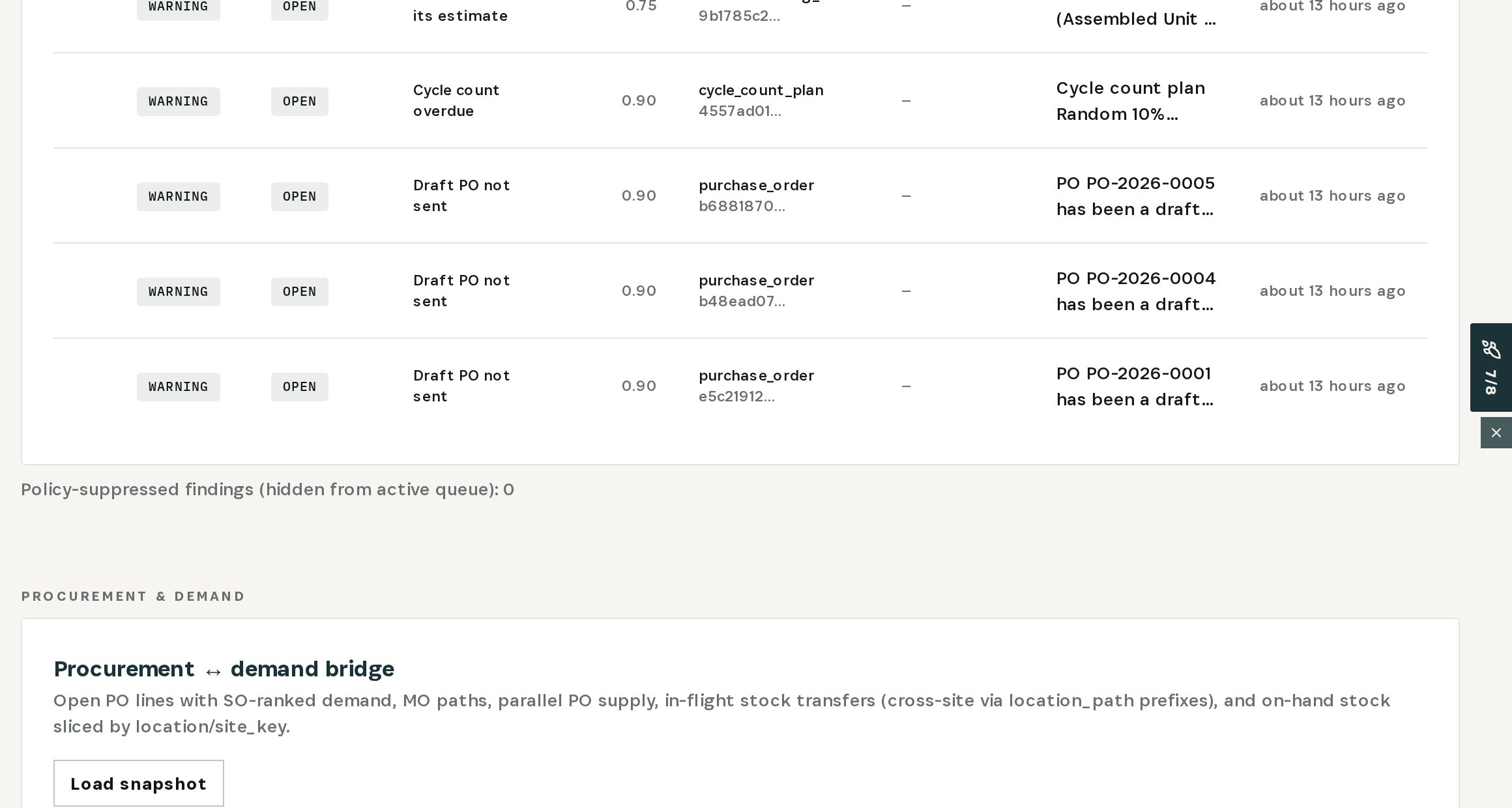
    See every unsent draft

    Stock Integrity: Draft PO not sent — three purchase orders in the demo.
    See every unsent draft
  2. 02

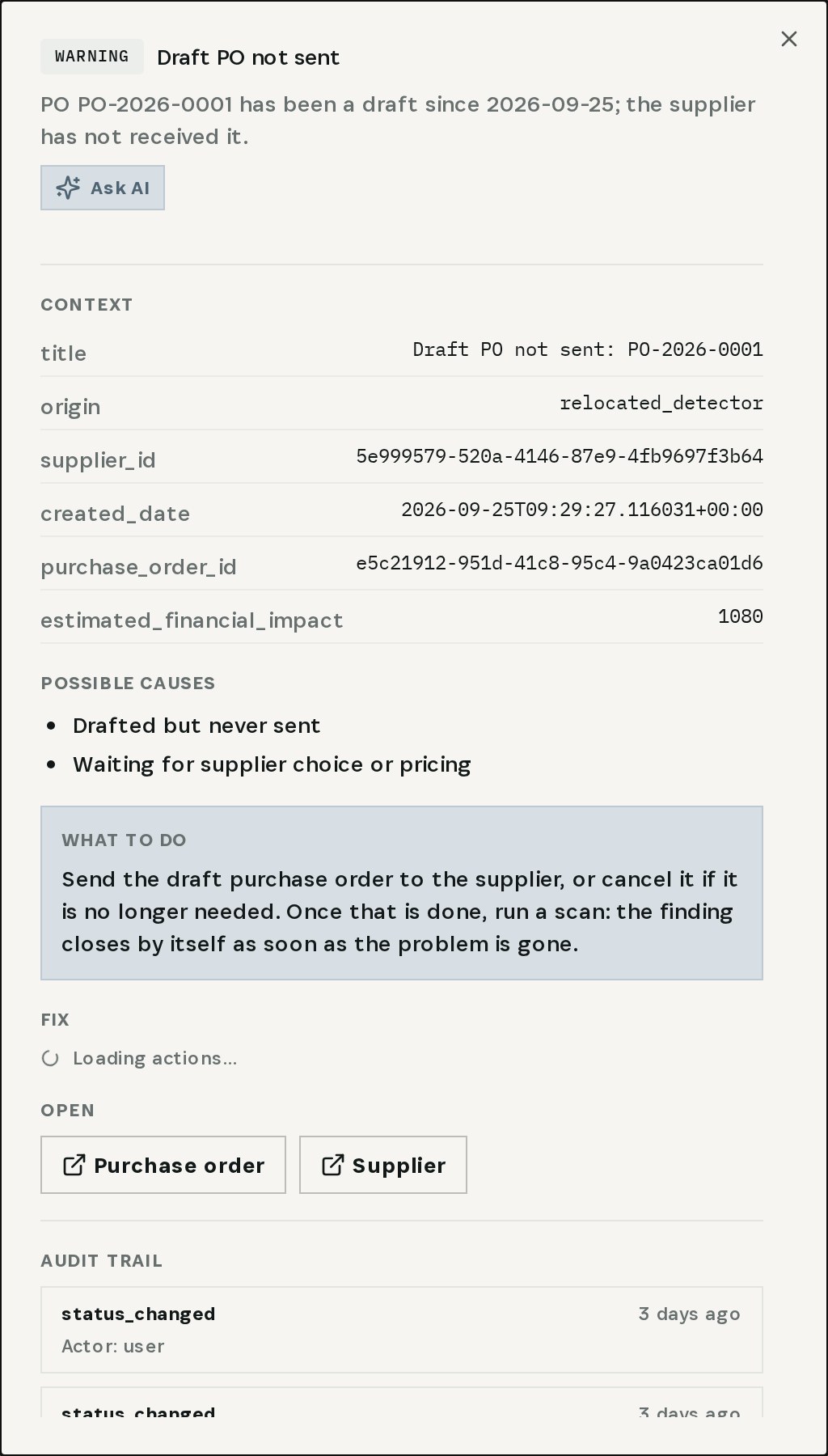
    Open the finding

    PO-2026-0001 has been a draft since late September; the supplier has not received it. Send it, or cancel it if it's no longer needed.
    Open the finding
  3. 03

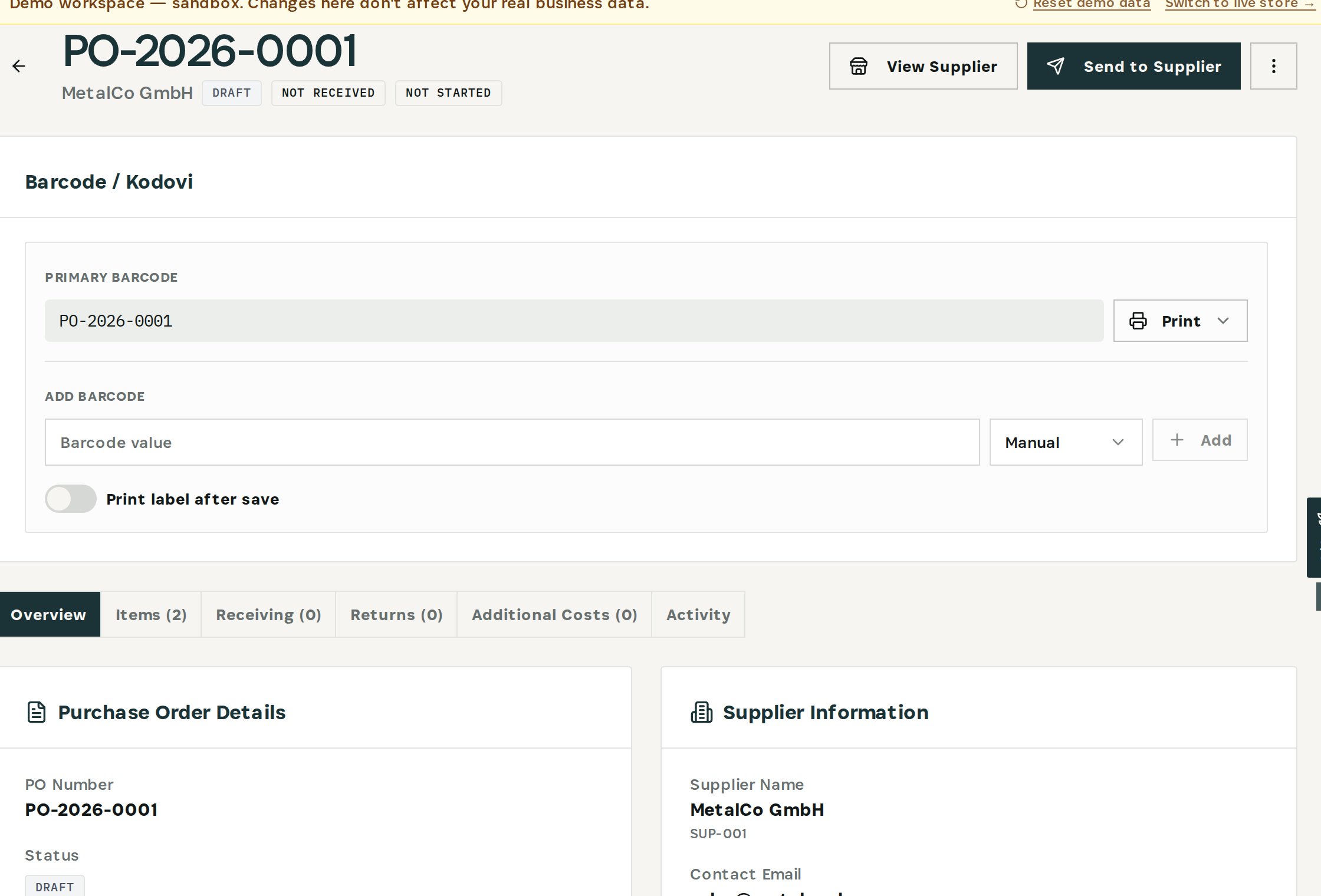
    Check the order

    MetalCo GmbH, two lines, an expected arrival in early October — and status Draft.
    Check the order
  4. 04

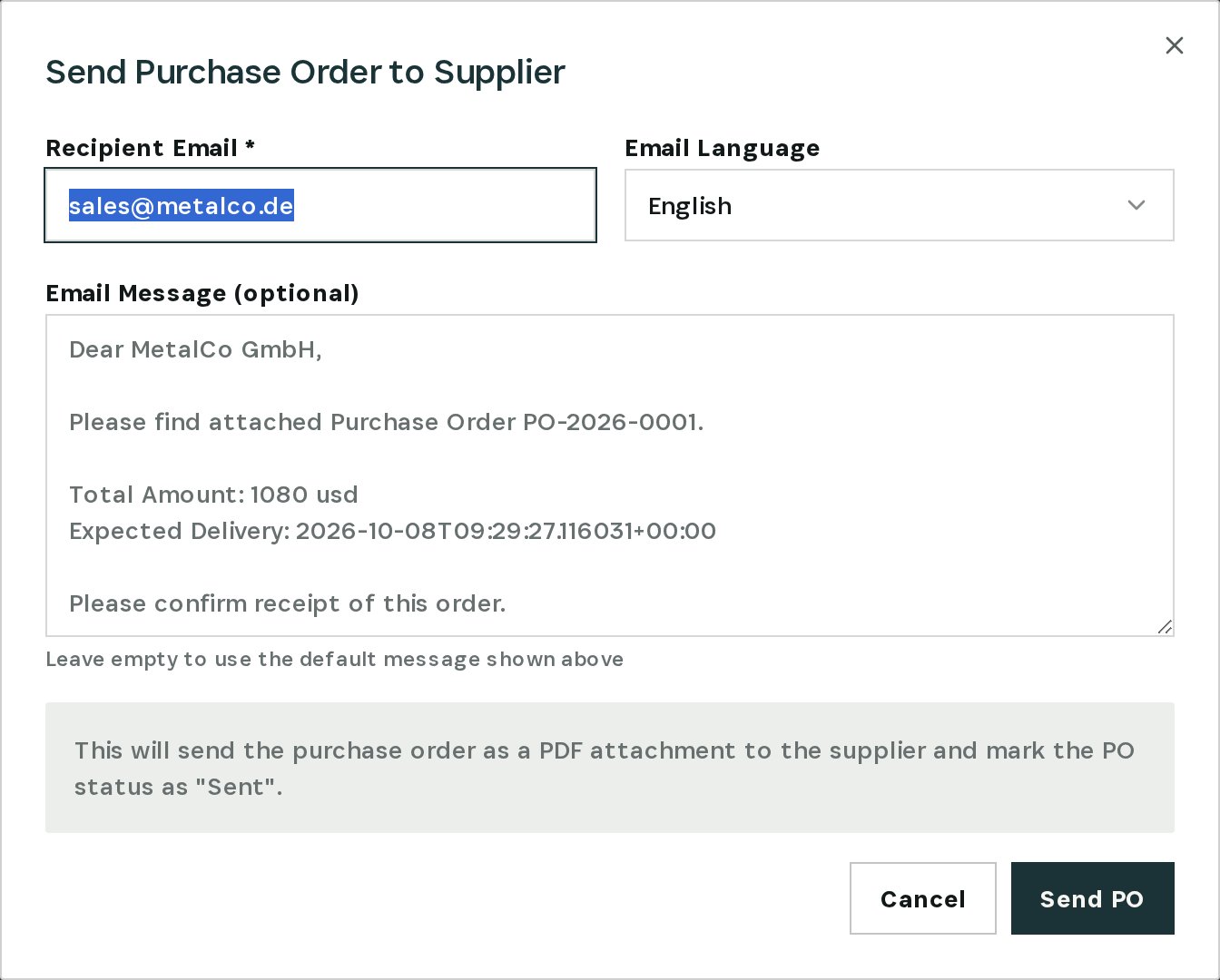
    Send it to the supplier

    Send to Supplier emails the PDF and marks the order Sent.
    Send it to the supplier
03

How It Works

Purpose-built features that solve these exact problems.
01

Unsent-draft check

The Integrity Engine flags purchase orders that have stayed in draft longer than they should and says since when.
02

The order in context

Open the purchase order from the finding: supplier, lines, expected arrival, and the status that says it never left.
03

Send from the order

Send to Supplier emails the purchase order as a PDF and marks it Sent.
04

Or cancel it, checked

If the order is no longer needed, Cancel PO on the finding runs after validation and your confirmation.
05

Closes by itself

Once the order is sent or cancelled, the next scan resolves the finding.
04

What You'll Gain

Tangible improvements that impact your bottom line.
  1. 01
    No phantom deliveries

    Incoming stock in the plan is stock somebody actually ordered.

  2. 02
    Lead times start on time

    Orders go out the day they're meant to.

  3. 03
    Fewer empty docks

    You find the unsent order days before the goods were due.

  4. 04
    Clean purchasing lists

    Drafts that are no longer needed get cancelled, not forgotten.

05

Real-World Scenarios

See how this works in practice.
Scenario 1

A draft for over a week

PO-2026-0001 for MetalCo GmbH has been a draft since late September; the supplier has not received it.
Scenario 2

An arrival date nobody promised

The order still shows an expected arrival in early October.
Scenario 3

Three drafts flagged

The demo has three purchase orders sitting unsent.
06

The Transformation

From chaos to clarity.
Before
  • Drafts look like real orders
  • Planning counts on deliveries never ordered
  • Found when the dock stays empty
  • Lead time restarts from zero
After
  • Every unsent draft flagged with its age
  • One click from finding to the order
  • Send to the supplier, or cancel with a check
  • Finding closes once the order moves
07

Frequently Asked Questions

Quick answers to common questions.
01When is a draft flagged?
When a purchase order has stayed in draft longer than the threshold. The finding says since which date.
02Does Otiox send the order for me?
No. Sending is your action on the purchase order; it emails the PDF to the supplier and marks the order as sent.
03What if we don't need the order anymore?
Use Cancel PO on the finding. It is validated first and runs only after you confirm.
04Does a draft count as incoming stock?
That is exactly the risk this check exists for: until the order is sent, the supplier isn't working on it, whatever date it shows.
Forgotten Purchase Order

Ready to transform your forgotten purchase order?

See how Otiox can solve your specific challenges.