Playbook: the buyer thinks it's ordered, the supplier has never seen it
The situation
The buyer drafted an order for aluminium sheet in late September, filled in the lines and an expected arrival date, and was pulled into something else. The order sits there looking like any other: supplier, quantities, a delivery date in early October. Planning counts on it. The supplier has never received it.
The screenshots come from the Otiox demo workspace. To follow along, choose Switch to demo in the sidebar — changes there never touch your live data.
Step 1 — See every unsent draft
Go to Inventory → Stock Integrity. Findings titled Draft PO not sent are purchase orders that have stayed in draft too long.
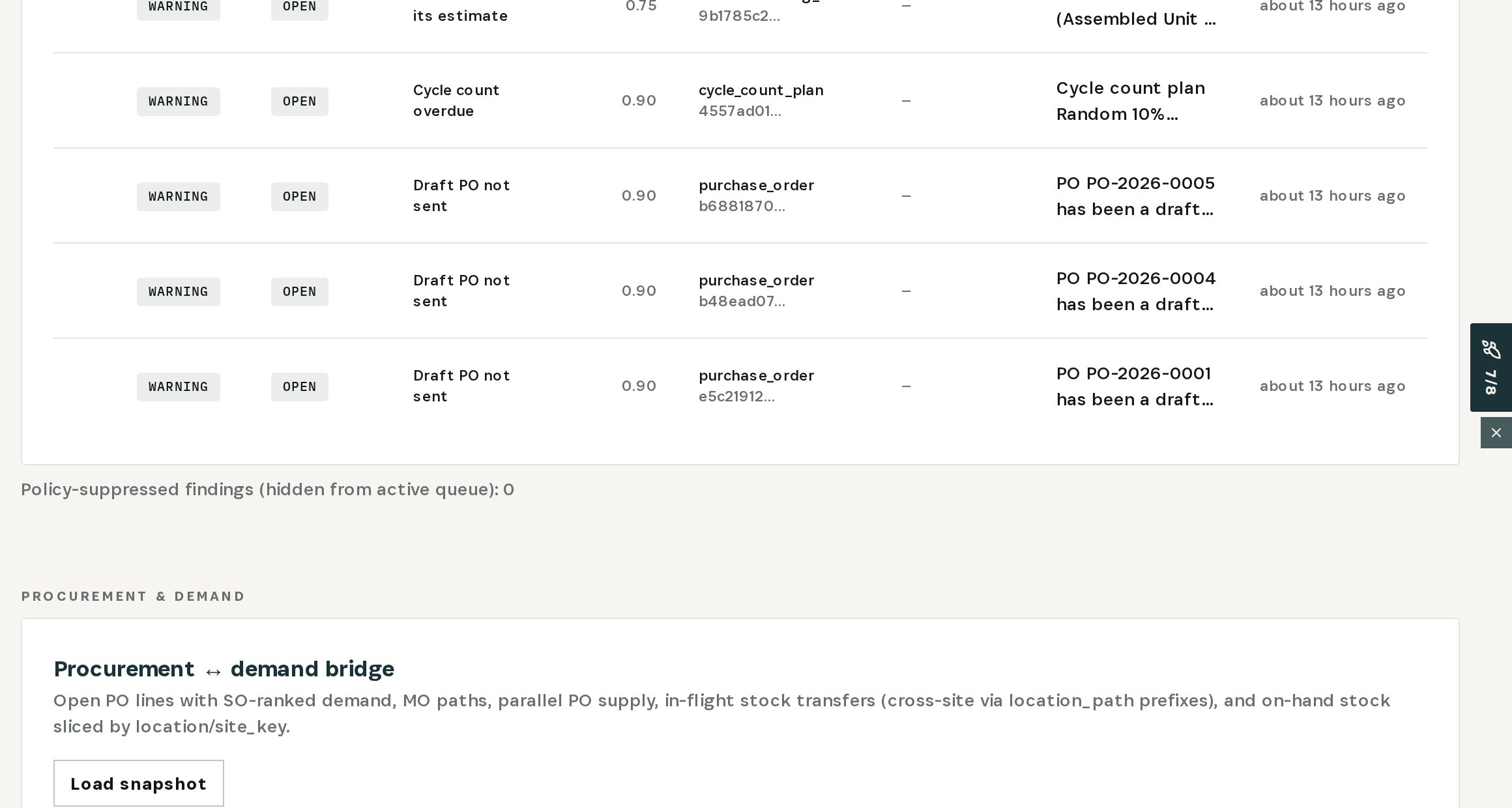
In the demo there are three.
Step 2 — Open the finding
Open the one for PO-2026-0001.
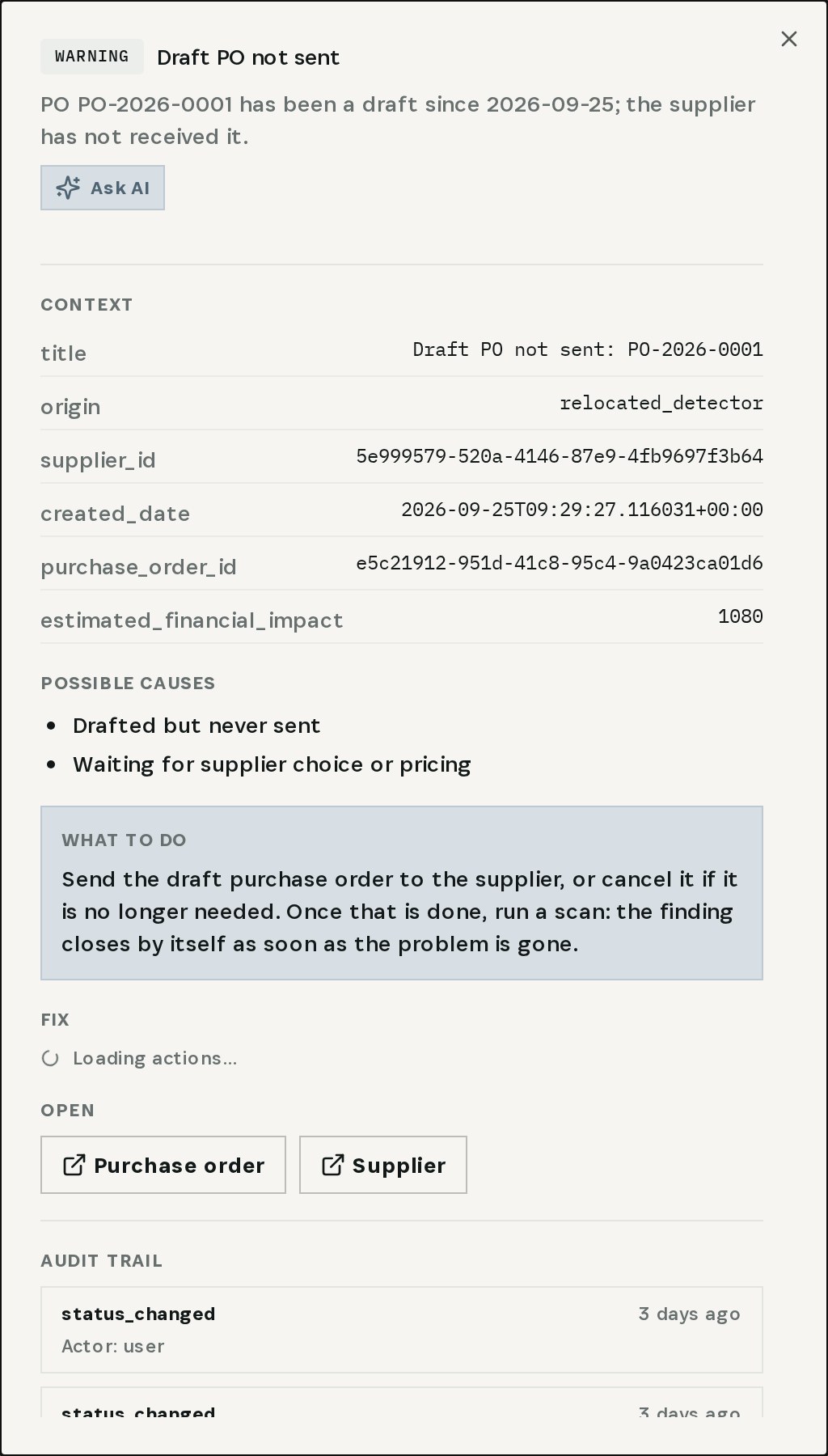
The order has been a draft since 25 September; the supplier has not received it. What to do: send it to the supplier, or cancel it if it is no longer needed. Under Fix, Cancel PO does the second after validation and your confirmation.
Step 3 — Check the order
Choose Purchase order under Open.
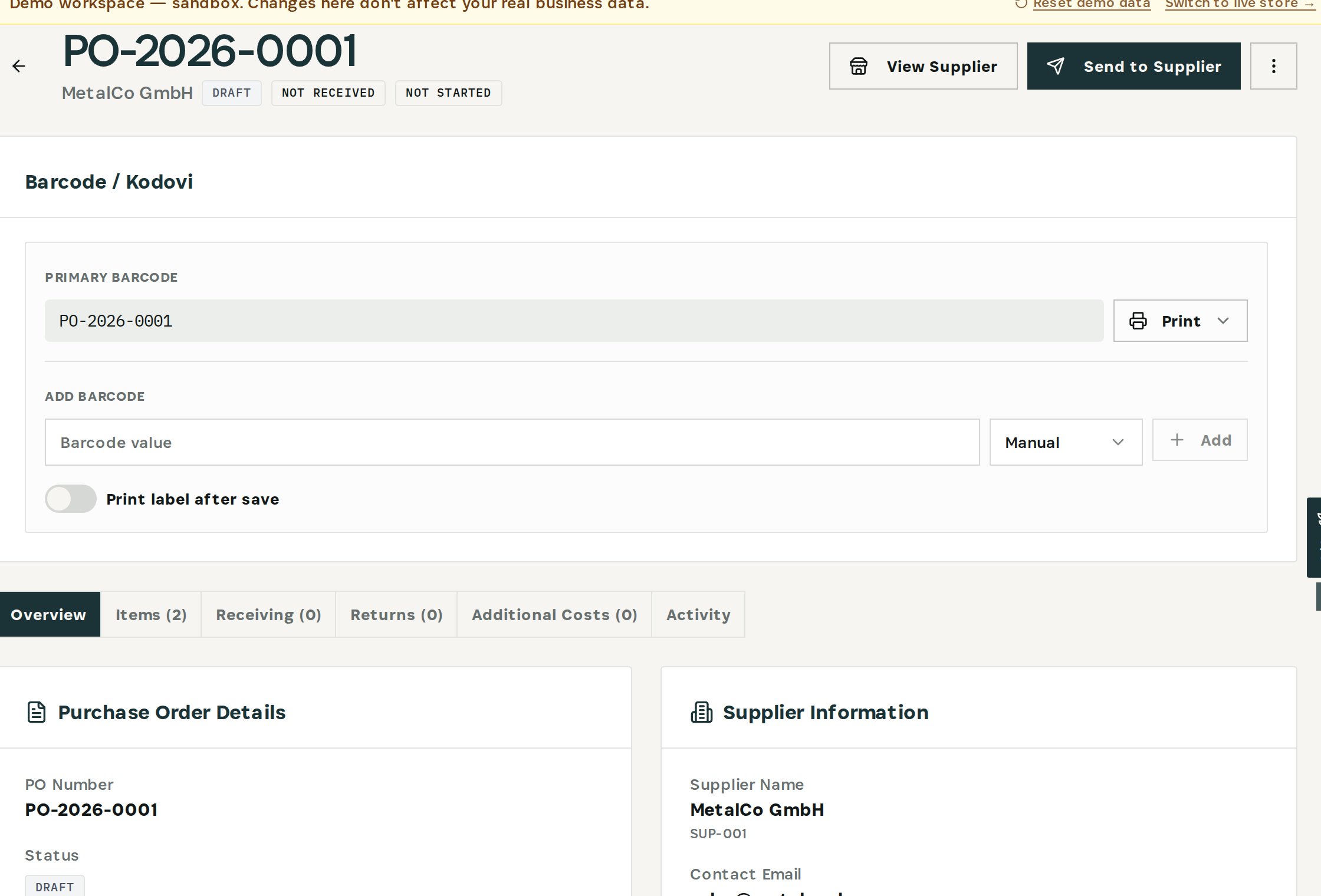
Everything looks like a real order — supplier, two lines, an expected arrival on 8 October — except the status: Draft. That date was never agreed with anyone.
Step 4 — Send it to the supplier
Choose Send to Supplier.
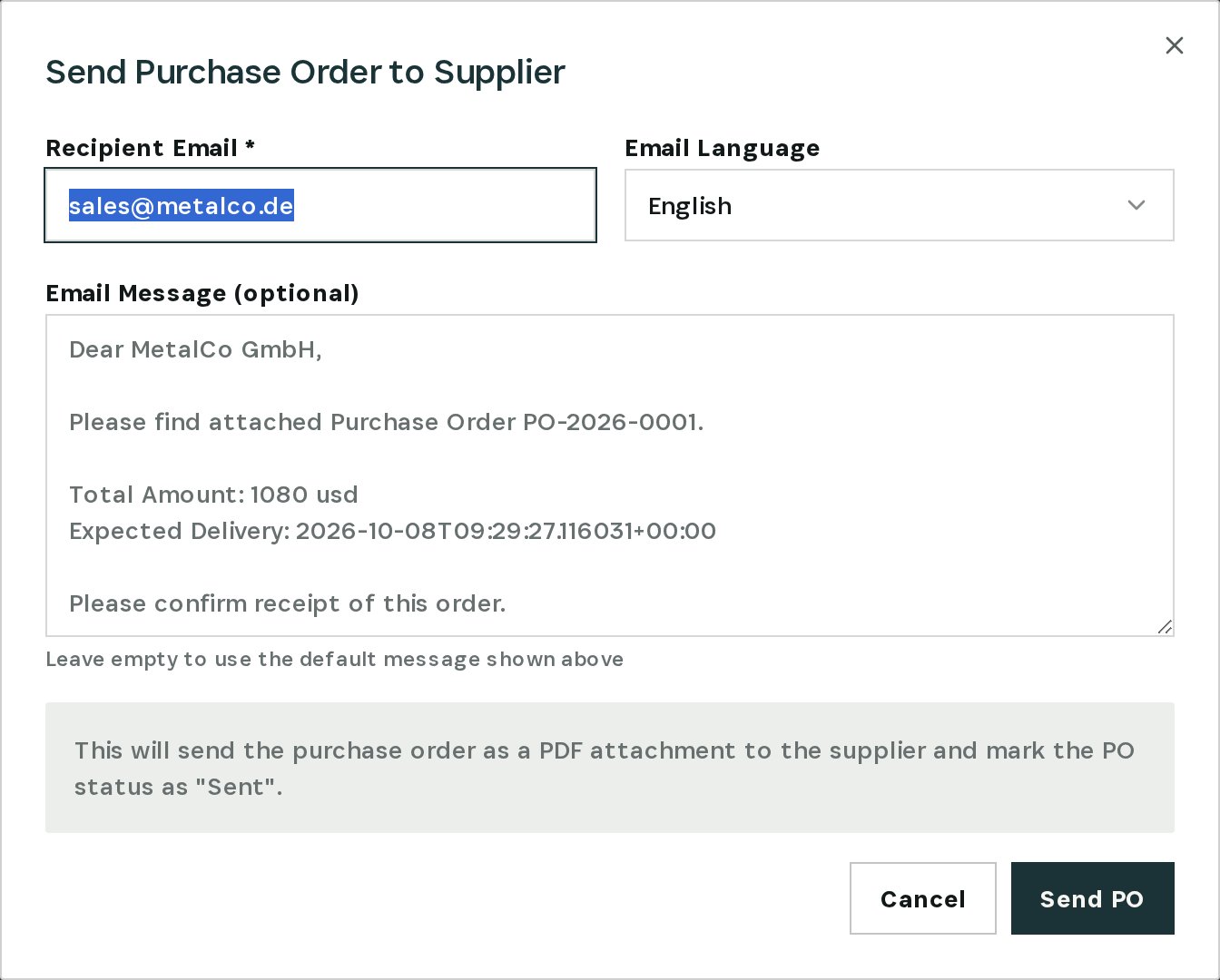
Enter or confirm the supplier's email, pick the language and choose Send PO. Otiox emails the order as a PDF and marks it Sent — the supplier's lead time starts now, not on the day someone notices the empty dock. On the next scan the finding closes by itself.
Ask the supplier to confirm the delivery date once the order arrives — the date on a draft was never theirs.
What you have at the end
- Every purchase order that was saved but never sent, found automatically.
- One click from the finding to the order.
- Orders sent — or cancelled — before the delivery date passes.
Related
- Use case: Forgotten Purchase Order — /use-cases/forgotten-po
- Use case: Approval Bottleneck — /use-cases/approval-bottleneck