Your CNC mill stops on Tuesday. Know which orders and customers it takes down with it.
Repair tomorrow 06:00–14:00, re-plan both orders around it and tell the two customers today.
A stopped machine is a production problem. It becomes a customer problem quietly.
- 01Downtime is written on a whiteboard, not recorded where planning can see it
- 02Nobody knows which orders are scheduled on the machine that just stopped
- 03Customers hear about the delay after the promised date has passed
- 04Repeated stoppages aren't noticed until the machine fails for good
The same situation, in the product.
- 01
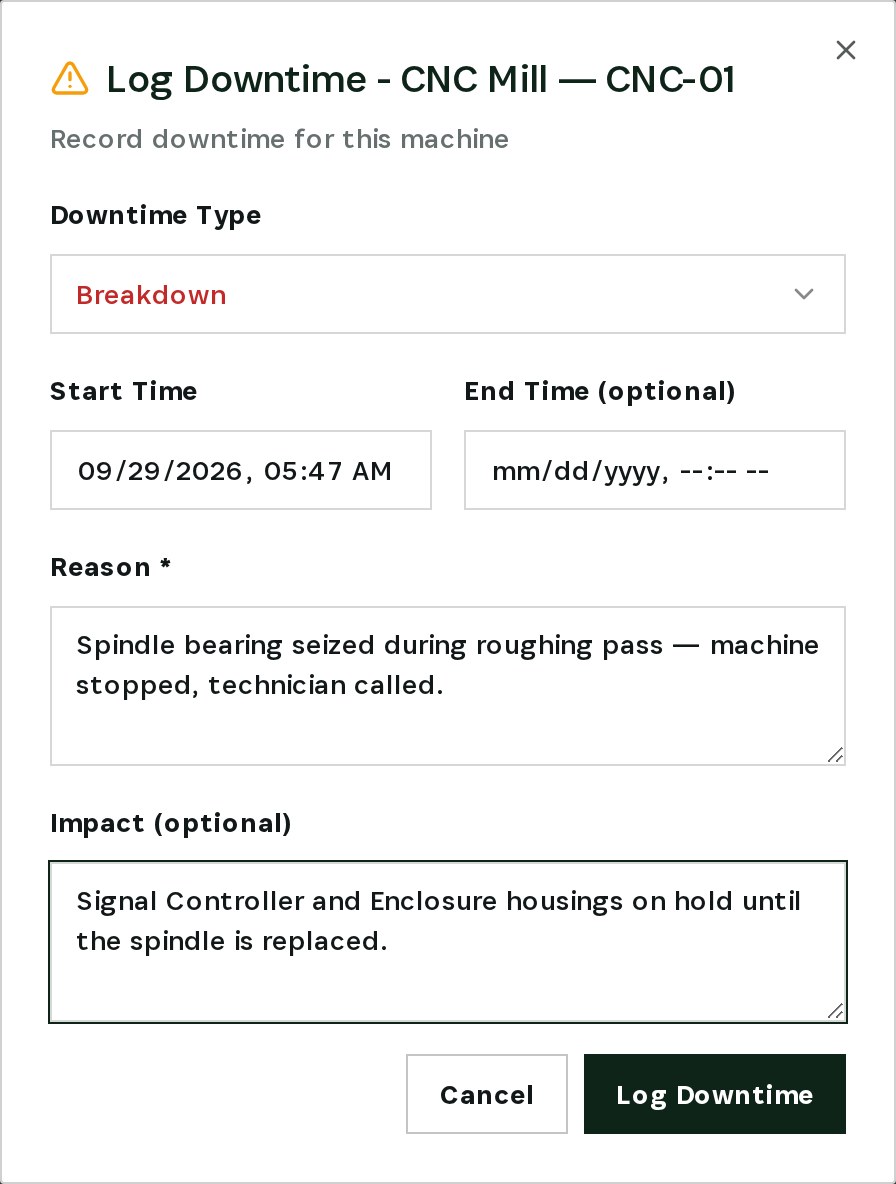
Log the breakdown
From the machine card, record the stoppage: breakdown, start time, reason and what it puts on hold.
- 02
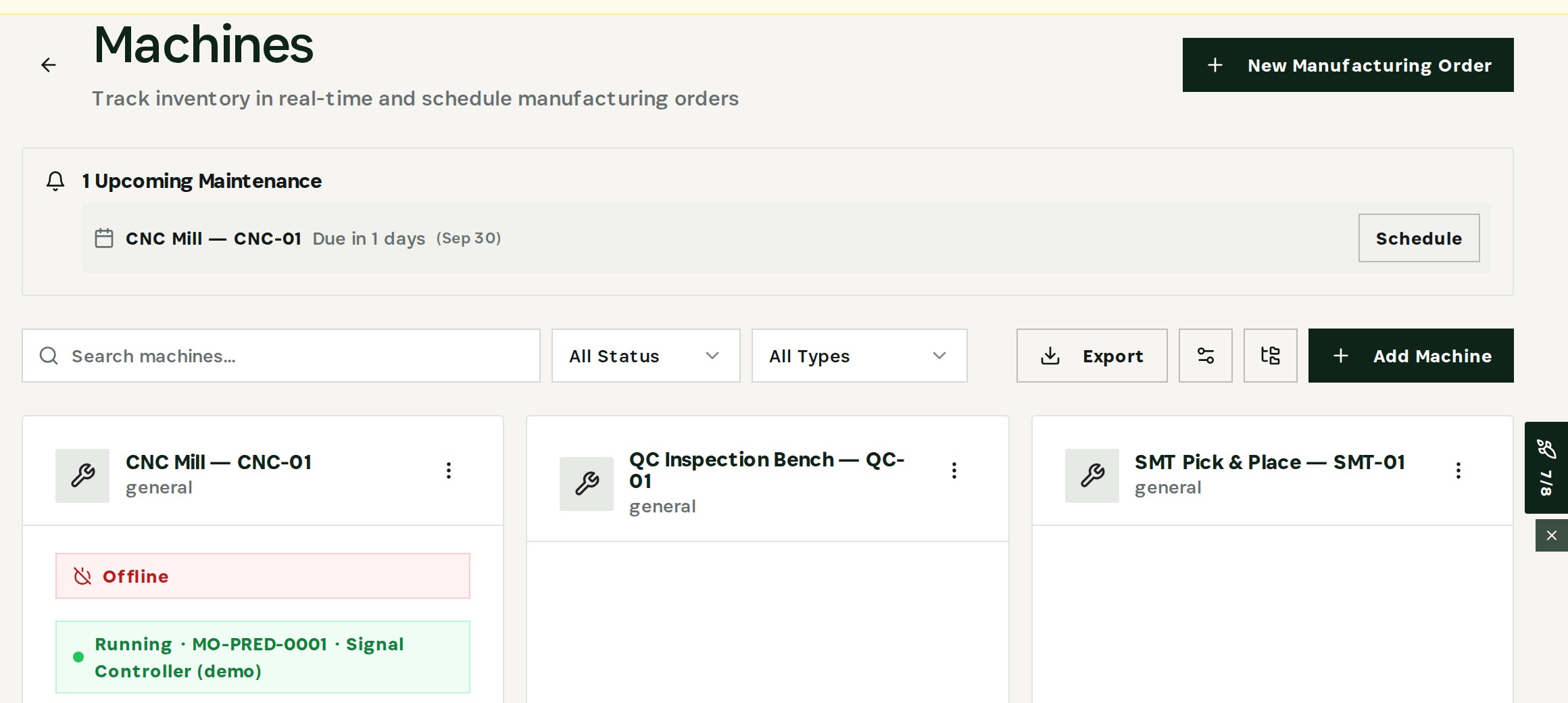
Take the machine offline
Set CNC-01 offline so planning and the floor see it is down.
- 03
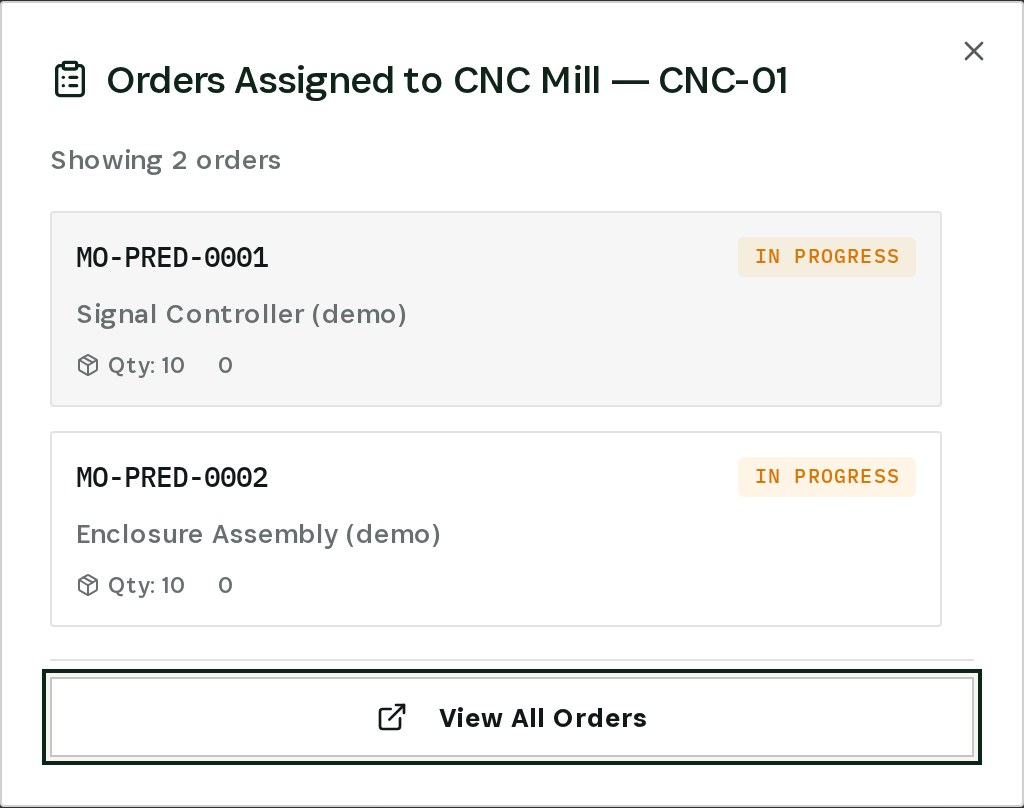
See the orders on it
Two manufacturing orders are in progress on the machine — Signal Controller and Enclosure Assembly.
- 04
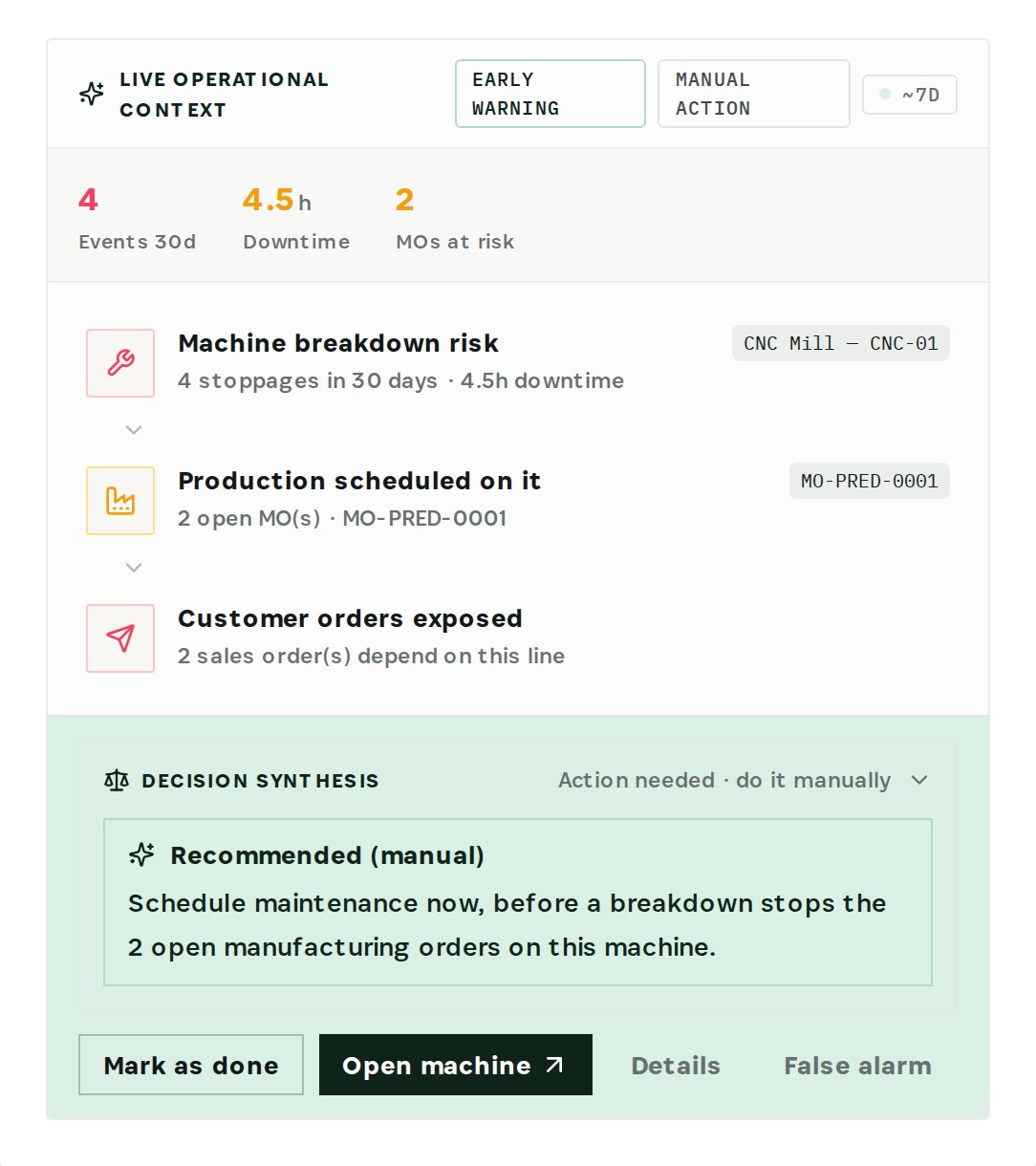
Follow the risk to the customer
Four stoppages in 30 days. The engine traces them to two open orders and two customer orders that depend on this line.
- 05
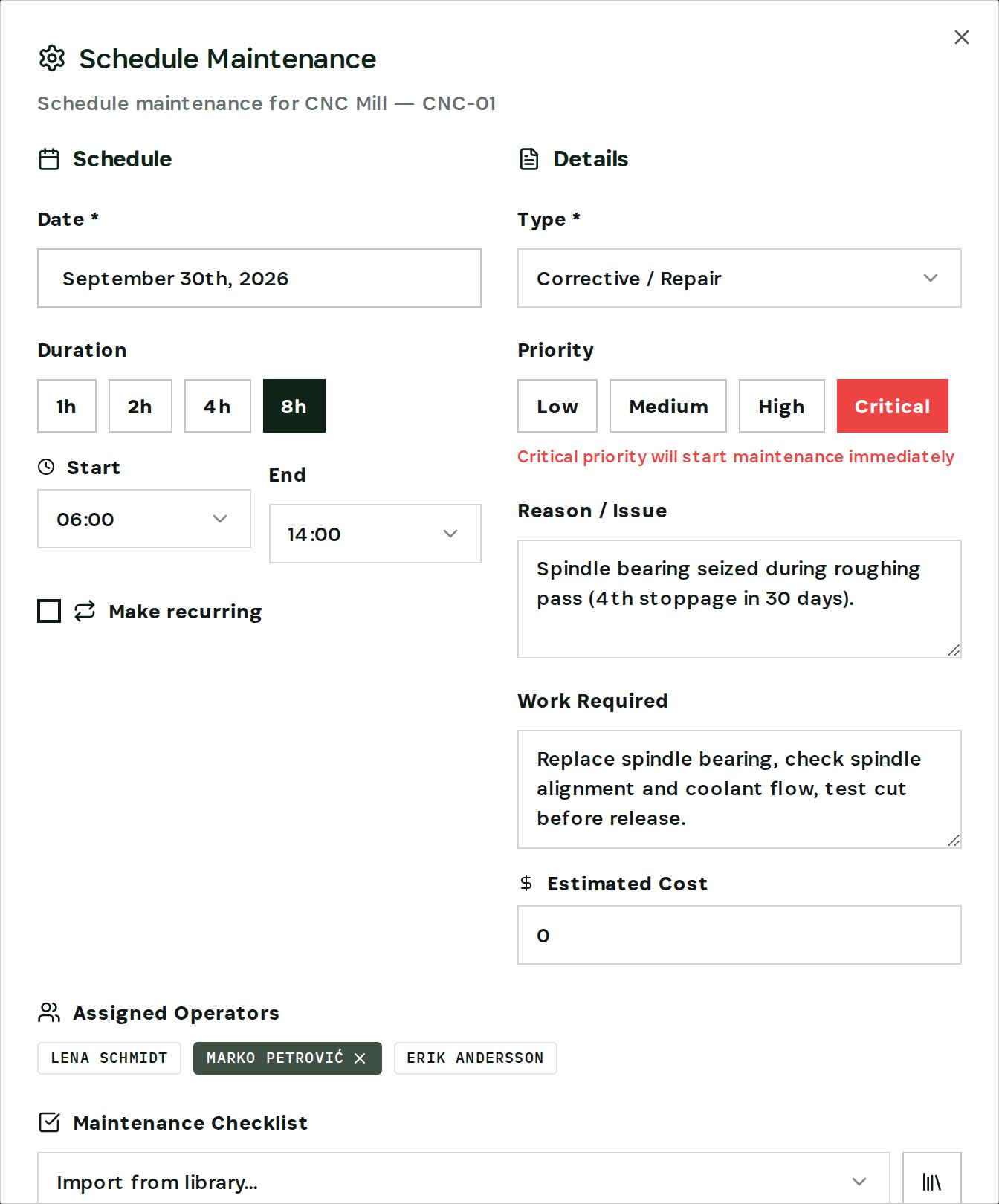
Schedule the repair
Corrective repair, critical priority, eight hours, technician assigned — with a warning for the orders it collides with.
- 06
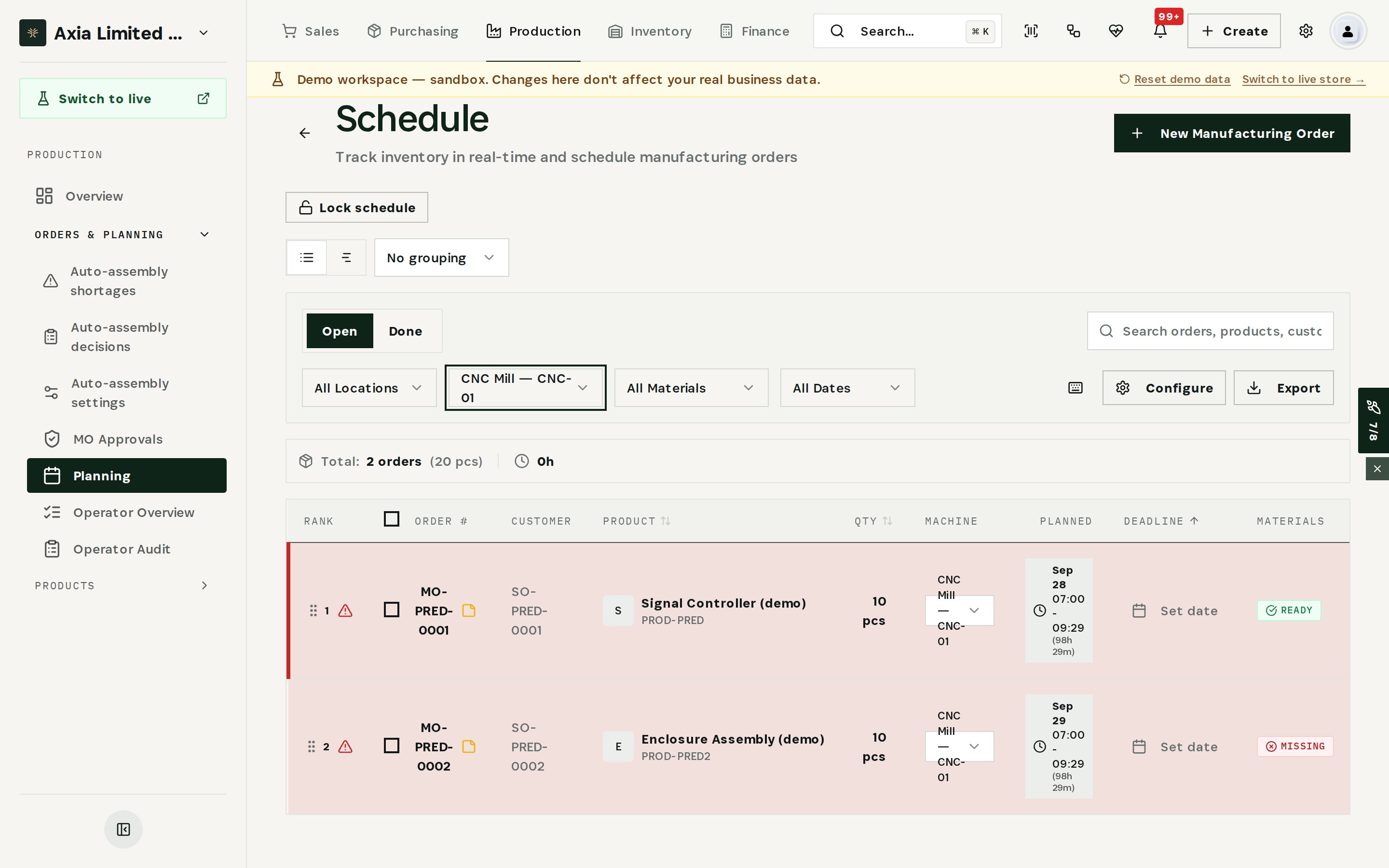
Re-plan the affected orders
Filter the schedule by the machine to see exactly which orders and customers need a new plan.
How It Works
Machine status
Orders on the machine
Breakdown risk forecasting
Maintenance with conflict check
What You'll Gain
- 01Know the blast radius
Which orders and customers depend on the stopped machine is a click away, not a round of phone calls.
- 02Warn customers first
You see the exposed sales orders while there is still time to call the customer or re-plan.
- 03Fix the pattern, not the incident
Four stoppages in 30 days are flagged as a breakdown risk before the next one.
- 04Plan the repair around production
Maintenance is scheduled with the orders it collides with in view.
Real-World Scenarios
Spindle seizes mid-shift
Two orders, two customers
Fourth stoppage this month
The Transformation
- Stoppages noted on a whiteboard
- Affected orders found by asking around
- Customers told after the date slips
- Repeated failures noticed too late
- Every stoppage logged with reason and impact
- Orders on the machine in one click
- Exposed customer orders traced automatically
- Breakdown risk flagged from the downtime pattern
Frequently Asked Questions
01Who can log downtime?
02How does Otiox know which customers are affected?
03When is a machine flagged as a breakdown risk?
04Does Otiox reschedule orders automatically?
Ready to transform your machine breakdown?
See how Otiox can solve your specific challenges.