Playbook: a key machine breaks down mid-week
The situation
It is Tuesday morning. The spindle bearing on CNC-01 seizes during a roughing pass and the machine stops. A technician is on the way. Two questions matter more than the repair itself:
- Which orders were running on this machine, and which customers are waiting for them?
- Is this a one-off, or a machine that keeps failing?
This playbook answers both, then puts the repair on the calendar and re-plans the work.
The screenshots come from the Otiox demo workspace. To follow along, choose Switch to demo in the sidebar — changes there never touch your live data.
Step 1 — Log the breakdown
Go to Production → Planning → Machines, open the menu on the CNC Mill — CNC-01 card and choose Log Downtime.
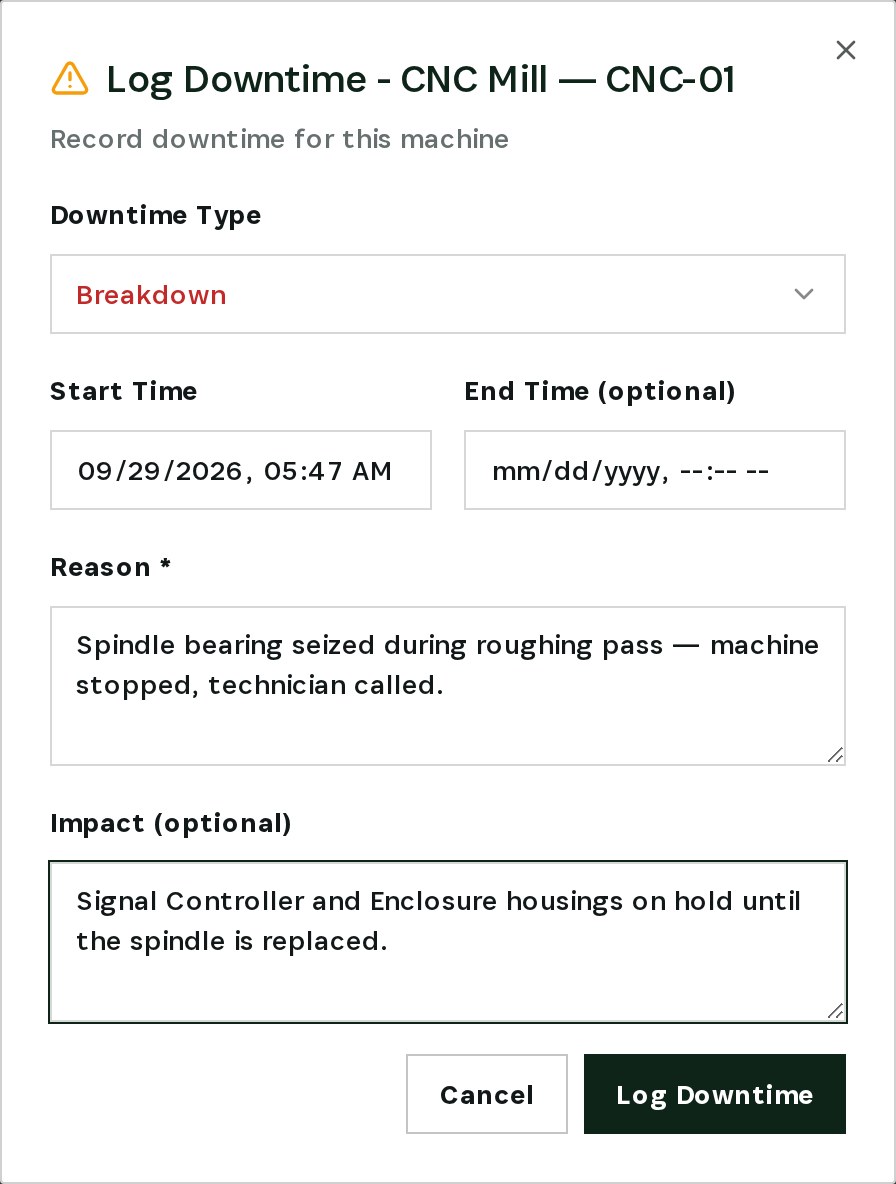
Set the type to Breakdown, keep the start time, and describe the reason and the impact — here, Signal Controller and Enclosure housings on hold until the spindle is replaced. Leave the end time empty while the machine is still down.
Step 2 — Take the machine offline
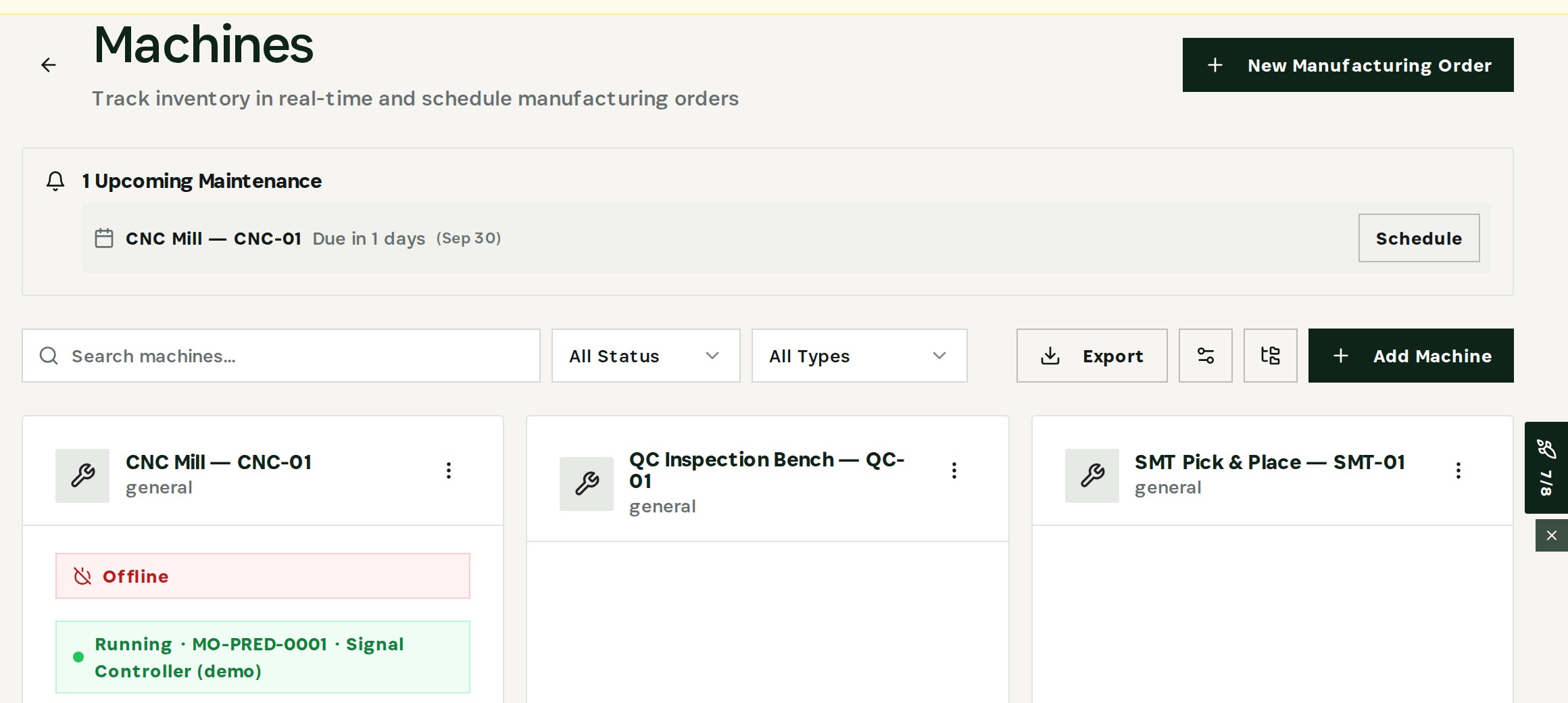
From the same menu choose Set Offline. The machine card now shows it as offline, so planners and the floor see it is down.
Step 3 — See the orders on the machine
Choose View Assigned Orders. Every manufacturing order assigned to CNC-01 is listed with its product, quantity and status.
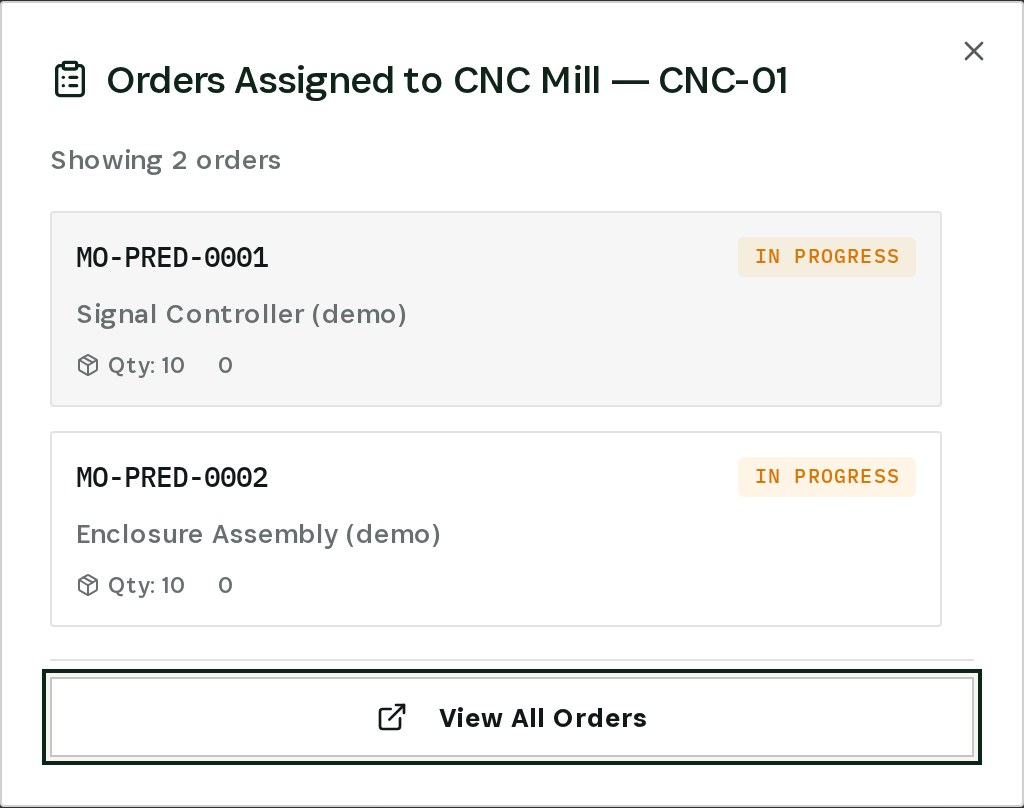
In the demo, two orders are in progress: MO-PRED-0001 (Signal Controller) and MO-PRED-0002 (Enclosure Assembly).
Step 4 — Follow the risk to the customer
Open Predictive Insights and choose Run prediction scan. Filter by Machine breakdown → production/SO at risk.
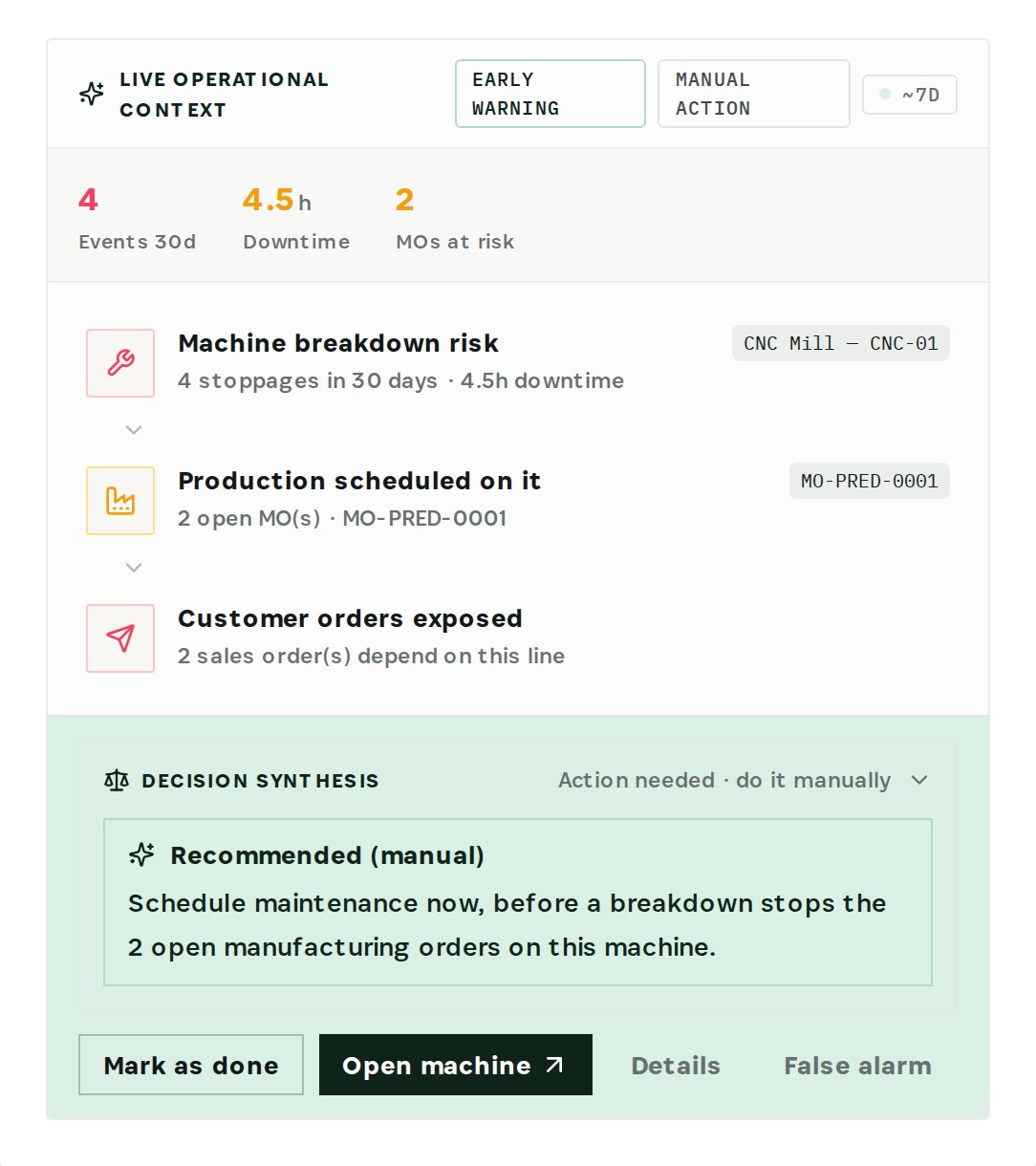
The engine counts 4 stoppages in 30 days on CNC-01 and follows the chain: the machine → the 2 open manufacturing orders scheduled on it → the 2 sales orders that depend on them. Decision Synthesis recommends scheduling maintenance now, before the next breakdown stops those orders. Open machine takes you straight back to it.
One stoppage is an incident. Four in a month is a pattern — and the engine tells you which customers the pattern puts at risk.
Step 5 — Schedule the repair
From the machine menu choose Schedule Maintenance.
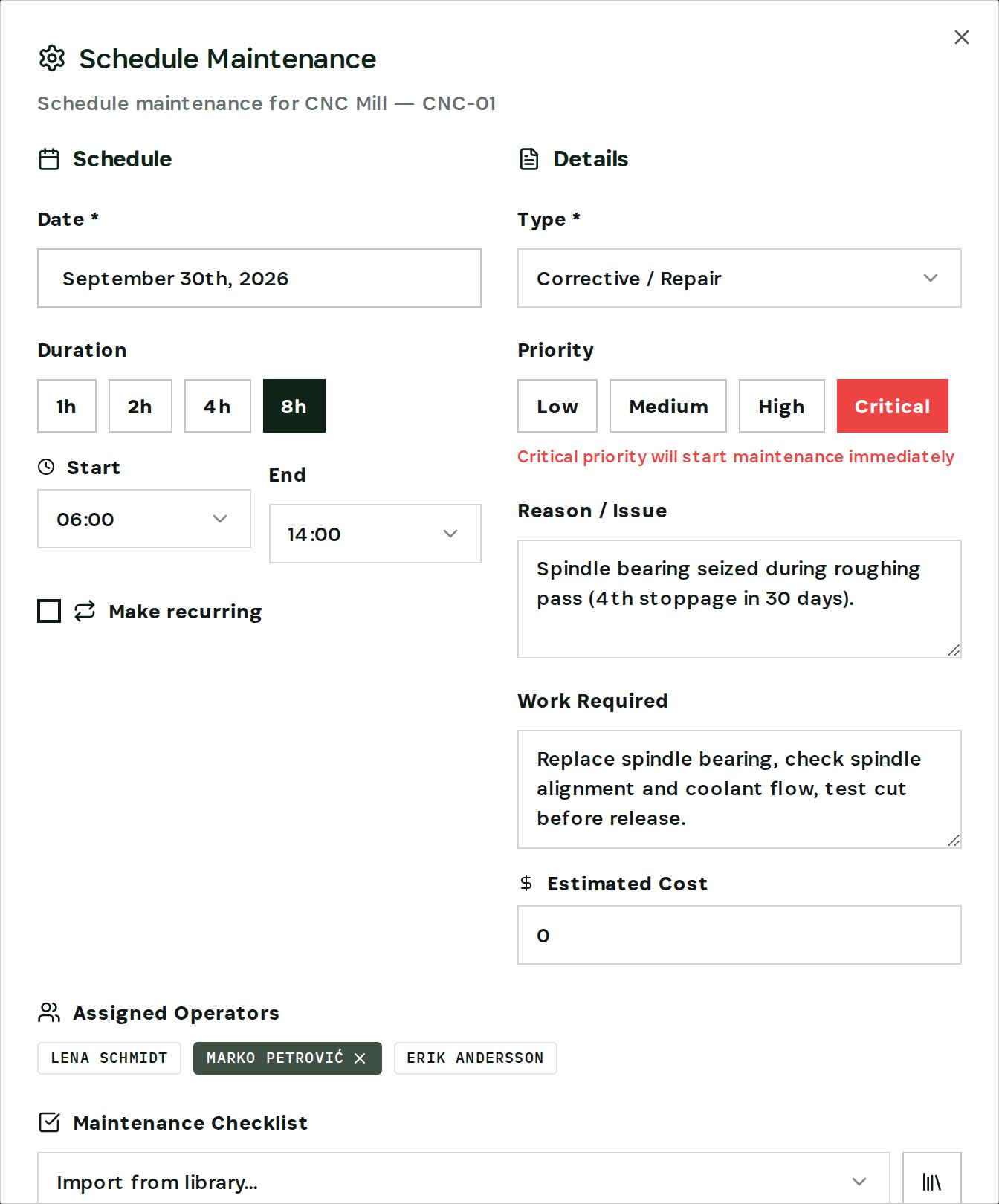
Pick the date and an 8h window, set the type to Corrective / Repair and the priority to Critical, describe the issue and the work required, and assign the technician. If manufacturing orders are scheduled on the machine during that window, the dialog warns you — in the demo, *Machine busy: 2 order(s) scheduled during this time*.
The repair then appears under Upcoming Maintenance on the machines overview and in the maintenance calendar.
Step 6 — Re-plan the affected orders
Go to Planning → Schedule and filter All Machines to CNC-01.
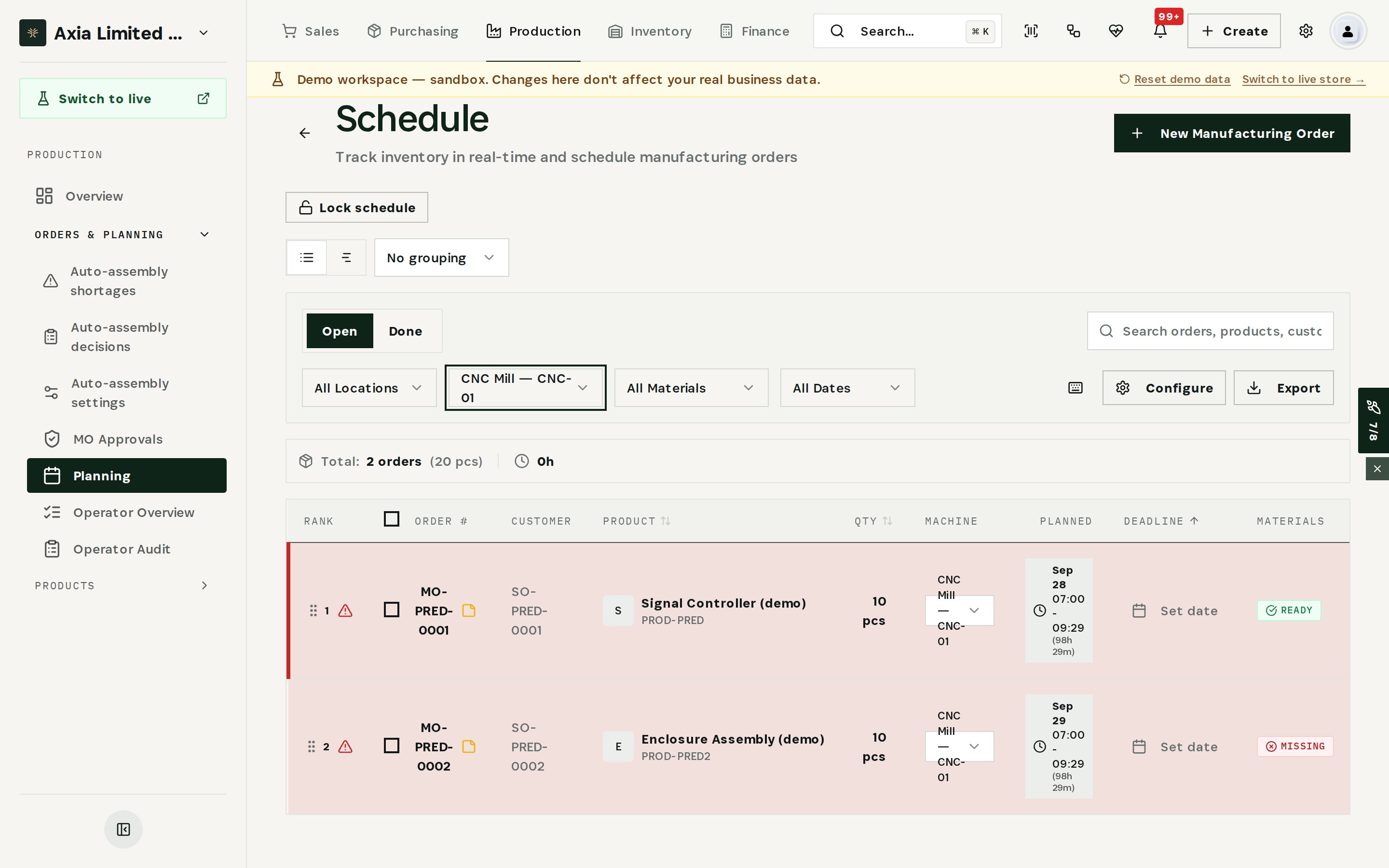
Both orders are listed with the customer order they serve, their planned window and material status. Move them to another machine or a new date, and call the two customers with a date you can keep.
What you have at the end
- The stoppage recorded with its reason and impact.
- The orders and customers affected, found in minutes.
- A breakdown pattern flagged before the next failure.
- The repair on the calendar, planned around production.
Related
- Use case: Machine Breakdown — /use-cases/machine-breakdown
- Machines, Maintenance, Production Schedule and the Predictive Engine are all part of the Otiox platform.