Stuck Orders

The oven step was planned for twenty minutes. It has been "in progress" for more than five days. The parent order is still waiting.

Five manufacturing orders say "in progress". None of them has recorded anything for days. Otiox's Integrity Engine flags every order that went silent, explains what usually causes it, shows you the step where it stopped — and hands finished sub-assemblies to the order that is waiting for them.
app.otiox.comFig. 00
Integrity · silent orders
In progress, nothing recorded
No activity past the 24-hour threshold
OrderProductSilent
MO-DEMO-PCBA-1PCBA S100 Pro3 days
MO-2026-0002MotorDriver MD-125 days
MO-PRED-WIPSignal Controller3 days
MO-PRED-0001Signal Controller> 24 h
Reflow: 20 min planned · 130 h on the clock
Fix

Receive the 3 reported boards into MO-DEMO-S100P-1 — validated, then confirmed by you.

The parent order has its boards. The stuck step is one click away.

01The Challenge

"In progress" is not a status. It is a hiding place.

On the floor, an operator starts the reflow oven timer and forgets to stop it. Three of five boards come out; nobody reports the rest. The order still reads "in progress", the parent assembly is scheduled and waiting, and in the ERP everything looks normal — until a customer asks where their units are.
  1. 01
    Orders sit "in progress" for days with no activity and nobody notices
  2. 02
    A timer left running makes a 20-minute step look like 130 hours
  3. 03
    Finished sub-assemblies are reported but never handed to the parent order
  4. 04
    The only way to find out is to walk the floor and ask
02SEE IT IN OTIOX

The same situation, in the product.

Real screens from the Otiox demo workspace, step by step.
  1. 01

    See every order that went silent

    Inventory → Stock Integrity lists five Stuck MO findings — orders in progress with no activity past the threshold.
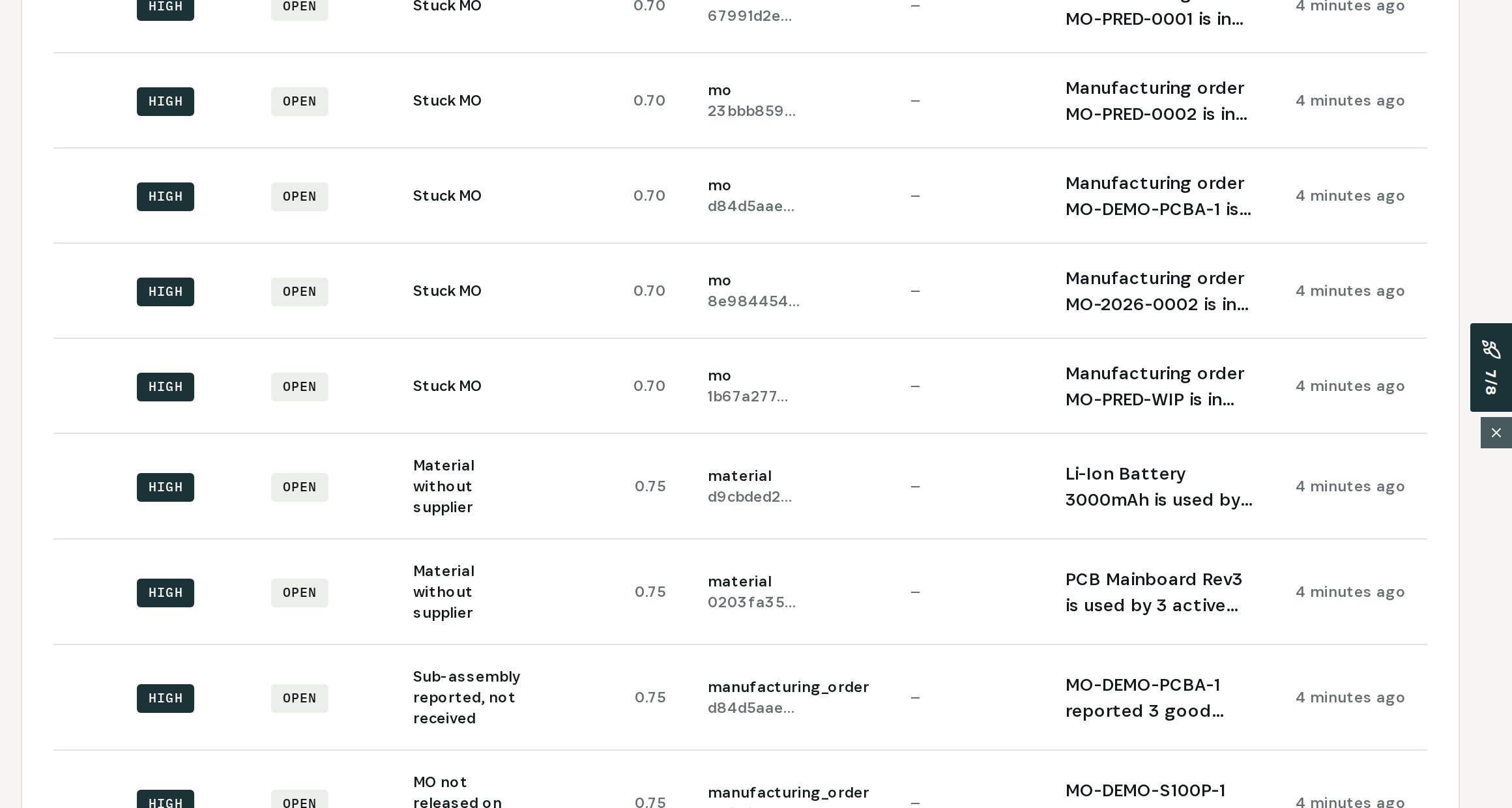
    See every order that went silent
  2. 02

    Ask why

    Ask AI on MO-DEMO-PCBA-1: no activity for 3 days, past the 24-hour threshold, and the usual causes.
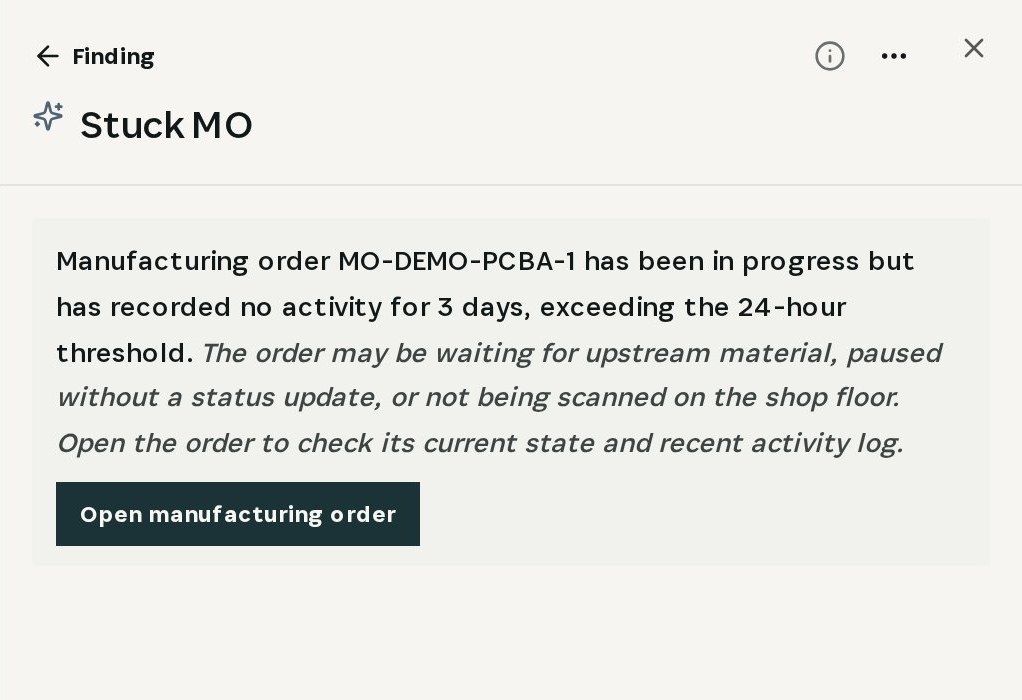
    Ask why
  3. 03

    Find the step that stopped

    The order's tasks: SMT and AOI done in an hour each; reflow planned for 20 minutes, 130 hours on the clock.
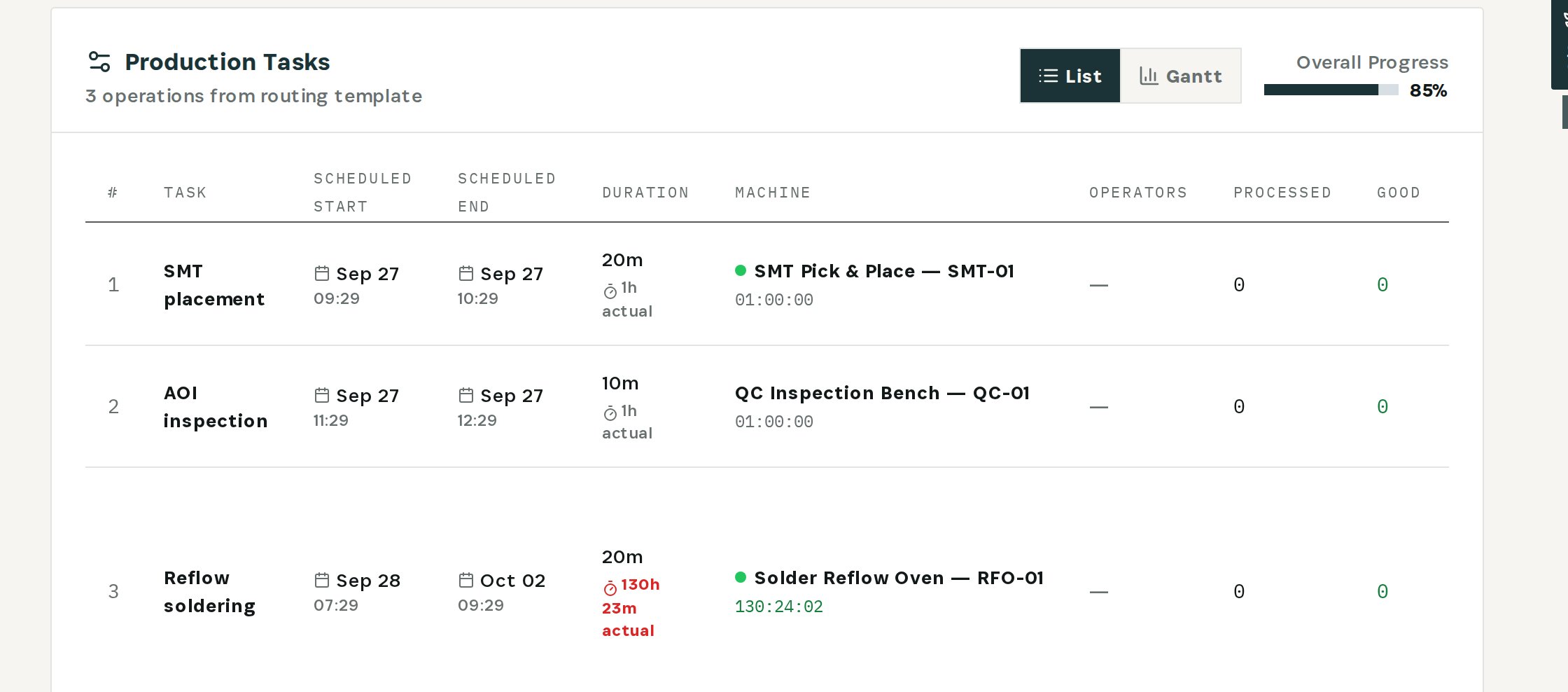
    Find the step that stopped
  4. 04

    Hand the finished boards over

    3 good boards were reported but never reached MO-DEMO-S100P-1. Receive the output moves them into its WIP.
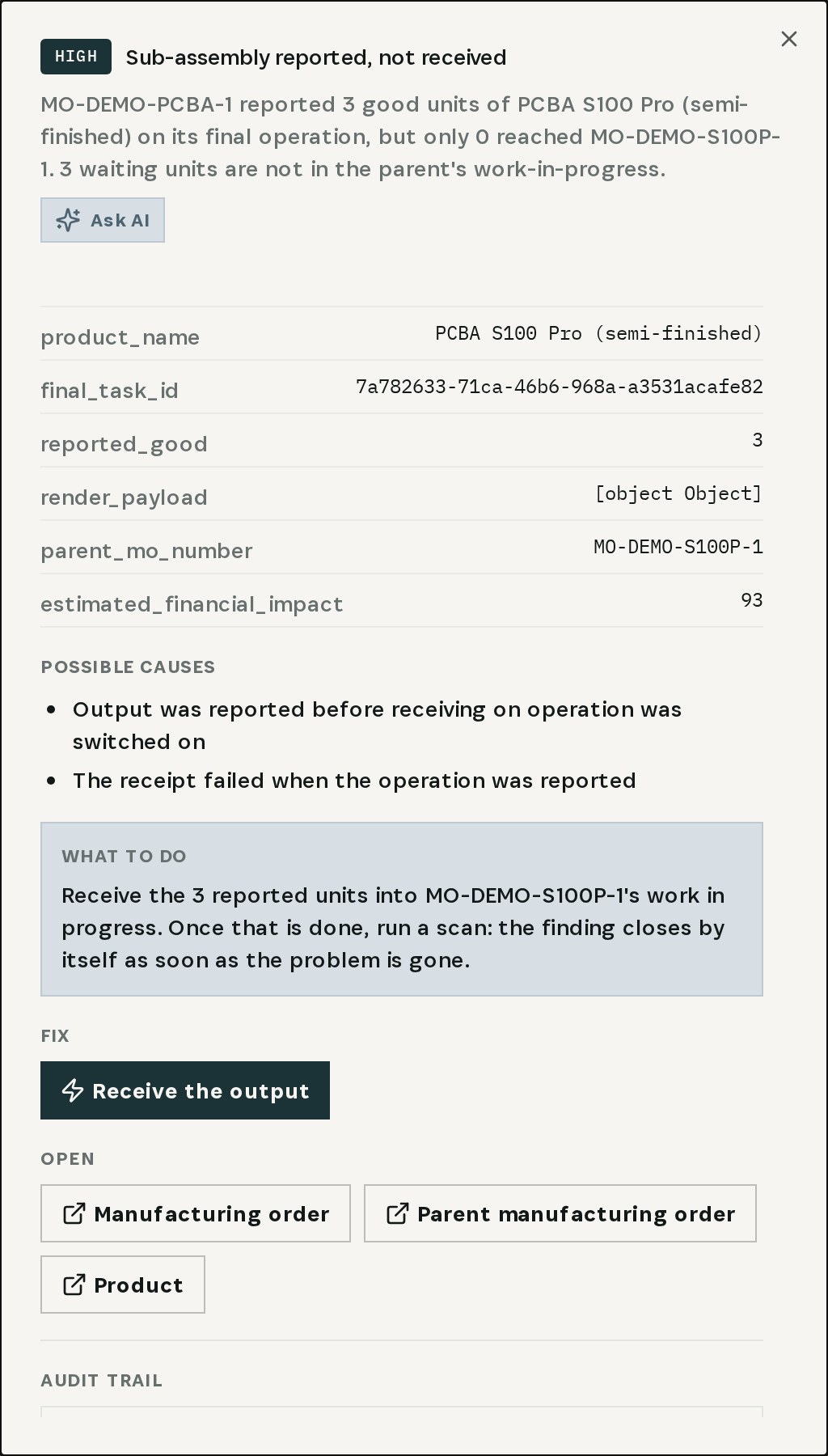
    Hand the finished boards over
03

How It Works

Purpose-built features that solve these exact problems.
01

Silent-order check

The Integrity Engine flags every manufacturing order in progress with no recorded activity past the threshold (24 hours by default).
02

Explained in plain language

Ask AI on the finding says how long the order has been silent and what usually causes it: waiting for material, paused without a status update, or not scanned on the floor.
03

The step where it stopped

Open the order from the finding: planned versus actual time per operation, machine, produced quantity and lateness, in one table.
04

Sub-assembly handover check

When a sub-assembly reports good units that never reach its parent order, a separate finding names the units and the parent.
05

Fix with a check

Receive the output moves the reported units into the parent order's work in progress — validated first, then confirmed by you.
04

What You'll Gain

Tangible improvements that impact your bottom line.
  1. 01
    No order hides in "in progress"

    Silence past the threshold becomes a finding, not a surprise.

  2. 02
    Straight to the blocked step

    From the finding to the operation that stopped in two clicks.

  3. 03
    Parents don't wait for paperwork

    Units that are already built reach the order that needs them.

  4. 04
    Findings close themselves

    Once the problem is gone, the next scan resolves the finding.

05

Real-World Scenarios

See how this works in practice.
Scenario 1

Five silent orders

MO-DEMO-PCBA-1, MO-2026-0002, MO-PRED-WIP and two more are "in progress" with no activity past the 24-hour threshold.
Scenario 2

Twenty minutes planned, five days on the clock

On MO-DEMO-PCBA-1, SMT placement and AOI inspection are done; the reflow step has been running since Sep 28 with 3 of 5 boards out.
Scenario 3

Three boards handed over

Receive the output moves the 3 finished boards into MO-DEMO-S100P-1, the parent order that was waiting for them.
06

The Transformation

From chaos to clarity.
Before
  • Orders "in progress" for days, unnoticed
  • Timers left running distort every number
  • Built sub-assemblies stuck between orders
  • Status found by walking the floor
After
  • Every silent order flagged automatically
  • Cause explained, blocked step one click away
  • Reported units handed to the parent with a validated fix
  • Findings that close once the order moves
07

Frequently Asked Questions

Quick answers to common questions.
01When is an order considered stuck?
When it is in progress and has recorded no activity for longer than the threshold — 24 hours by default. The finding says how long it has been silent.
02Does Otiox finish or cancel a stuck order for me?
No. A stuck order needs a person: the finding explains likely causes and opens the order, where you finish the step, report what was produced or re-plan it.
03What does Receive the output do?
It applies to a different finding — a sub-assembly that reported good units the parent never received. It moves those units into the parent order's work in progress, after validation and your confirmation.
04Where does the explanation come from?
Ask AI on the finding reads the finding's data — status, last activity, active tasks — and explains it. Follow-up questions such as "Is it safe to fix?" are one click away.
Stuck Orders

Ready to transform your stuck orders?

See how Otiox can solve your specific challenges.