Playbook: in production for days, and nothing moved
The situation
Monday morning. The production board shows five orders "in progress". They said the same on Thursday. One of them, MO-DEMO-PCBA-1, builds five PCBA boards for MO-DEMO-S100P-1 — the SmartSensor order that cannot start without them.
In most ERPs nothing is wrong with this picture: "in progress" is a valid status. You find out something is off when the customer asks.
The screenshots come from the Otiox demo workspace. To follow along, choose Switch to demo in the sidebar — changes there never touch your live data.
Step 1 — See every order that went silent
Go to Inventory → Stock Integrity. Findings titled Stuck MO are orders in progress that have recorded no activity for longer than the threshold (24 hours by default).
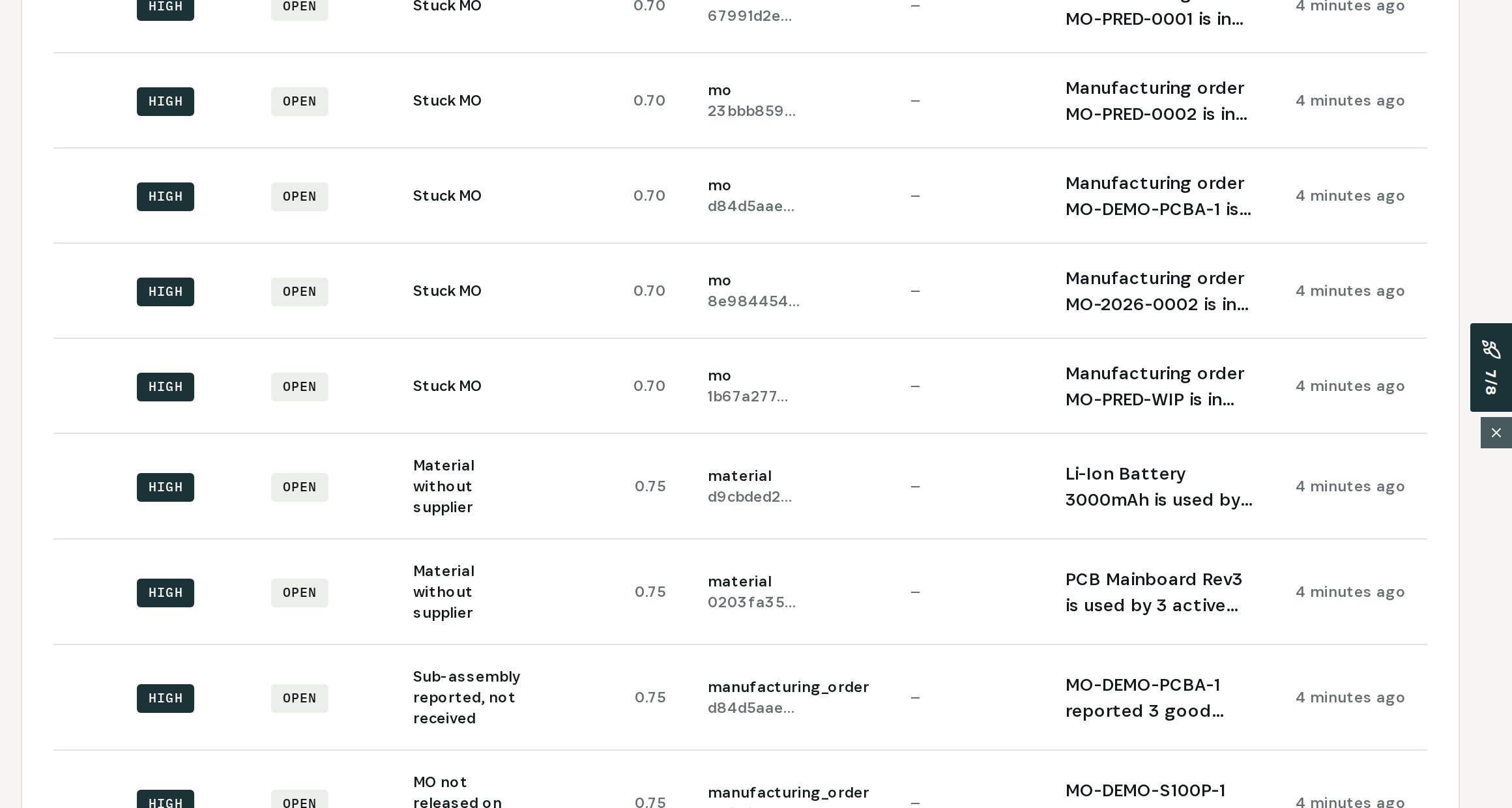
In the demo there are five: MO-PRED-0001, MO-PRED-0002, MO-DEMO-PCBA-1, MO-2026-0002 and MO-PRED-WIP.
Step 2 — Ask why
Open the finding for MO-DEMO-PCBA-1 and choose Ask AI.
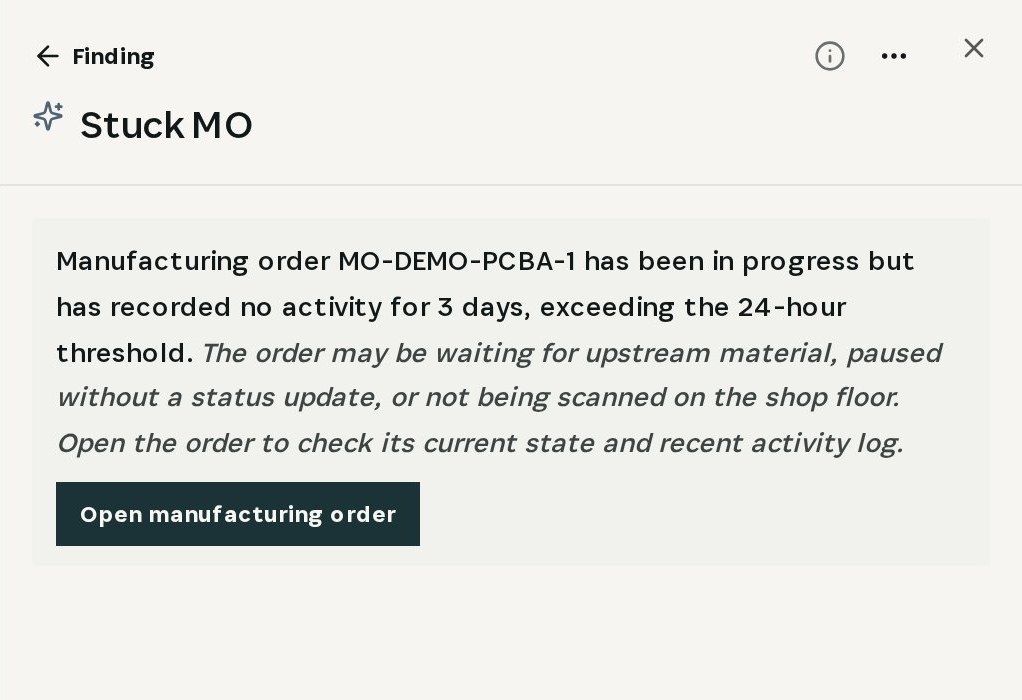
The answer is specific: in progress, no activity for 3 days, past the 24-hour threshold. The usual causes — waiting for upstream material, paused without a status update, or not scanned on the floor. Follow-ups such as Is it safe to fix? and How do I prevent it? are one click away.
Step 3 — Find the step that stopped
Choose Open manufacturing order and scroll to Production Tasks.
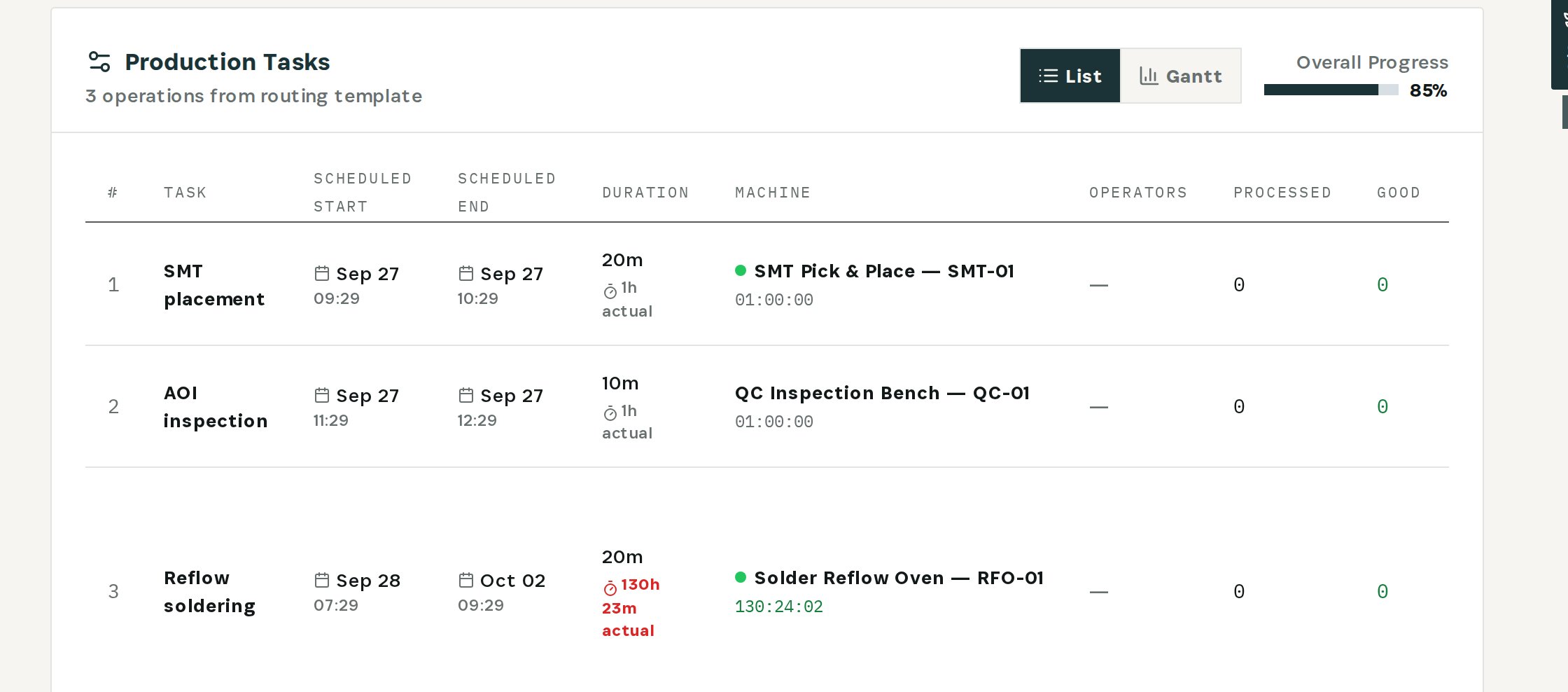
SMT placement and AOI inspection took an hour each and are done. Reflow soldering was planned for 20 minutes — its timer has been running for 130 hours. Three of five boards are out; the step is a day late. Nobody stopped the timer and nobody reported the rest.
This is the conversation to have with the floor: finish and report the step, or re-plan the order.
Step 4 — Hand the finished boards over
Back in Stock Integrity, a second finding sits next to the first: Sub-assembly reported, not received.
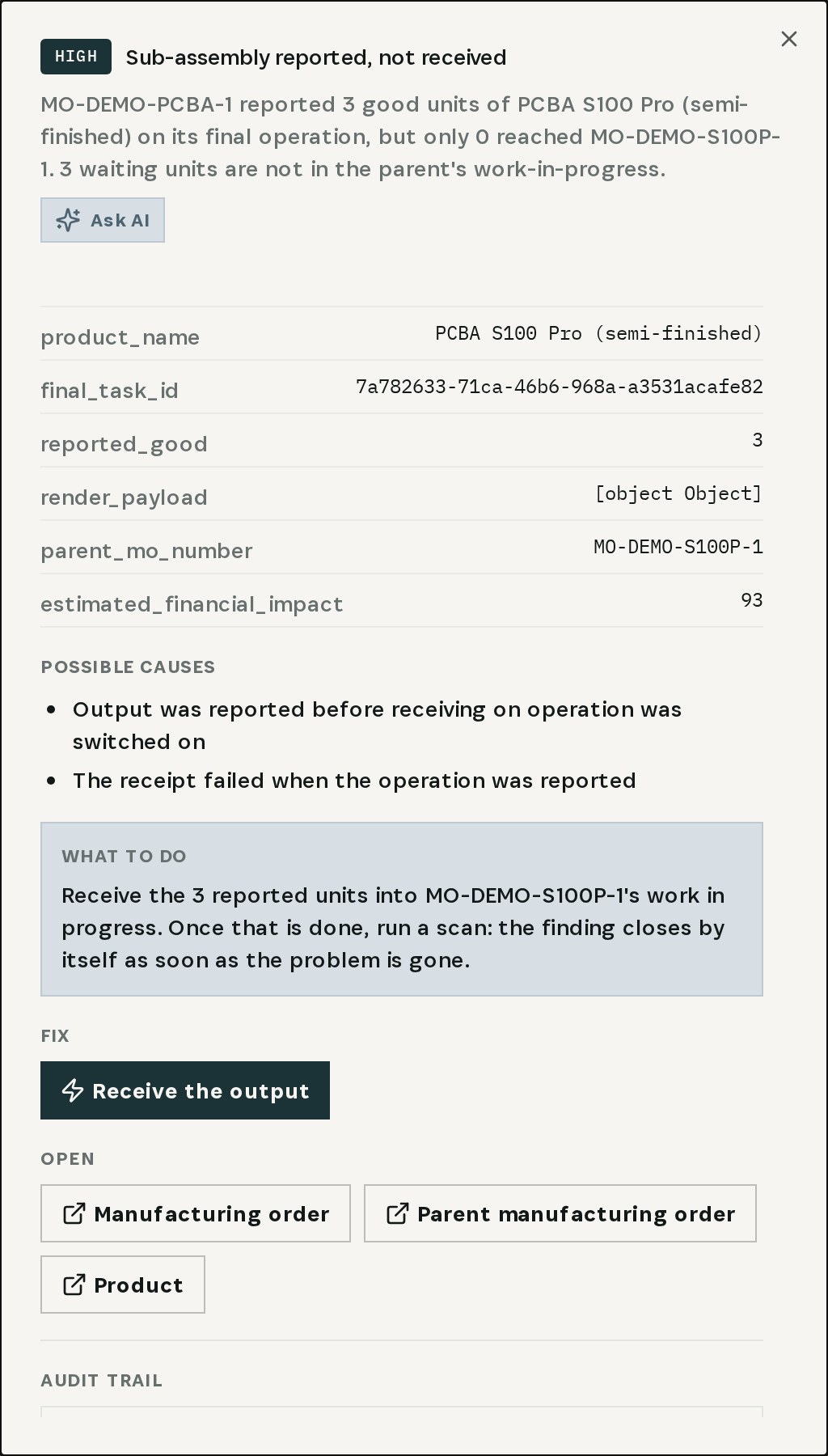
MO-DEMO-PCBA-1 reported 3 good boards on its final operation, but 0 reached MO-DEMO-S100P-1. Choose Receive the output under Fix.
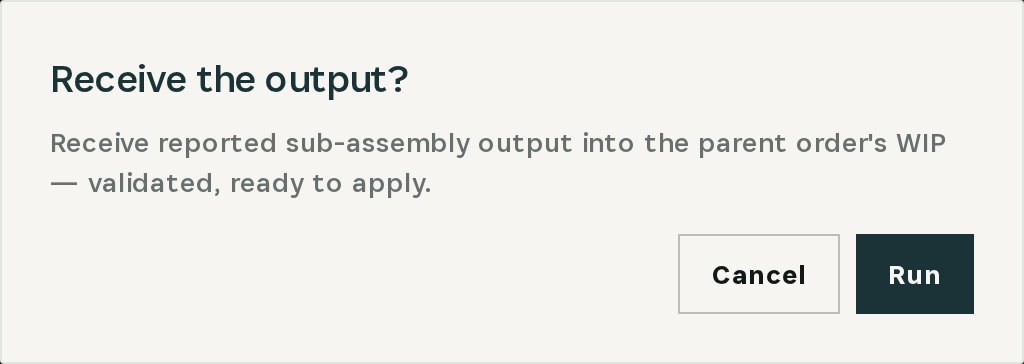
Otiox validates the action and asks for confirmation. After Run, the three boards are in the parent order's work in progress — the SmartSensor build can use them instead of waiting for paperwork.
Stuck MO findings have no automatic fix on purpose: whether to finish, re-plan or cancel an order is a decision for a person. Otiox makes sure the decision gets made.
What you have at the end
- Every order that went silent, found automatically.
- The cause in plain language and the stopped step one click away.
- Finished sub-assemblies delivered to the order waiting for them.
- Findings that close once the orders move again.
Related
- Use case: Stuck Orders — /use-cases/stuck-orders
- Use case: Unposted Builds — /use-cases/unposted-builds