Proof of Origin

An auditor points at one sensor and asks where it came from. Show the whole chain in minutes.

Otiox records which material lots went into which build and which finished lot came out, so one search answers the question auditors and customers ask: what is this made of, which supplier delivered it, and what else was built from the same lot.
app.otiox.comFig. 00
Trace one unit
L-S100B-26W10
  1. Finished lot
    SmartSensor S100 · 19 of 22 on hand
  2. Built by
    Manufacturing order · completed, 15 produced
  3. Battery lot inside
    Li-Ion 3000mAh · quarantined
  4. Delivered by
    Supplier of the battery lot
Export chain to CSV →
01The Challenge

“Where did this come from?” should not take a week.

A customer's quality team or an auditor holds up one SmartSensor and asks for its origin: the build it came from, the battery and PCB inside it, the supplier of each. The answer exists — on a production sheet, a receiving note and a supplier invoice — in three different places.
  1. 01
    Origin is reconstructed from paper after the question is asked
  2. 02
    Nobody can say which supplier lot is inside a finished unit
  3. 03
    Proving what else was built from the same lot takes days
  4. 04
    The evidence for the auditor is assembled by hand
02SEE IT IN OTIOX

The same situation, in the product.

Real screens from the Otiox demo workspace, step by step.
  1. 01

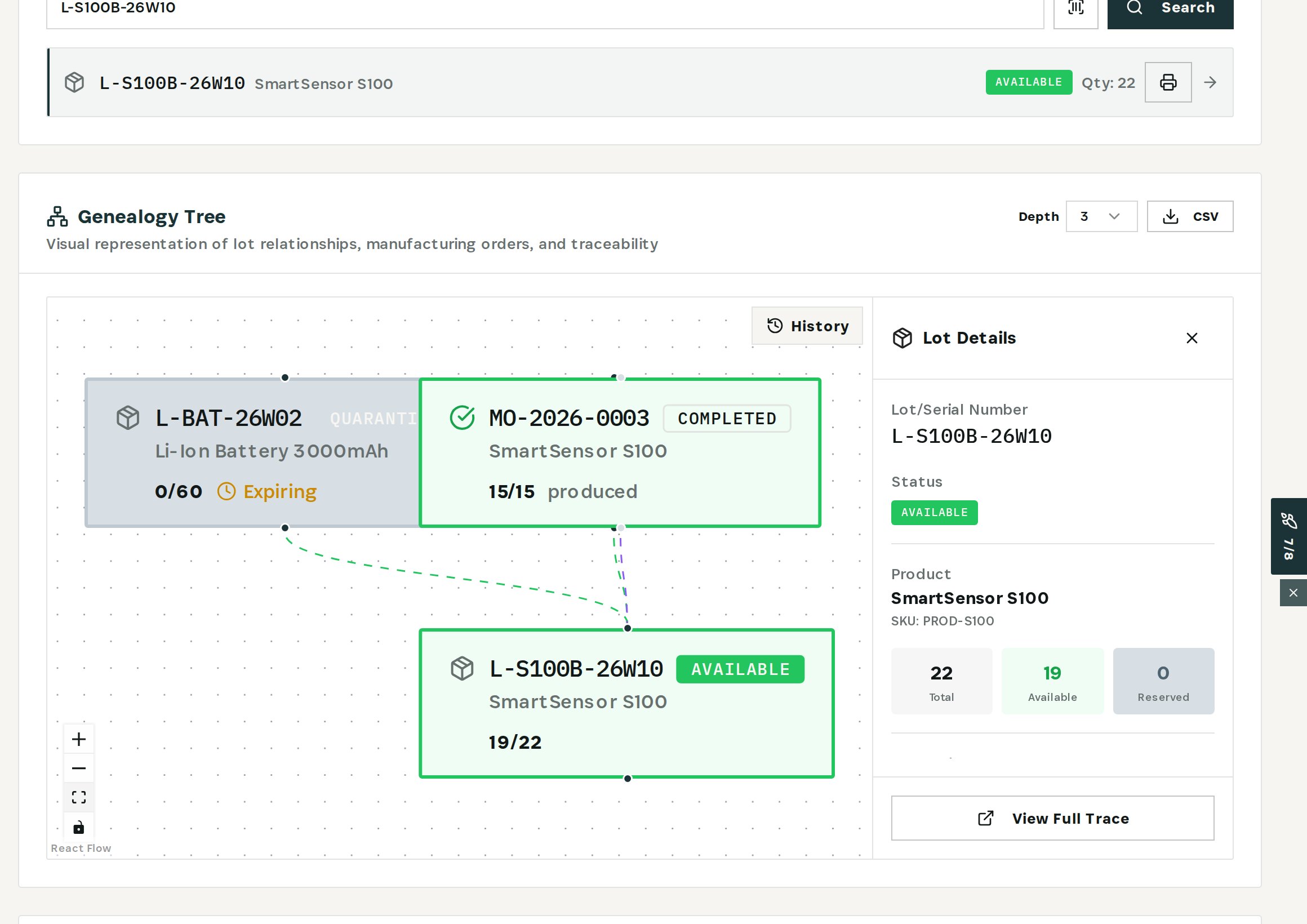
    Search the unit's lot

    SmartSensor lot L-S100B-26W10: built by MO-2026-0003 from battery lot L-BAT-26W02, 19 of 22 units still on hand.
    Search the unit's lot
  2. 02

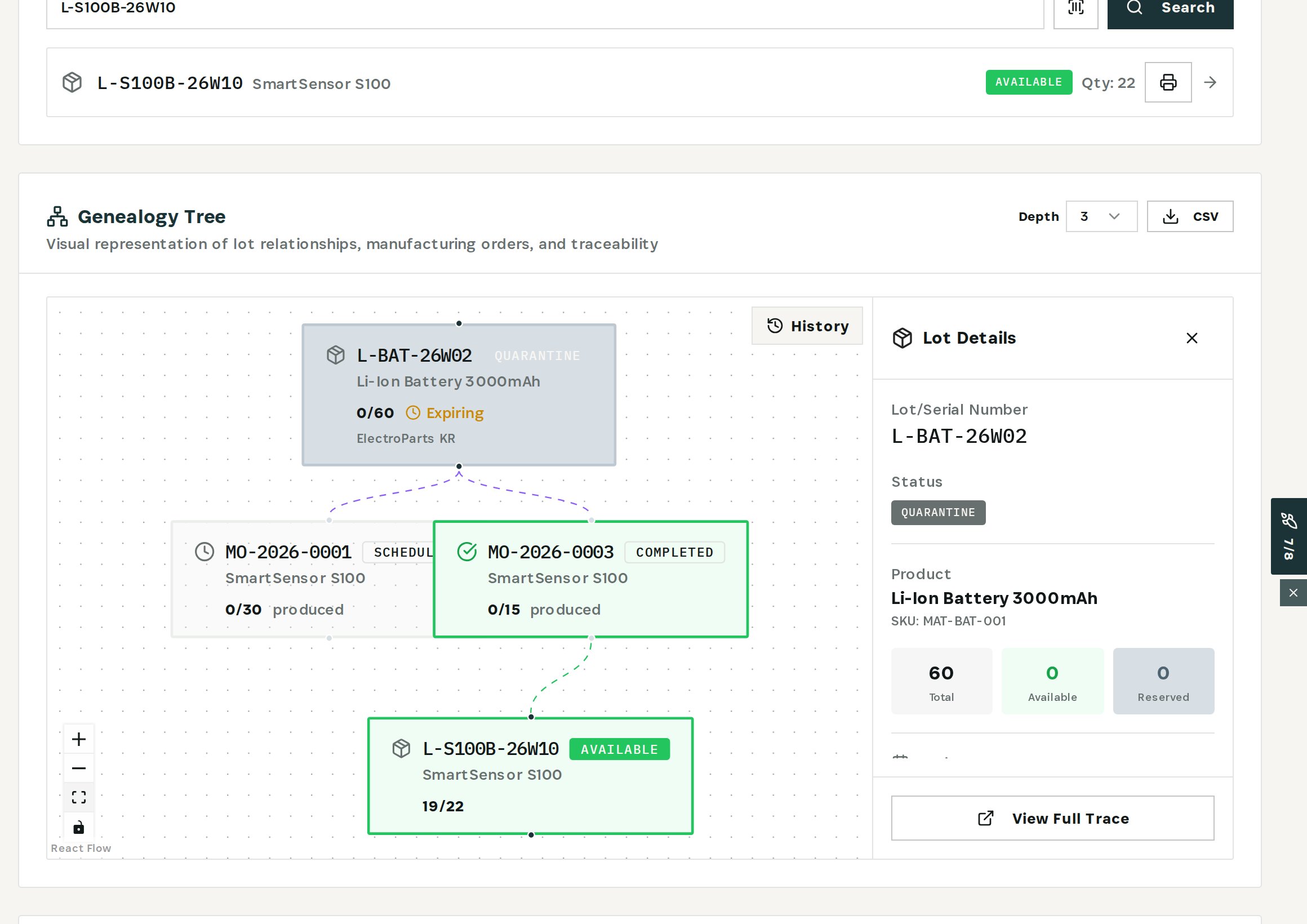
    Open the material lot

    Battery lot L-BAT-26W02 came from ElectroParts KR, is in quarantine, and also feeds scheduled build MO-2026-0001.
    Open the material lot
  3. 03

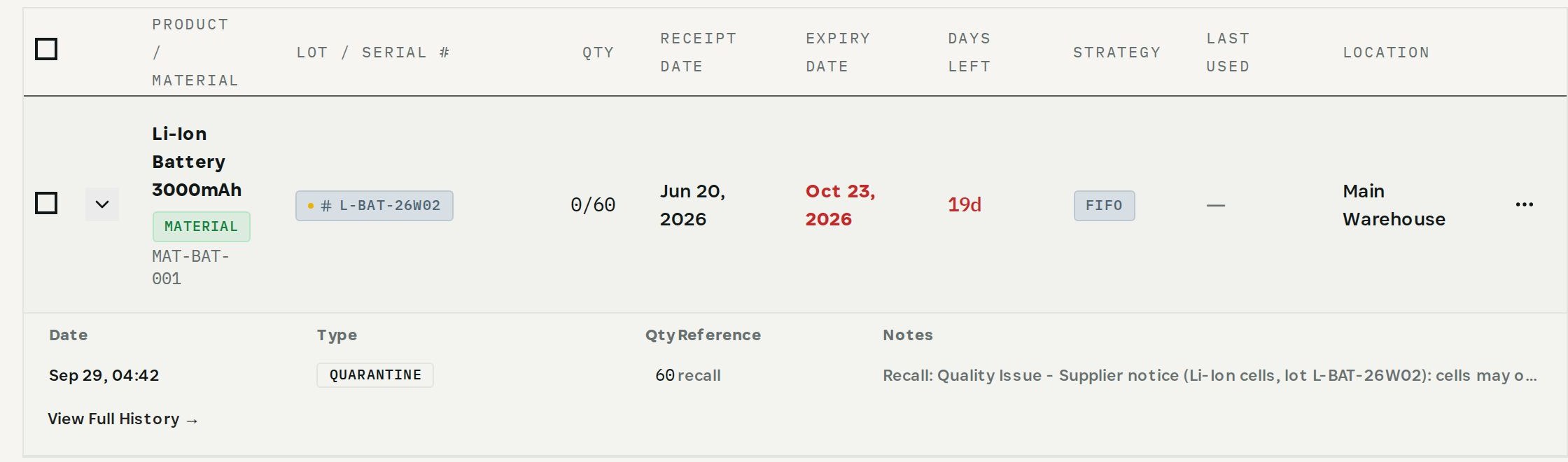
    Read the lot's history

    Every movement of the lot with date, type, quantity and reference — here the quarantine from the supplier's recall.
    Read the lot's history
03

How It Works

Purpose-built features that solve these exact problems.
01

Lot genealogy

Search a lot or serial number and see the build it came from and the material lots that went into it, as a graph.
02

Both directions

From a material lot, follow it forward to every build that used it and every finished lot that came out.
03

Lot details

Each lot shows status, product or material, quantities, expiry and — for purchased lots — the supplier.
04

Adjustable depth and export

Follow the chain as many levels as you need and export it to CSV for the auditor or the customer.
05

Lot history

Every movement of a lot with date, type, quantity and reference, from Batch Management.
04

What You'll Gain

Tangible improvements that impact your bottom line.
  1. 01
    Answer while they wait

    The chain from finished unit to supplier is a search, not a project.

  2. 02
    Evidence, not reconstruction

    Genealogy is recorded as production happens, not rebuilt after the question.

  3. 03
    Know what else is affected

    One material lot shows every build and finished lot it reached.

  4. 04
    Hand over a file

    Export the chain to CSV for the audit file.

05

Real-World Scenarios

See how this works in practice.
Scenario 1

One sensor, one search

SmartSensor lot L-S100B-26W10 traces back to MO-2026-0003 and the battery and PCB lots it consumed.
Scenario 2

The supplier behind it

Battery lot L-BAT-26W02 came from ElectroParts KR and is in quarantine after the supplier's recall notice.
Scenario 3

Same lot, other builds

The same battery lot also feeds scheduled order MO-2026-0001 — the next build to check.
06

The Transformation

From chaos to clarity.
Before
  • Origin rebuilt from paper
  • Supplier lot inside a unit unknown
  • Days to find what else used a lot
  • Audit evidence assembled by hand
After
  • One search from unit to supplier
  • Material lots and supplier on the graph
  • Forward trace to every build
  • Chain exported to CSV
07

Frequently Asked Questions

Quick answers to common questions.
01Can I search by serial number?
Yes. The genealogy search accepts a lot number or a serial number.
02How far back does the trace go?
As many levels as you set with Depth; each level follows manufacturing orders to the lots they consumed or produced.
03Does the trace show the supplier?
Yes, for purchased lots. The lot carries the supplier it was received from, shown on the graph and in the lot details.
04Can I give the auditor a file?
Yes. Export the genealogy to CSV from the graph.
Proof of Origin

Ready to transform your proof of origin?

See how Otiox can solve your specific challenges.