Playbook: prove where one unit came from
The situation
A customer's quality team — or an auditor — picks one SmartSensor and asks: where did this come from? They want the build it came out of, the battery and PCB inside it, and who supplied them. If a material lot is suspect, they also want to know what else was built from it.
The screenshots come from the Otiox demo workspace. To follow along, choose Switch to demo in the sidebar — changes there never touch your live data.
Step 1 — Search the unit's lot
Go to Inventory → Lot Genealogy & Traceability and search for the lot or serial number on the unit — here SmartSensor lot L-S100B-26W10 — then open it.
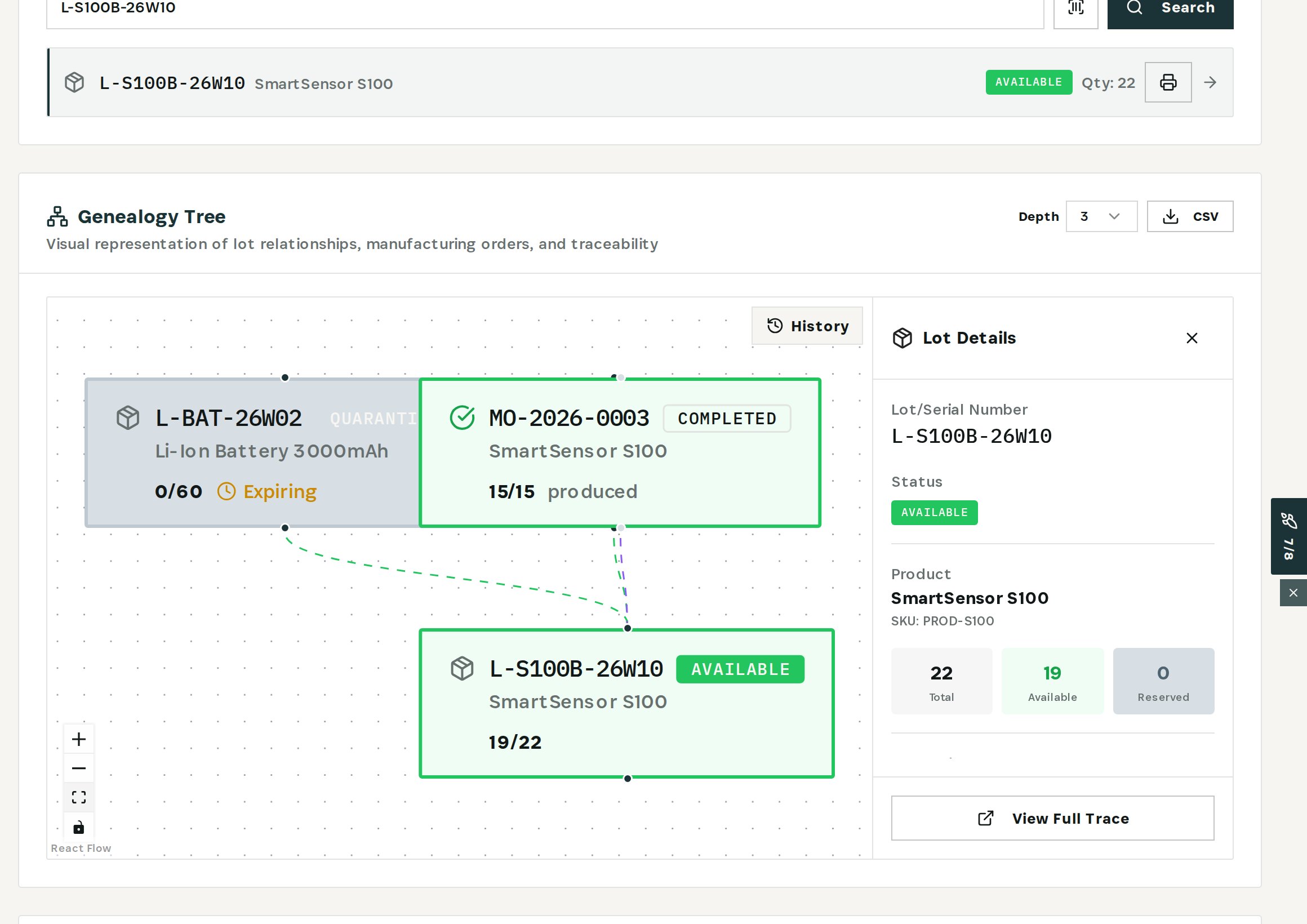
The graph shows the lot, the manufacturing order that produced it (MO-2026-0003, completed, 15 produced) and the material lots that order consumed. The Lot Details panel shows status and quantities: 22 produced, 19 still on hand. Raise Depth to follow the chain further back.
Step 2 — Open the material lot
Select the battery lot L-BAT-26W02 on the graph.
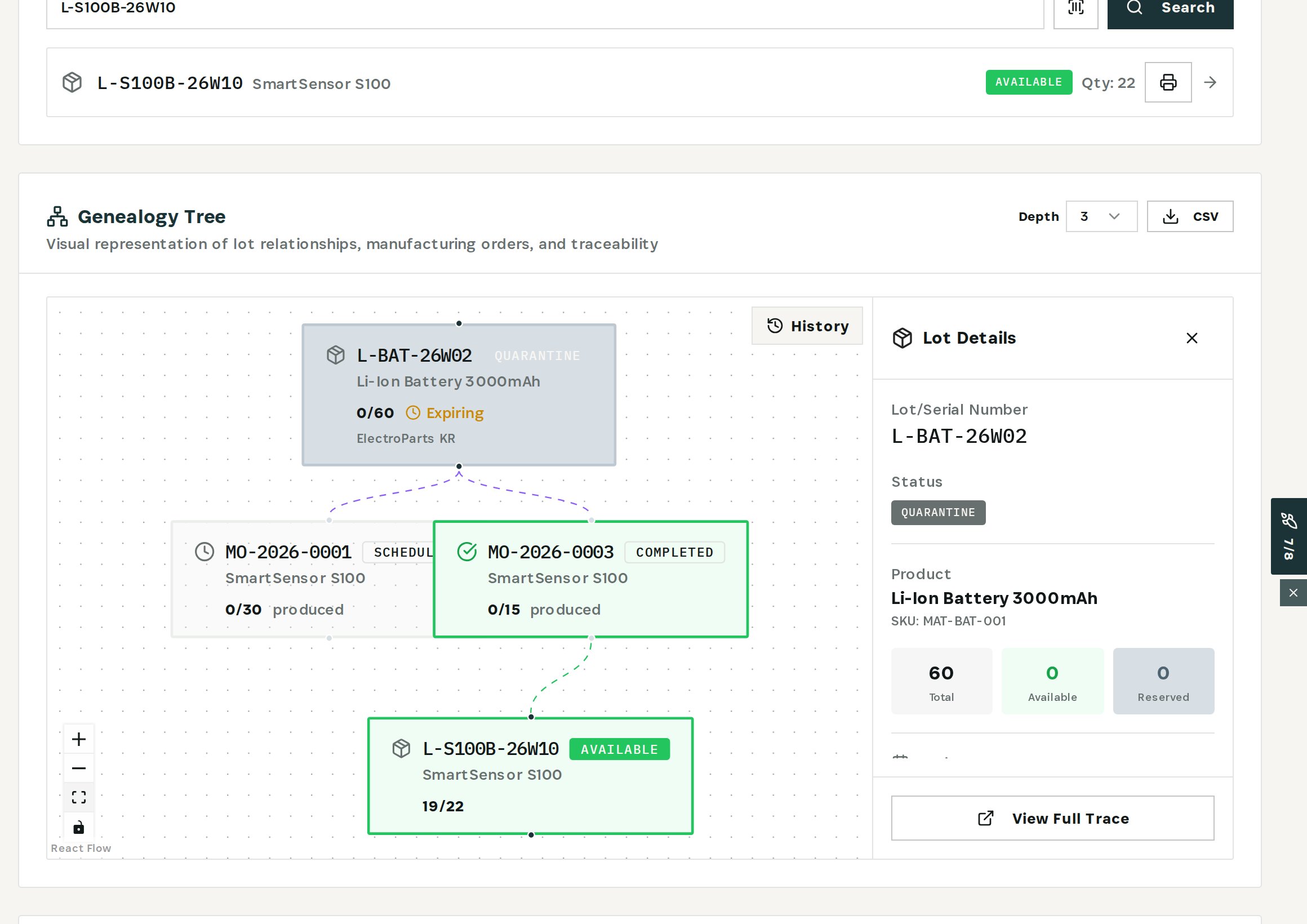
The lot carries its supplier — ElectroParts KR — and its status: quarantine, after the supplier's recall notice. The graph now runs forward too: the same lot went into MO-2026-0003 and is reserved for scheduled order MO-2026-0001. That is the answer to “what else was built from it?”
Use CSV above the graph to export the chain for the audit file.
Step 3 — Read the lot's history
In Inventory → Batch Management, search for the lot and expand its row.
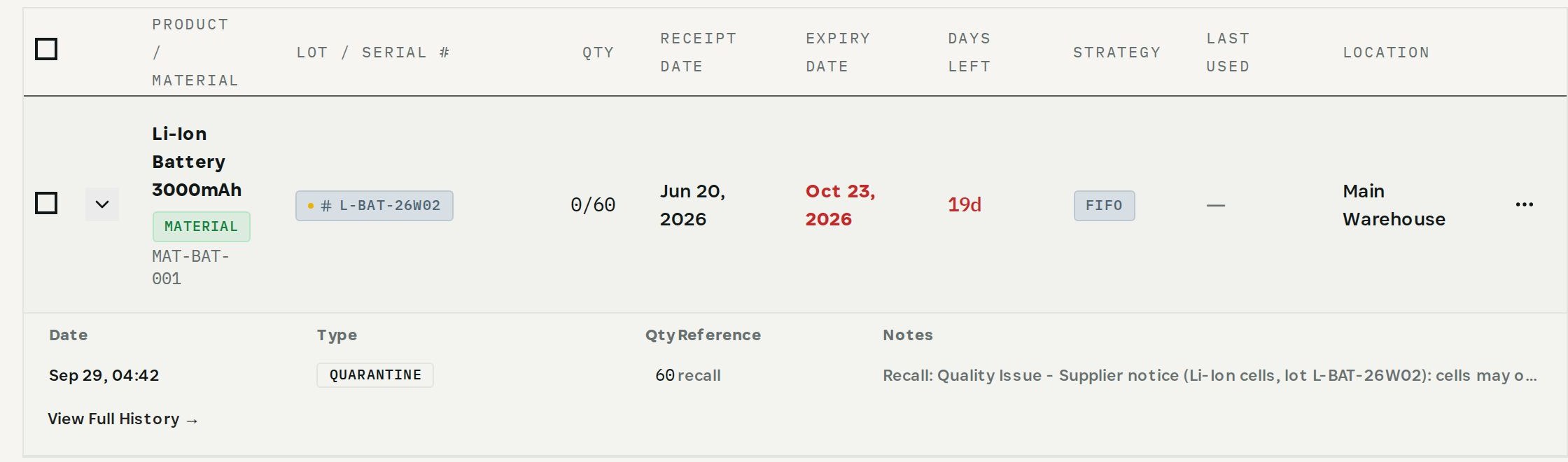
Every movement of the lot is listed with its date, type, quantity and reference — here the quarantine that followed the supplier's recall. View Full History opens all of it.
Genealogy is only as complete as the builds behind it. Record which lots each manufacturing order consumes, and the question “where did this come from?” is always one search.
What you have at the end
- The build that produced the unit and the material lots inside it.
- The supplier of each purchased lot.
- Every other build that used the same lot.
- The chain exported for the auditor.
Related
- Use case: Proof of Origin — /use-cases/unit-origin
- Use case: Lot Recall — /use-cases/lot-recall
- Lot & serial tracking and Batch Management are part of the Otiox platform.