Lead-Time Drift

Your buyer stopped trusting the lead times in the system. The supplier now delivers five days late, every time — and the reorder point still assumes it doesn't.

Reorder points are sized once and forgotten. When a supplier slowly drifts later, the buffer stops covering the real wait, and the stockout arrives before the next delivery. Otiox's Predictive Engine measures actual delivery against promise on every receipt and warns you while the buffer can still be fixed.
app.otiox.comFig. 00
Predictive · lead-time drift
Buffer sized for a supplier that no longer exists
Shenzhen Precision · Precision PCB
SignalMeasuredValue
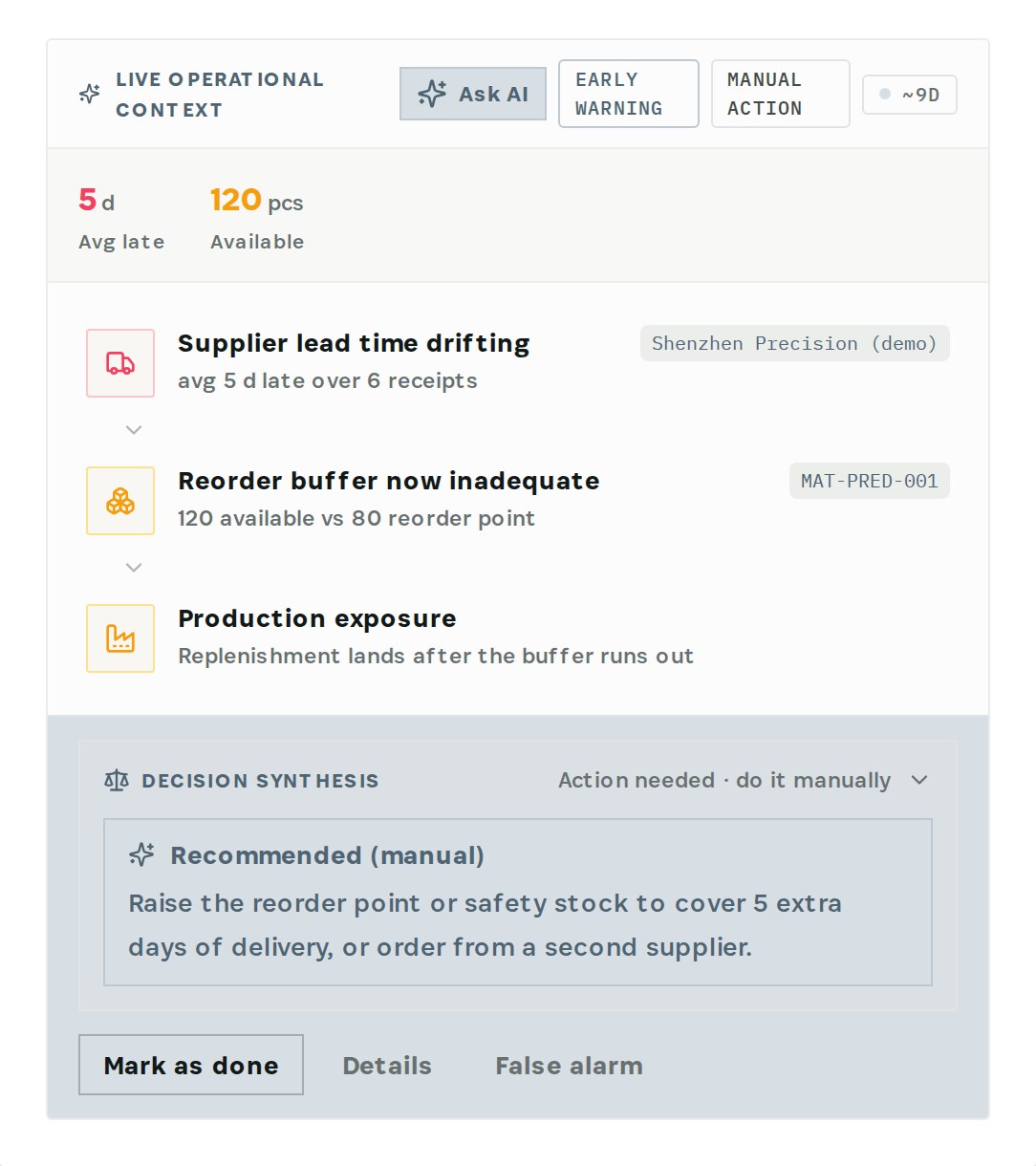
Average lateness6 receipts5 days
AvailablePrecision PCB120 pcs
Reorder pointsized for on-time80 pcs
Stockout window: ~9 days
Recommended

Raise the reorder point to cover 5 extra days, or order from a second supplier.

Reorder point 110. Replenishment triggers before the buffer runs out.

01The Challenge

The real lead time lives in a spreadsheet.

Six receipts in a row arrived about five days late. The buyer knows — every order is padded by hand and the real numbers live in a private file. The system doesn't: its reorder point still triggers as if deliveries were on time. The day the buyer is on holiday, the line runs out.
  1. 01
    Lead times and reorder points are set once and never revisited
  2. 02
    Lateness is spread over many receipts, so nobody sees the trend
  3. 03
    Buyers compensate privately, outside the system
  4. 04
    The stockout shows up before anyone connects it to the supplier
02SEE IT IN OTIOX

The same situation, in the product.

Real screens from the Otiox demo workspace, step by step.
  1. 01

    See the forecast

    Predictive insights: Shenzhen Precision is 5 days late on average over 6 receipts; the Precision PCB buffer no longer covers it.
    See the forecast
  2. 02

    Check the supplier's record

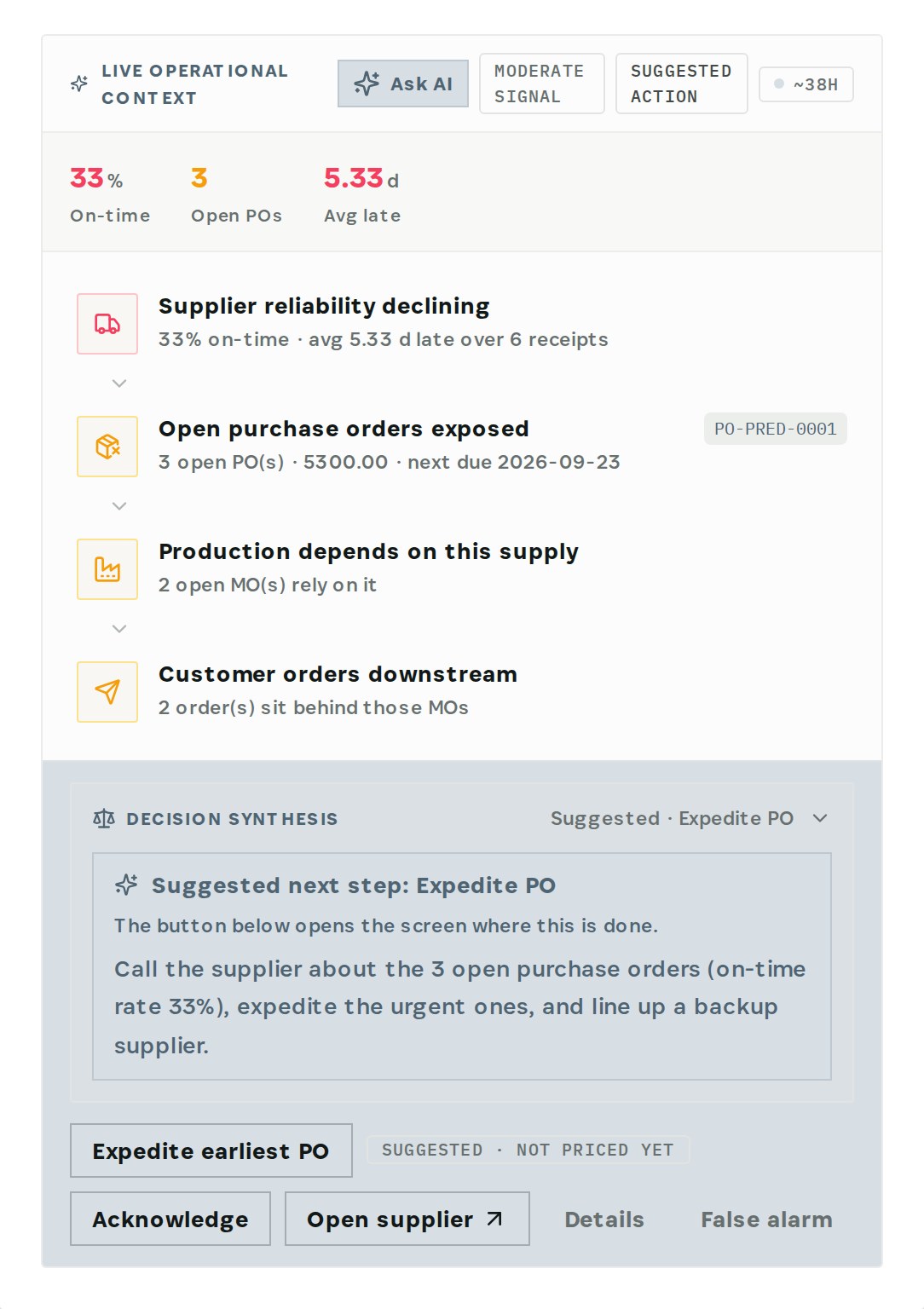
    On the supplier's page: on-time rate, days late and receipts.
    Check the supplier's record
  3. 03

    Raise the reorder point

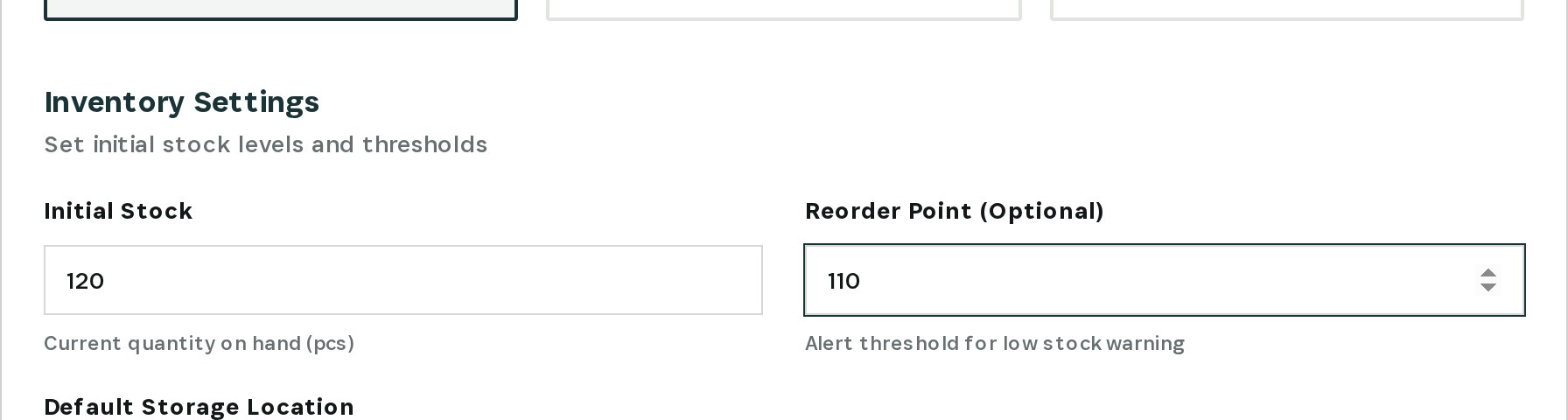
    On the material, Inventory Settings: reorder point from 80 to 110, then save.
    Raise the reorder point
03

How It Works

Purpose-built features that solve these exact problems.
01

Measured, not promised

The Predictive Engine compares expected and actual delivery on every receipt and tracks the average lateness per supplier.
02

Buffer check

It sets the drift against the material's reorder point and available stock and tells you when the buffer no longer covers the real wait.
03

Cascade to production

One card shows the chain: supplier drifting → buffer inadequate → replenishment lands after the buffer runs out.
04

The supplier's record

On-time rate, average days late and receipts, on the supplier's page.
05

A clear recommendation

Raise the reorder point or safety stock to cover the extra days, or order from a second supplier.
04

What You'll Gain

Tangible improvements that impact your bottom line.
  1. 01
    The real lead time in the system

    Not in someone's private file.

  2. 02
    Warned while there is time

    The forecast arrives about nine days before the expected stockout.

  3. 03
    Buffers that match reality

    Reorder points move when suppliers do.

  4. 04
    One less single point of knowledge

    The system knows what the buyer knows.

05

Real-World Scenarios

See how this works in practice.
Scenario 1

Five days late, six receipts in a row

Shenzhen Precision (demo) now delivers Precision PCB about five days late on average.
Scenario 2

Buffer no longer covers it

120 available against a reorder point of 80 — sized for deliveries that arrive on time.
Scenario 3

Reorder point raised

In the demo the reorder point goes from 80 to 110 so replenishment triggers earlier.
06

The Transformation

From chaos to clarity.
Before
  • Lead times set once, never checked
  • Lateness invisible across receipts
  • Buyers pad orders privately
  • Stockout blamed on bad luck
After
  • Actual lateness measured per supplier
  • Buffer checked against the real wait
  • Recommendation: raise the buffer or dual-source
  • Reorder point updated in the material
07

Frequently Asked Questions

Quick answers to common questions.
01How is the drift measured?
From receipts: the expected delivery date on the purchase order against the date the goods actually arrived, averaged over the supplier's recent receipts.
02Does Otiox change the reorder point for me?
No. The forecast recommends it and you change it on the material. It is a planning decision that depends on how much you use.
03How much should I raise it?
Enough to cover the extra days of waiting at your normal usage — the forecast tells you how many extra days. In the demo we raised Precision PCB from 80 to 110.
04What if switching supplier is the better answer?
See the Supplier Switch use case: it walks through linking a backup supplier and ordering from it.
Lead-Time Drift

Ready to transform your lead-time drift?

See how Otiox can solve your specific challenges.