Operations on a Given Day

What did operations look like on a particular day?

A customer complains, an auditor asks, a delay is disputed — and the records have moved on since. Otiox's Time Machine shows any order, purchase order, manufacturing order or the whole stock exactly as it was on a date, what changed since, and when each change was entered versus when it happened.
app.otiox.comFig. 00
Command · time machine
Stock as it was
The last day of the month vs today
ItemThenNow
Aluminium sheet450500
Li-ion battery24080
Precision PCB120170
Every change since, with who and when
View

Pick a record or a date — read-only.

Disputes answered from the record, not memory.

01The Challenge

Today's screen can't answer yesterday's question.

Records are edited every day: dates move, quantities change, statuses flip. When someone asks what was known on the day a decision was made, the only answer is memory and old exports.
  1. 01
    Only the current version of each record
  2. 02
    Disputes argued from memory
  3. 03
    Back-dated entries hide what was known when
  4. 04
    Stock at a past date rebuilt by hand
02SEE IT IN OTIOX

The same situation, in the product.

Real screens from the Otiox demo workspace, step by step.
  1. 01

    Stock on a date

    Time Machine shows every material on a date, today, and the change in between.
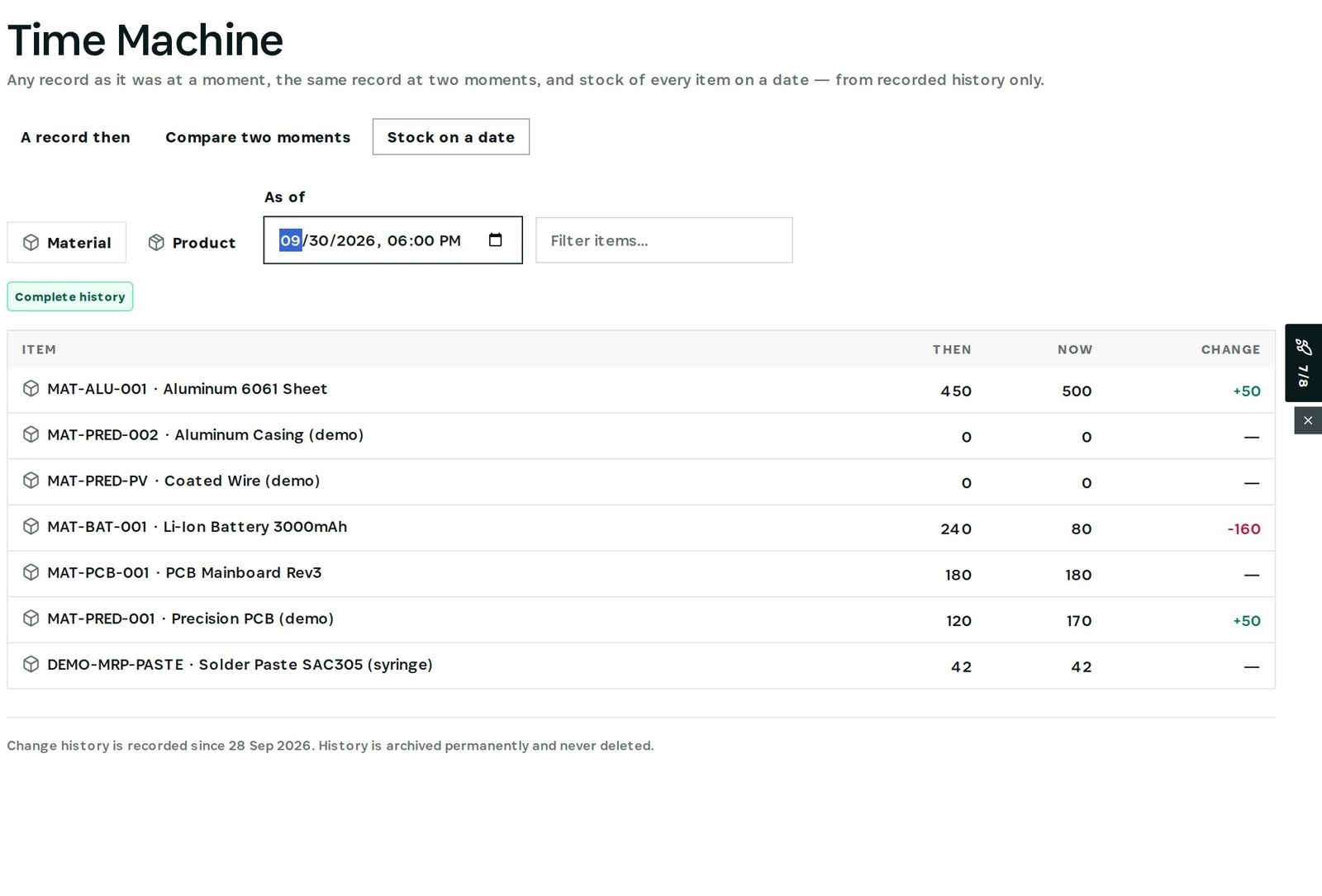
    Stock on a date
  2. 02

    A record then and now

    The History tab shows each field then and now, what changed since, and occurred versus entered.
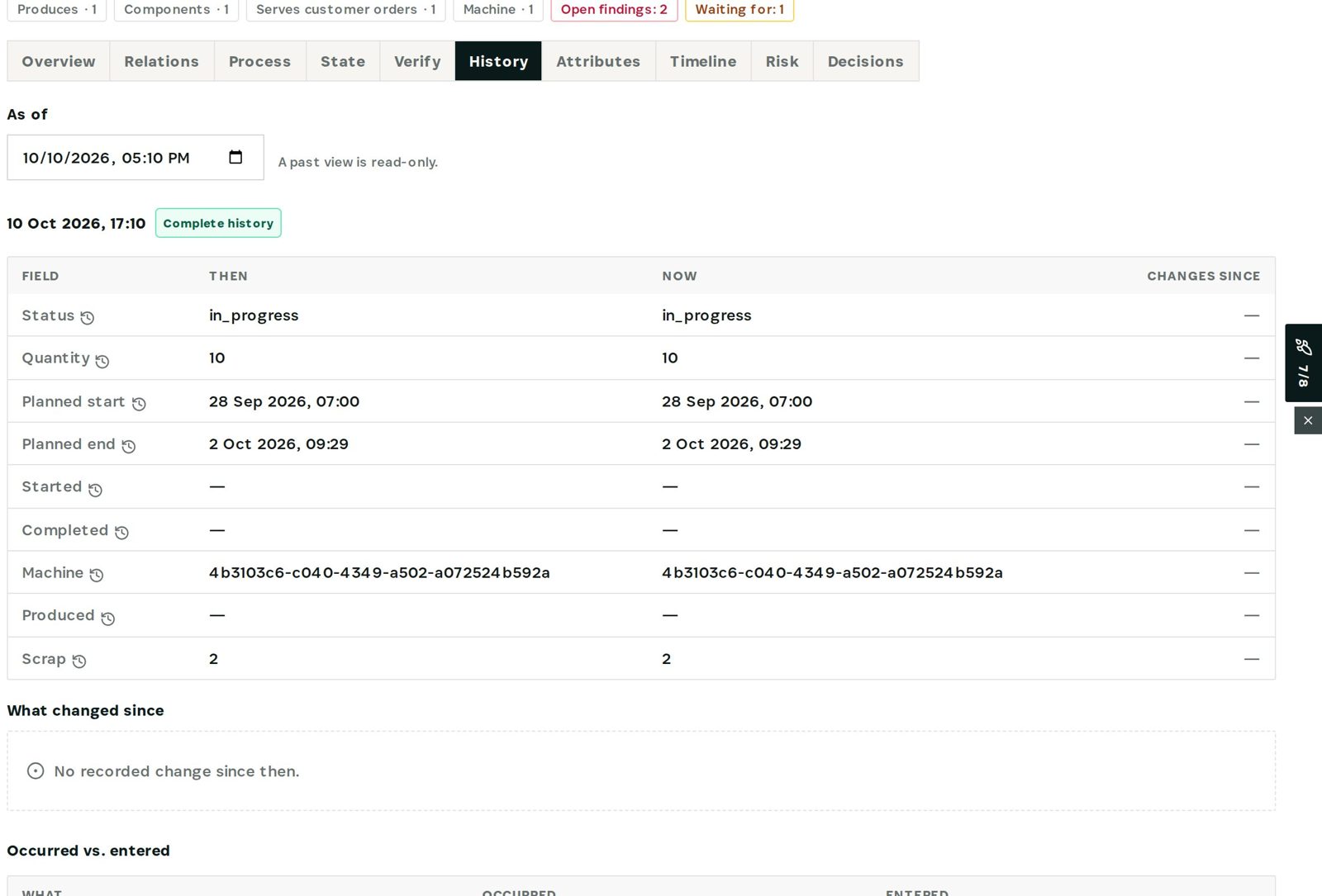
    A record then and now
03

How It Works

Purpose-built features that solve these exact problems.
01

Any record, any date

Open an order, PO or manufacturing order as it was at a moment — read-only.
02

Stock on a date

Every item's quantity then, now and the change in between.
03

What changed since

Field by field: before, after, who and when.
04

Occurred vs entered

When something happened next to when it was recorded — back-dating shows.
04

What You'll Gain

Tangible improvements that impact your bottom line.
  1. 01
    Settle disputes with facts

    What the record said that day, not what people remember.

  2. 02
    Audit without exports

    Point-in-time answers in a few clicks.

  3. 03
    Back-dating visible

    Late entries stand out.

  4. 04
    Kept for good

    Status history and receipts are never deleted.

05

Real-World Scenarios

See how this works in practice.
Scenario 1

Customer complaint

See the order as it stood the day the customer called.
Scenario 2

Stock at month end

Quantities of every material on the last day of the month.
Scenario 3

Delay dispute

When the planned date really moved, and who moved it.
06

The Transformation

From chaos to clarity.
Before
  • Only today's version
  • Old exports and memory
  • Back-dating invisible
  • Stock history rebuilt by hand
After
  • Any record as of any date
  • Changes field by field
  • Occurred vs entered side by side
  • Stock on a date in one view
07

Frequently Asked Questions

Quick answers to common questions.
01How far back does it go?
From the day history recording started in your workspace; status history and receipts are kept permanently, field-level changes for thirty days.
02Can I change the past view?
No. A past view is read-only.
03Which records are covered?
Products, materials, purchase orders, manufacturing orders, customer orders, suppliers, customers and invoices.
04Can I link to a past view?
Yes — add as_of to the record's address to open the whole page as it was.
Operations on a Given Day

Ready to transform your operations on a given day?

See how Otiox can solve your specific challenges.