Marked Shipped, Never Left

Marked shipped, but nothing left the building.

A status is a claim. Otiox checks every shipped, received, completed or paid status against the records that would have to exist if it were true — a packed box, a shipment, a carrier confirmation, a receipt — and shows which ones do not hold up, and why.
app.otiox.comFig. 00
Command · claims
Status contradicted by the records
Marked shipped, delivered or paid without evidence
RecordClaimEvidence
OrderShippedNo box, no shipment
SO-Q1DeliveredNo carrier confirmation
InvoicePaidNo payment
Seven of twenty-nine claims hold up
Recommended

Correct the record, then make the check a rule.

Every future status is checked automatically.

01The Challenge

The status says done. The evidence says otherwise.

Someone clicks Mark as shipped to clear a queue, or an integration flips a status. Revenue is recognised, the customer is told, the dashboard turns green — and nothing physical happened. Nobody notices until the customer calls.
  1. 01
    Statuses changed by hand with no evidence
  2. 02
    Revenue booked on goods that never left
  3. 03
    Integrations that flip statuses silently
  4. 04
    No way to see which 'done' is really done
02SEE IT IN OTIOX

The same situation, in the product.

Real screens from the Otiox demo workspace, step by step.
  1. 01

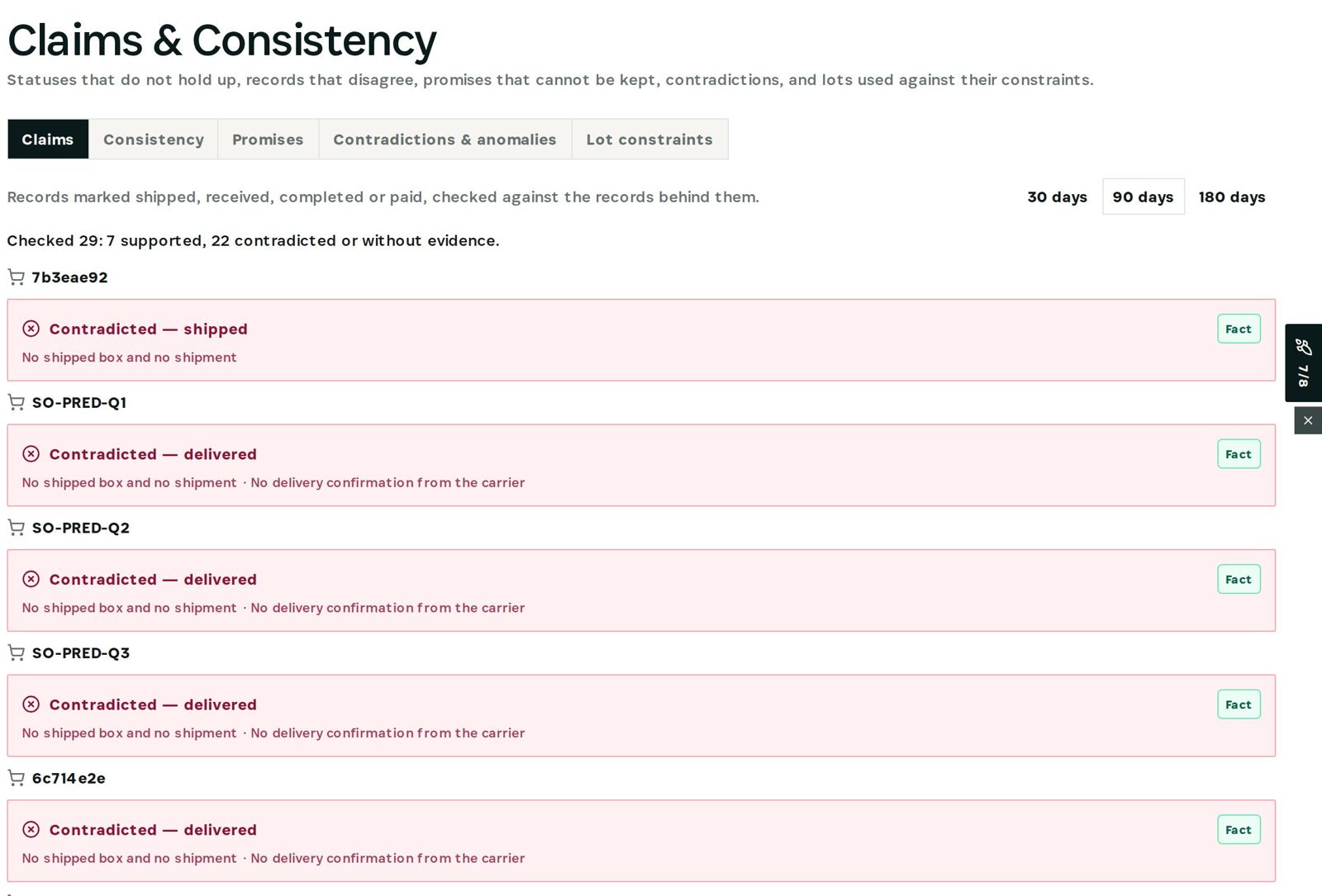
    See the contradicted claims

    Claims & Consistency lists statuses that the records do not support, with the reason for each.
    See the contradicted claims
  2. 02

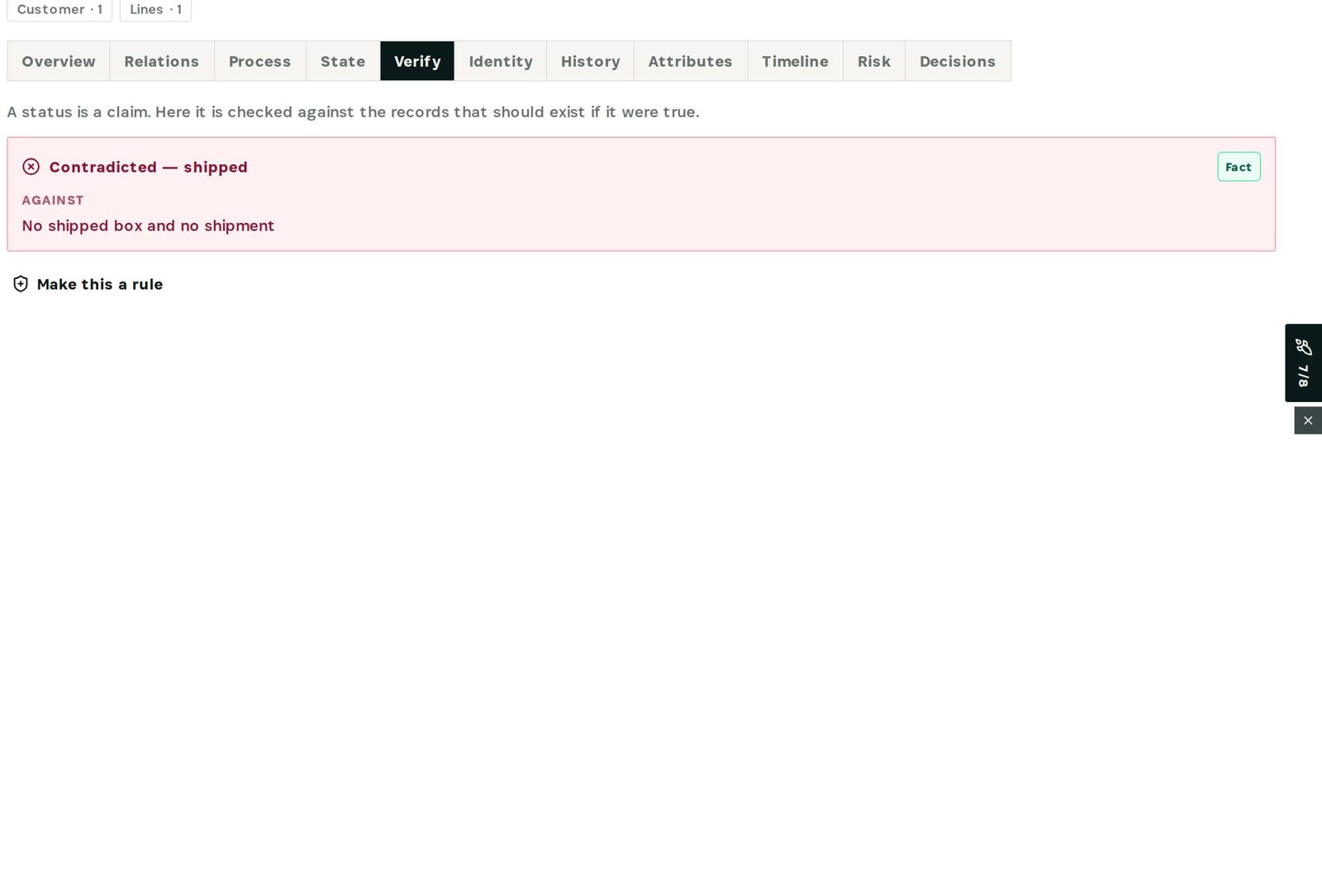
    Verify one record

    The order's Verify tab shows the claim, the verdict and the missing evidence.
    Verify one record
03

How It Works

Purpose-built features that solve these exact problems.
01

Claims checked against facts

Every shipped, delivered, received, completed and paid status is tested against the records behind it.
02

The reason, not just a flag

Each contradiction names what is missing: no packed box, no shipment, no carrier confirmation.
03

Verify on every record

The Verify tab on an order or PO shows the same check for that one record.
04

Make it a rule

Turn the check into a company rule that watches every future status.
04

What You'll Gain

Tangible improvements that impact your bottom line.
  1. 01
    Revenue you can defend

    Only statuses backed by evidence count as done.

  2. 02
    Caught the same day

    Not when the customer calls.

  3. 03
    Audit-ready

    Each claim shows its evidence for and against.

  4. 04
    Nothing changes behind your back

    Command reads records; it never edits them.

05

Real-World Scenarios

See how this works in practice.
Scenario 1

Forced status change

An order is marked shipped although picking and packing never happened.
Scenario 2

Delivered without a carrier

Orders show delivered with no delivery confirmation.
Scenario 3

Paid without a payment

An invoice is marked paid with no matching payment.
06

The Transformation

From chaos to clarity.
Before
  • Status taken at face value
  • Found when the customer calls
  • Revenue on phantom shipments
  • No evidence trail
After
  • Status checked against evidence
  • Contradiction flagged the same day
  • Revenue only on real shipments
  • Evidence for and against, per record
07

Frequently Asked Questions

Quick answers to common questions.
01Which statuses are checked?
Shipped, delivered, received, completed and paid on orders, purchase orders, manufacturing orders and invoices.
02Does it change the status?
No. Command only reads; you correct the record on its own page.
03What counts as evidence?
The records that must exist if the status is true: a shipped box or shipment, a carrier confirmation, a goods receipt, a payment.
04Can it prevent it next time?
Yes — Make this a rule turns the check into a company rule in monitor, warn or block mode.
Marked Shipped, Never Left

Ready to transform your marked shipped, never left?

See how Otiox can solve your specific challenges.