Playbook: no payment to a supplier whose insurance does not meet the contract
The situation
Subcontractors send a certificate of insurance once. Months later the policy has lapsed, the limit never matched the contract, and the country where they now work asks for a certificate nobody requested. Accounts payable pays the bill like any other.
Before you start
- Documents are read automatically, but a person verifies every policy, and it cannot be the person who uploaded it.
- Switching insurance compliance on starts a simulation: holds are recorded, payments are not stopped. You go live when you have read the report.
- Statutory certificates per country (EU, Norway, Iceland, Liechtenstein, Switzerland, UK) come with their official source and are marked *to check* until a legal reviewer confirms them. Nothing here is legal advice.
Step 1 — Read the simulation report
Open Command → Compliance → Supplier insurance and choose Simulation report.
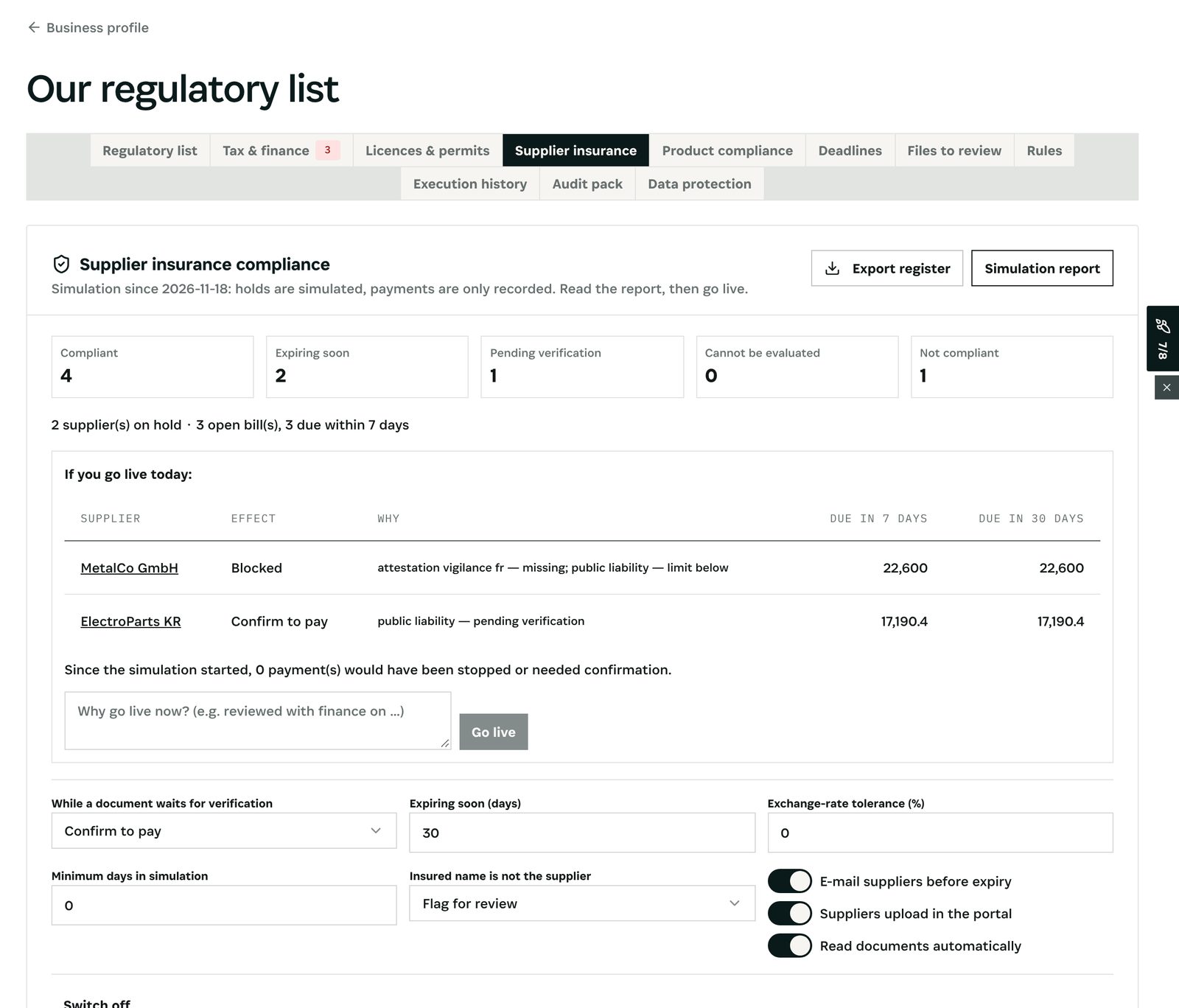
What you see: in the demo four suppliers compliant, two expiring soon, one waiting for verification, one not compliant. *If you go live today*: MetalCo GmbH would be blocked (French attestation missing, liability limit below), ElectroParts KR would need a confirmation (a policy waits for verification), with the amounts due in 7 and 30 days. Below: the settings, the review queue, the requirement template *Construction subcontractors* and the statutory certificates by country.
Step 2 — See why a supplier is not compliant
Open the supplier and its Insurance tab, then Why?.
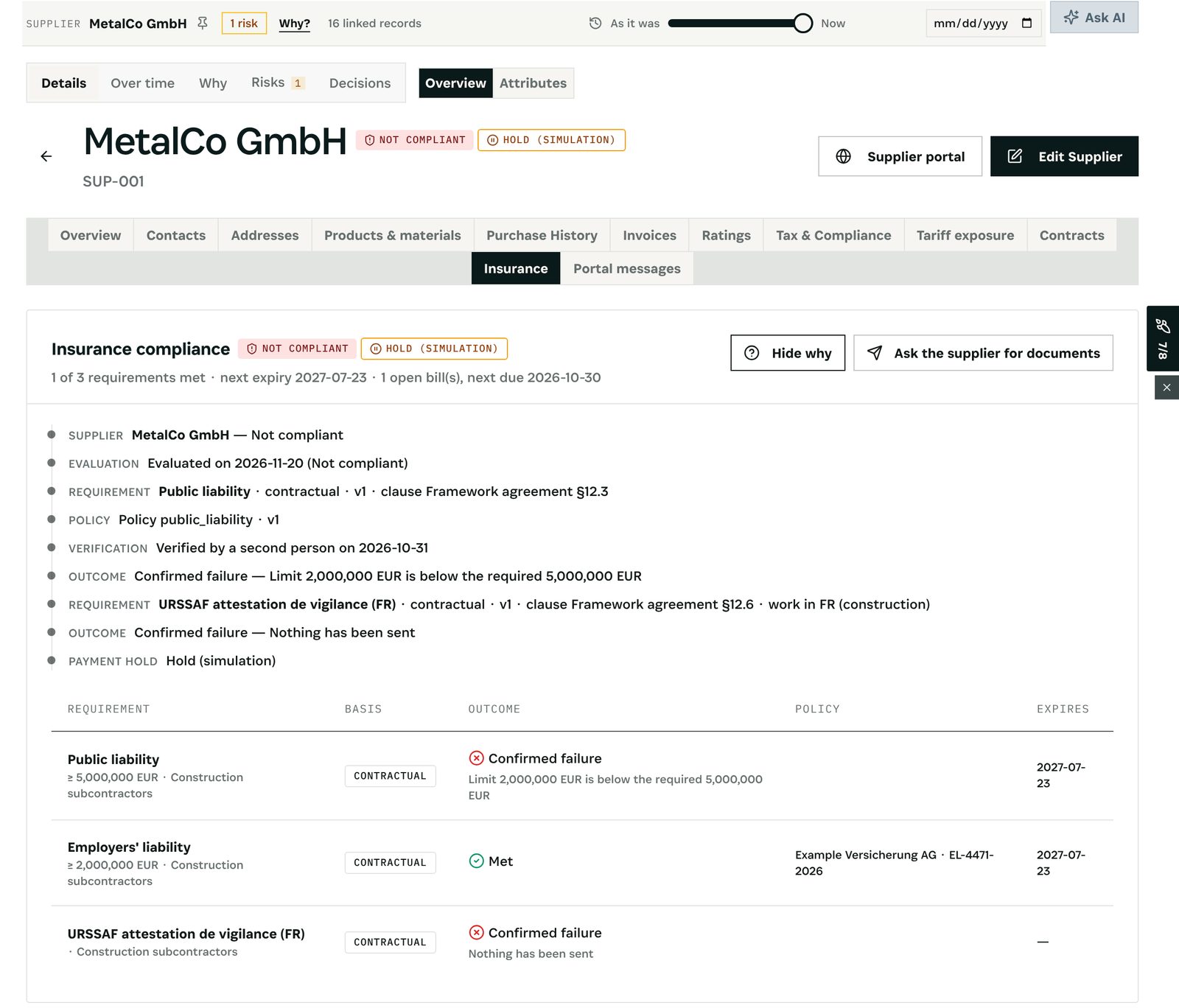
What you see: the requirement and its contract clause, the policy, who verified it and when, and the outcome — *Limit 2,000,000 EUR is below the required 5,000,000 EUR*; for the work in France (construction, subcontracting) *Nothing has been sent* for the URSSAF attestation de vigilance. Policies in other currencies are compared at the ECB reference rate: the demo's Norwegian supplier is insured in NOK, its Swiss one in CHF, its UK one in GBP.
Step 3 — Pay, or not
Open Accounts Payable and choose Pay on the supplier's bill.
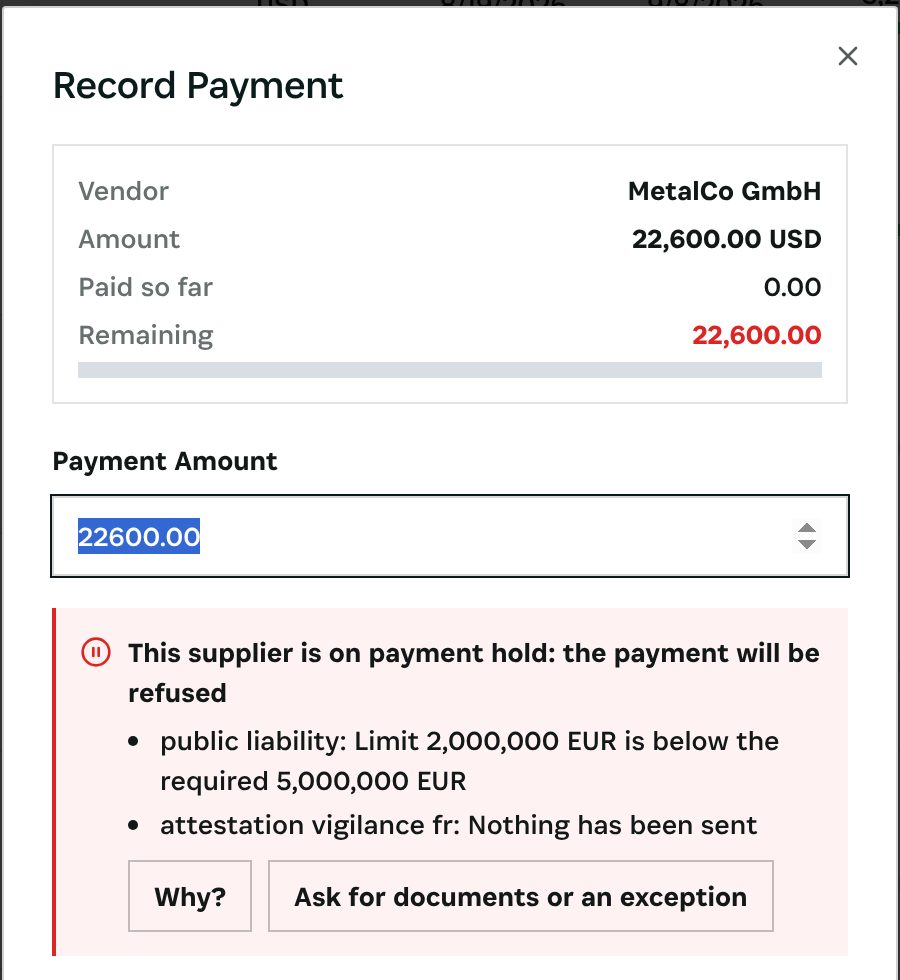
What you see: *This supplier is on payment hold: the payment will be refused*, with the reasons. In the simulation the payment is recorded, not stopped. Once live, the payment is refused; Ask for documents or an exception sends the supplier a portal request, or asks for an exception with a reason, an end date and an amount cap, approved by someone else.
What you have at the end
- Every supplier's insurance checked against the contract, every day.
- Reminders 30, 14 and 7 days before a policy lapses.
- No payment to a supplier who is not covered, unless a second person approves an exception — and the reason on record.
Screenshots come from the Otiox demo workspace. Choose Switch to demo in the sidebar to follow along; changes there never touch live data.