Playbook: a promise to a customer the plan can't keep
The situation
Two customer orders were promised for 30 September. Stock is short for both. One will be possible only when a purchase arrives; for the other, nothing is incoming or planned at all. Neither customer knows.
Step 1 — See the promises that can't be kept
Open Command → Claims & Consistency → Promises.
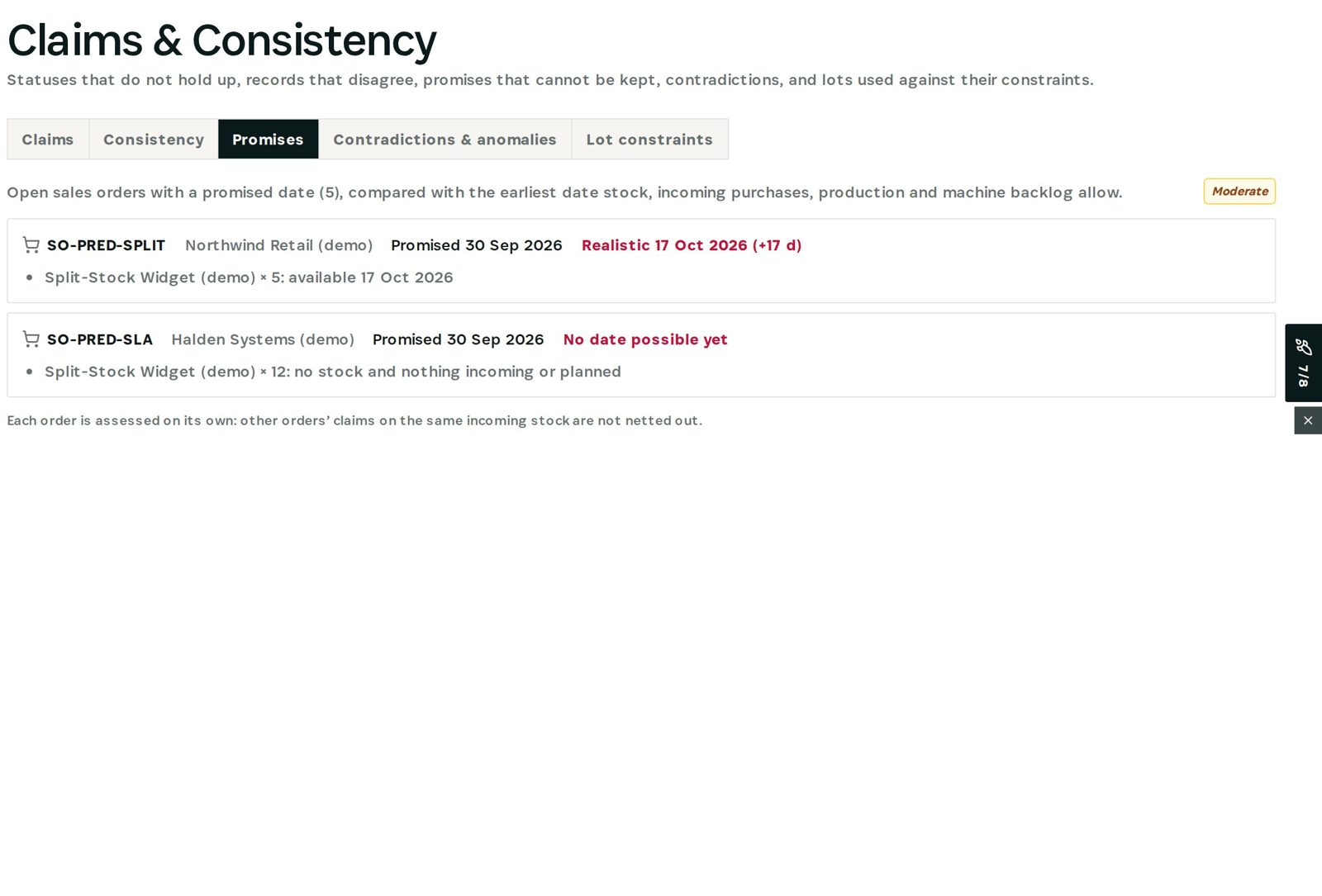
Each open order with a promised date is compared with the earliest date stock, incoming purchases, production and machine backlog allow. One order: promised 30 September, realistic 17 October (+17 days) — available when the stock arrives. The other: no date possible yet — no stock and nothing incoming or planned. Each order is assessed on its own; other orders' claims on the same incoming stock are not netted out.
Step 2 — Act while there is time
For the first order, tell the customer the realistic date or expedite the purchase. For the second, create a purchase or production order — or agree a new date. New orders and offers show the realistic delivery date under the items while they are being written, so the next promise starts honest.
Why it matters
A delivery date is a chain of dependencies: stock, the purchase order behind it, the build and the machine. Otiox follows that chain for every promise — so the over-promise is caught before the customer is.
What you have at the end
- Every promise checked against what is possible.
- The reason for each gap.
- Realistic dates at the moment of promising.
Screenshots come from the Otiox demo workspace. Choose Switch to demo in the sidebar to follow along; changes there never touch live data. Command reads your records and never changes them.