Playbook: know what you have, right now
The situation
A customer asks whether 50 units can ship today. The answer depends on more than one number: what is on the shelf, where, what is already reserved, what is quarantined or expiring, and what is on the way.
Step 1 — Read stock health
Open Inventory.
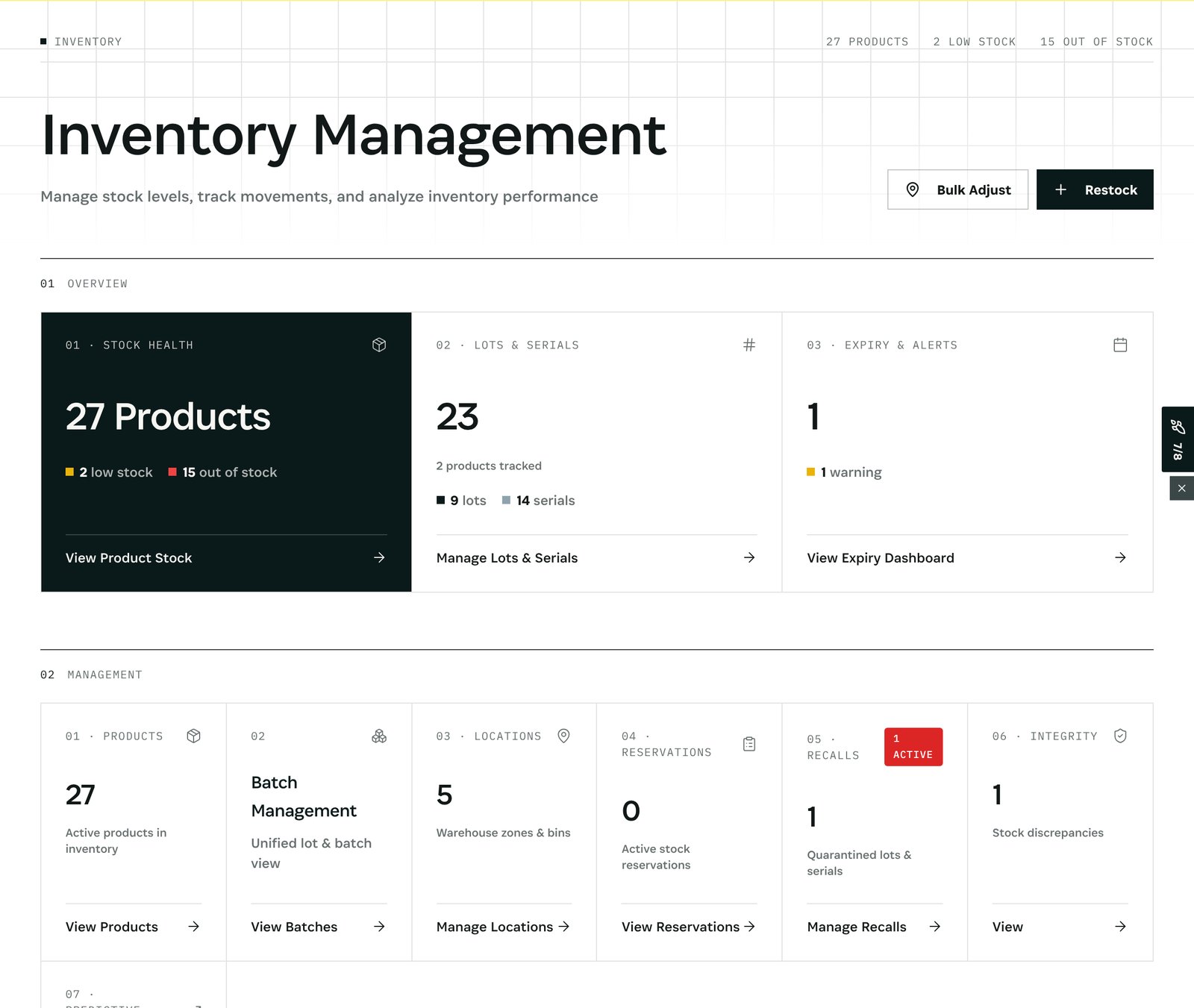
What you see in the demo: 27 products, 2 low on stock, 15 out of stock; 23 lots and serials tracked (9 lots, 14 serials); 1 expiry warning; 5 locations; 0 active reservations; 1 active recall; 1 stock discrepancy from the integrity check. Each tile opens the list behind it.
Step 2 — See what runs out
Open Inventory → Alerts.
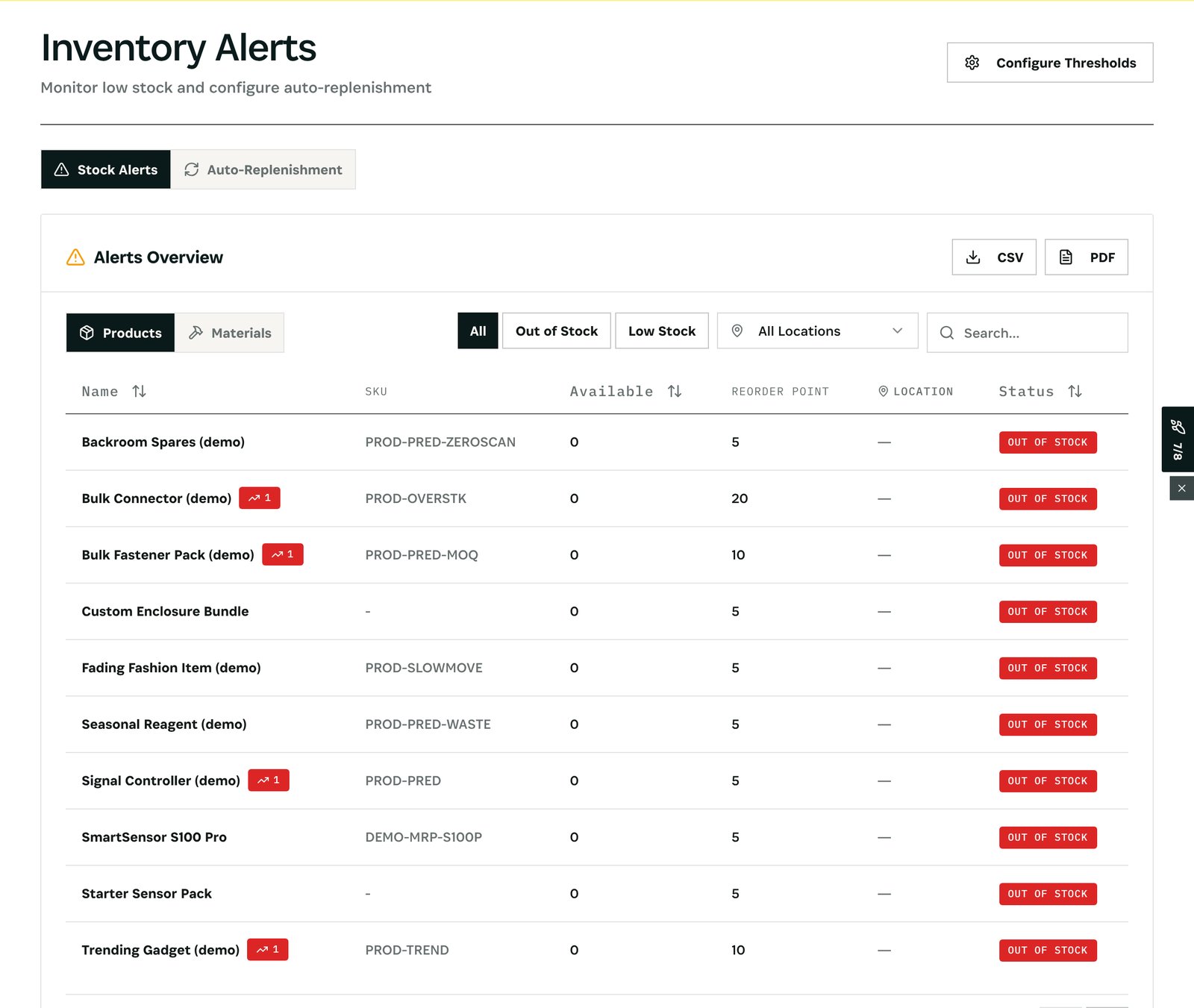
What you see: every product or material that is out of stock or below its reorder point, filterable by location, with the available quantity and the reorder point side by side. Auto-Replenishment sets rules that draft the purchase when it happens; Configure Thresholds sets the reorder points.
After
- Stock changes the moment a receipt, shipment, transfer, build or count is recorded, so the view is always current.
- Quarantined and reserved units are never shown as available.
What you have at the end
- One view of stock across every location, lot and serial.
- What runs out, before it runs out.
- Numbers you can promise from.
Screenshots come from the Otiox demo workspace. Choose Switch to demo in the sidebar to follow along; changes there never touch live data.