Playbook: one inventory behind every channel
The situation
The same product sells on Shopify, on WooCommerce and through a partner's system over the API. Each channel thinks it has the stock; the last unit sells three times.
Step 1 — Connect every channel
Open Integrations → Sales Channels.
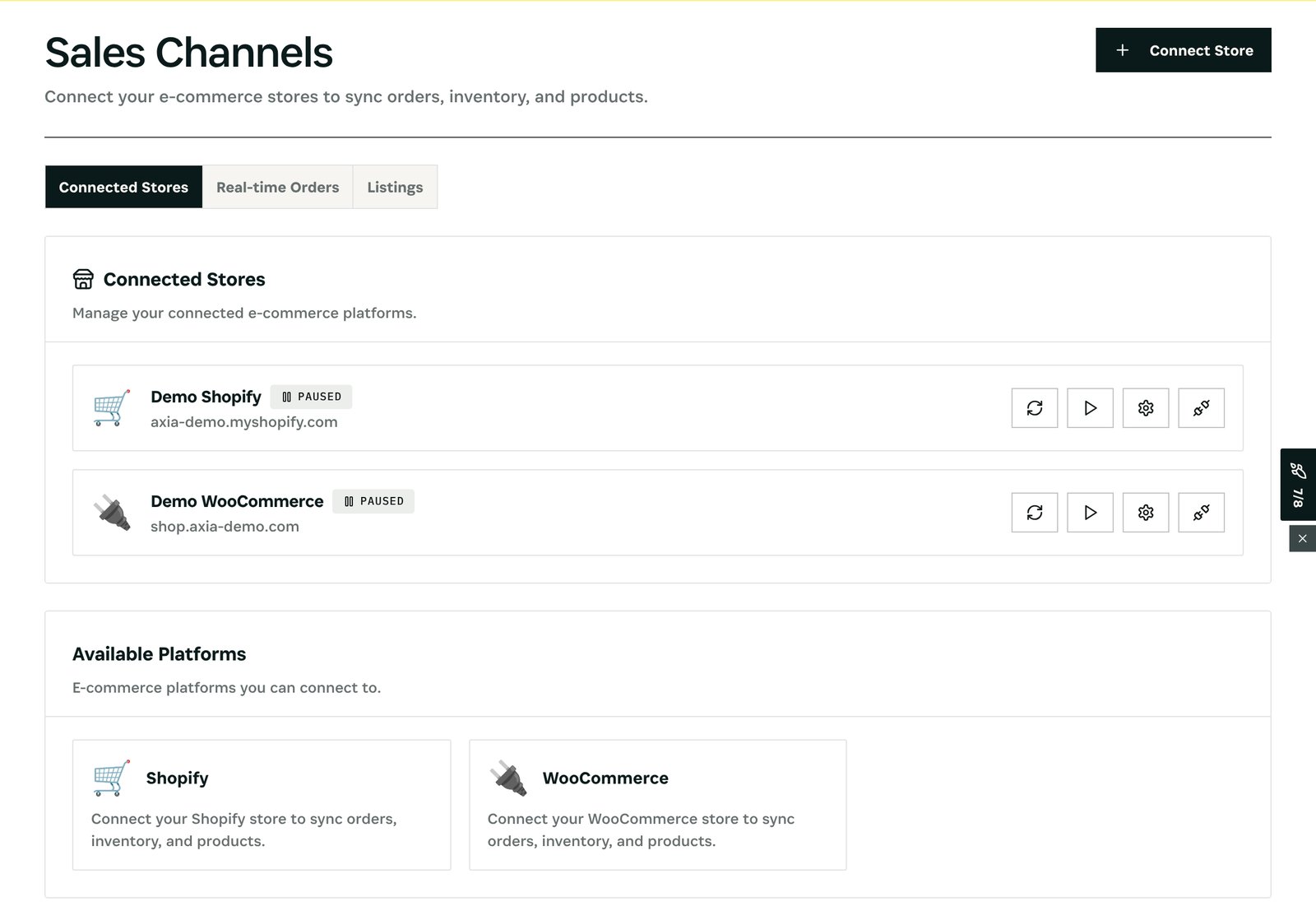
What you see: each connected store, its status, and its real-time orders and listings. Orders from every channel land in one list and draw on one stock.
Step 2 — See what runs out, everywhere
Open Inventory → Alerts.
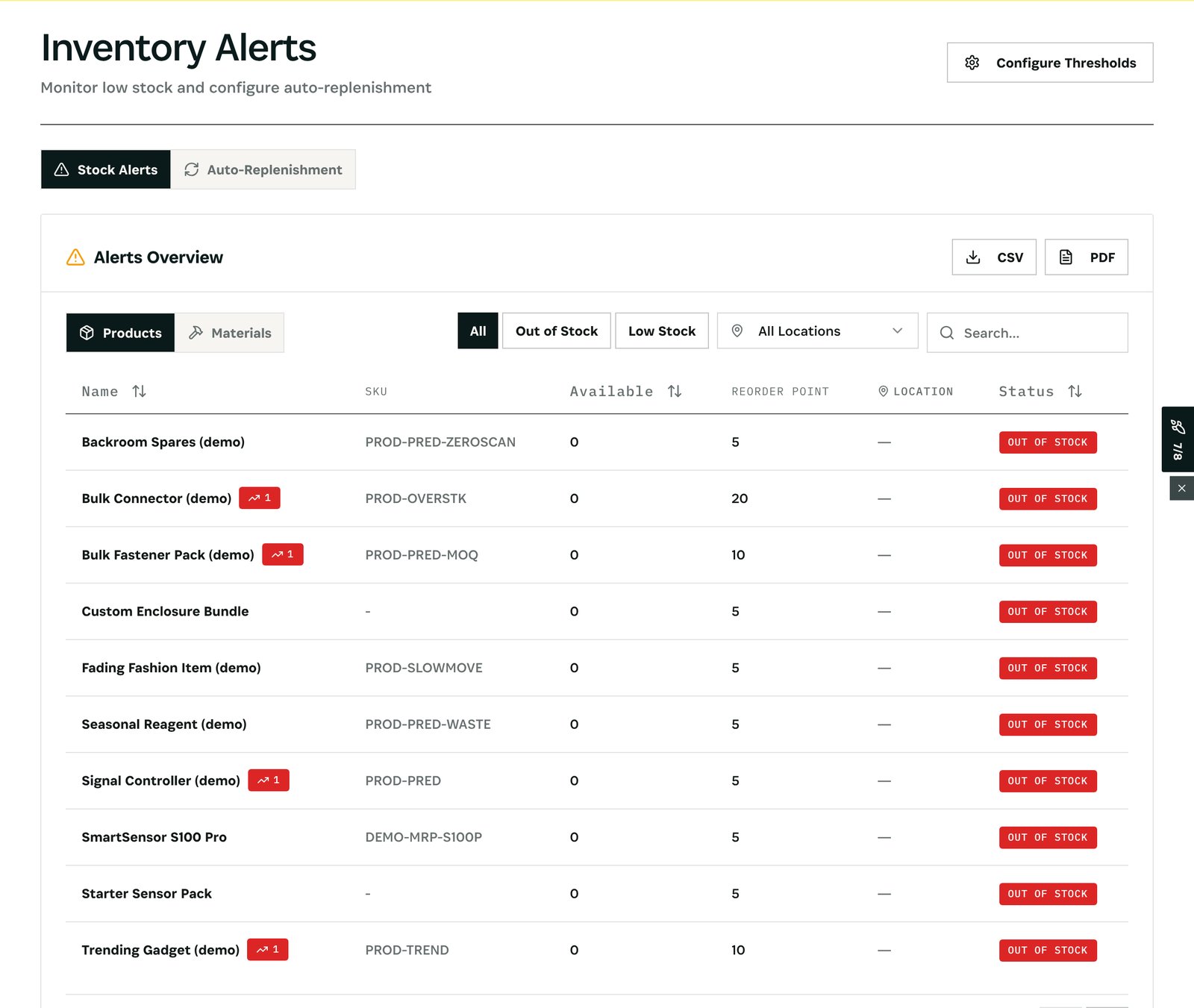
What you see: each product or material that is out of stock or below its reorder point, whatever channel sold it. Auto-Replenishment drafts the purchase before the shelf is empty.
Step 3 — Keep one price
Open Command → Identity & Matching.
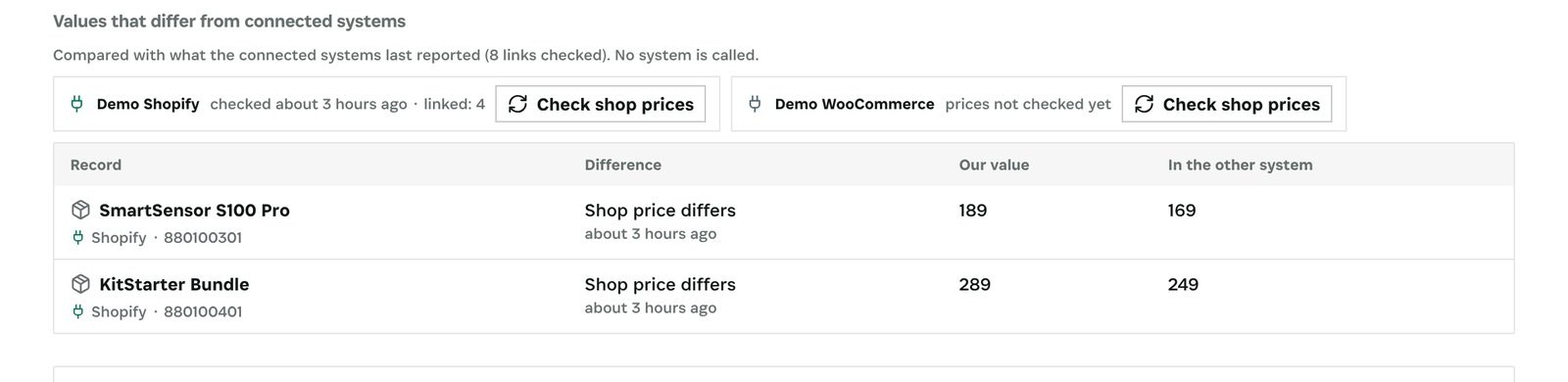
What you see: the products whose price in a connected shop differs from yours, with both values. Set the right price once.
After
- Stock is pushed to the channels whose integration sends inventory, so each shop shows what is really available.
- Every price check is kept with its time.
What you have at the end
- Every channel on one stock and one order list.
- Shortages seen once, for all channels.
- The same price everywhere.
Screenshots come from the Otiox demo workspace. Choose Switch to demo in the sidebar to follow along; changes there never touch live data.