Promise the Plan Can't Keep

A promise to a customer the plan can't keep.

Sales promises a date; the plan says otherwise. Otiox checks every open order's promised date against the earliest date stock, incoming purchases, production and machine backlog actually allow — and names what decides it, so you can warn the customer or change the plan while there is still time.
app.otiox.comFig. 00
Command · promises
Promised vs possible
Open orders with a promised date
OrderPromisedRealistic
Retail orderEnd of monthSeventeen days later
Systems orderEnd of monthNo date possible
New quote—Shown at entry
Warn the customer or change the plan
Act

Expedite, re-plan or move the date.

Customers hear it early, from you.

01The Challenge

The date was promised before anyone checked.

An order is confirmed for the end of the month. Stock is short, the purchase order is late and the machine is booked. Nobody connects the three until the date has passed.
  1. 01
    Dates promised without checking
  2. 02
    Stock, purchasing and production not connected
  3. 03
    Customers find out on the due date
  4. 04
    Same over-promise repeated
02SEE IT IN OTIOX

The same situation, in the product.

Real screens from the Otiox demo workspace, step by step.
  1. 01

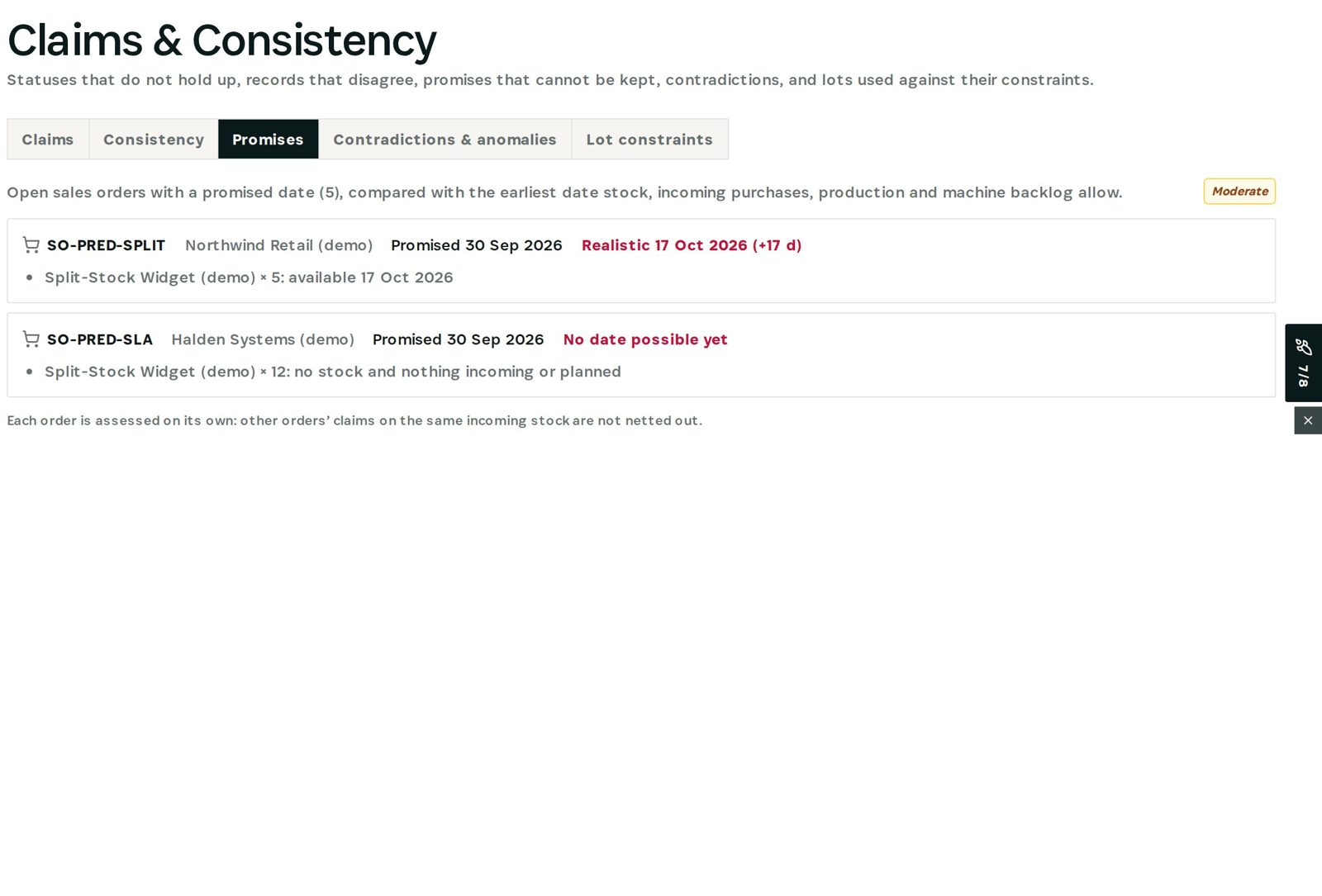
    Promises that can't be kept

    Each open order's promised date, the realistic date and what decides it.
    Promises that can't be kept
03

How It Works

Purpose-built features that solve these exact problems.
01

Promises checked

Every open order with a promised date compared with the realistic date.
02

What decides it

The item and the reason: stock, an incoming purchase order, production or nothing planned.
03

Realistic date on new orders

When adding products to an order or offer, the earliest realistic delivery date is shown.
04

Severity

How far the promise is from what is possible.
04

What You'll Gain

Tangible improvements that impact your bottom line.
  1. 01
    No surprise misses

    Broken promises seen before the date.

  2. 02
    Honest quotes

    Realistic dates at order entry.

  3. 03
    Clear reason

    Know what to fix: stock, supplier or capacity.

  4. 04
    Customer trust

    Warn early, not late.

05

Real-World Scenarios

See how this works in practice.
Scenario 1

Short by seventeen days

A promised order can only ship seventeen days later, when stock arrives.
Scenario 2

No date possible

An order needs stock with nothing incoming or planned.
Scenario 3

New quote

The realistic date appears while the order is being written.
06

The Transformation

From chaos to clarity.
Before
  • Dates promised blind
  • Systems not connected
  • Customer told on the day
  • Repeated over-promising
After
  • Every promise checked
  • Reason named
  • Realistic date at entry
  • Customer warned early
07

Frequently Asked Questions

Quick answers to common questions.
01How is the realistic date found?
From stock, incoming purchase orders, production and machine backlog for each line.
02Are orders netted against each other?
No — each order is assessed on its own; the page says so.
03Does it change the order?
No. It shows the realistic date; you decide what to do.
04Where else does it appear?
On new orders and offers, under the items, as the earliest realistic delivery date.
Promise the Plan Can't Keep

Ready to transform your promise the plan can't keep?

See how Otiox can solve your specific challenges.