Empty Shelf, Nothing Ordered

The shelf is empty and nothing is on order.

An item drops below its reorder point and the purchase that should follow never happens: a rule that did not fire, a buyer who was away, a draft nobody sent. Otiox finds every item at or below its reorder point with nothing on the way, names what it costs to leave it, and drafts the purchase order in one confirmed step.
app.otiox.comFig. 00
Integrity · replenishment
Below the reorder point, nothing on order
Stock at or below its reorder point with no purchase on the way
ItemStock / pointOn order
Signal Controller0 / 5none
Bulk Fastener Pack0 / 10none
Commodity Filler0 / 5none
Three items with nothing coming
Recommended

Create draft PO: 10 units to the item's supplier.

The next scan closes the finding once a purchase covers it.

01The Challenge

Below the reorder point, and nobody ordered.

Reorder points exist so purchases start in time. But a rule can be paused, an alert ignored, a supplier missing. The item sits at zero, customers order it anyway, and the first sign is a backorder.
  1. 01
    Reorder alerts nobody acts on
  2. 02
    Items at zero with no purchase on the way
  3. 03
    Promises made on stock that is not there
  4. 04
    Purchases raised only after a customer complains
02SEE IT IN OTIOX

The same situation, in the product.

Real screens from the Otiox demo workspace, step by step.
  1. 01

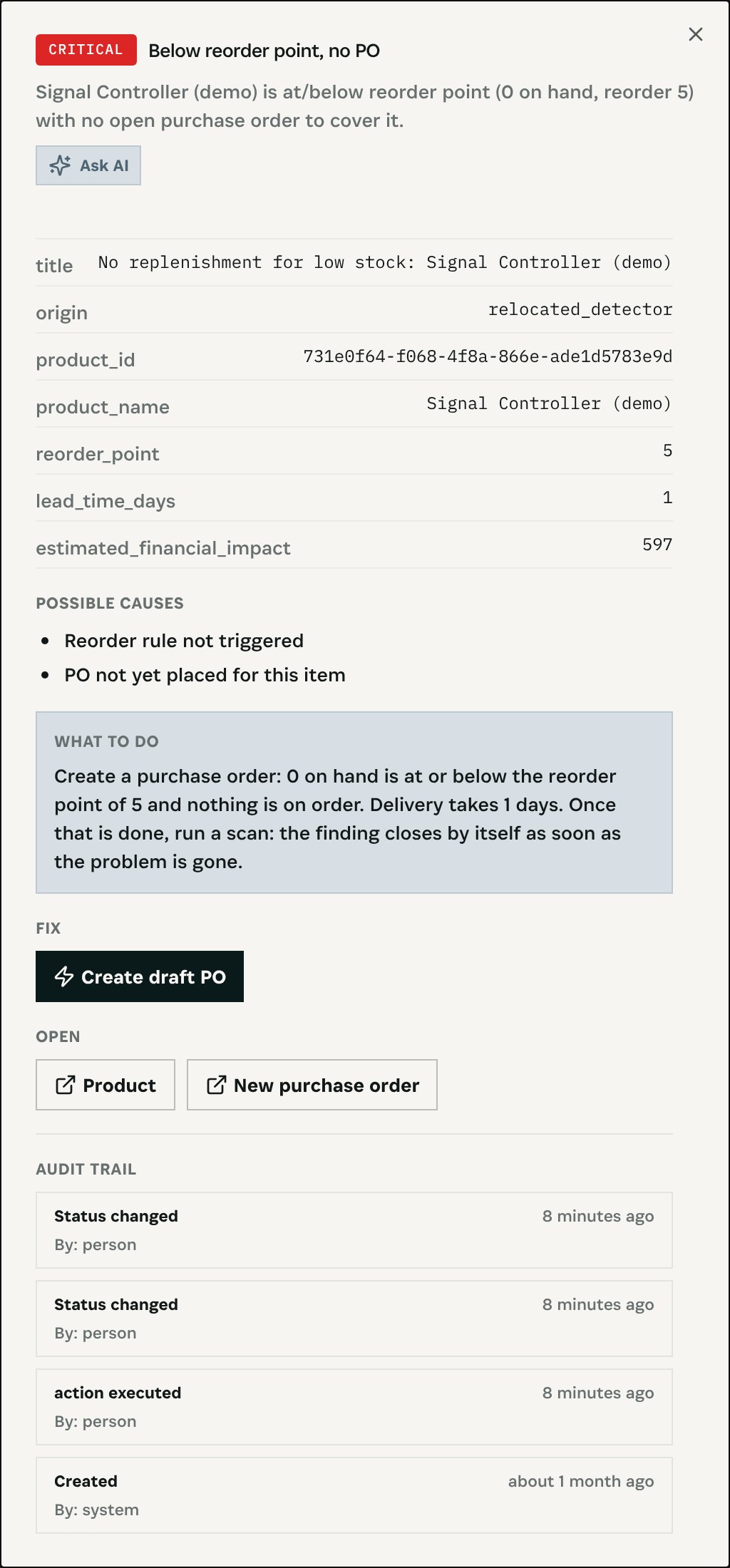
    Below the point, nothing on order

    The Integrity Engine flags Signal Controller: 0 on hand against a reorder point of 5, no open purchase order, delivery takes one day.
    Below the point, nothing on order
  2. 02

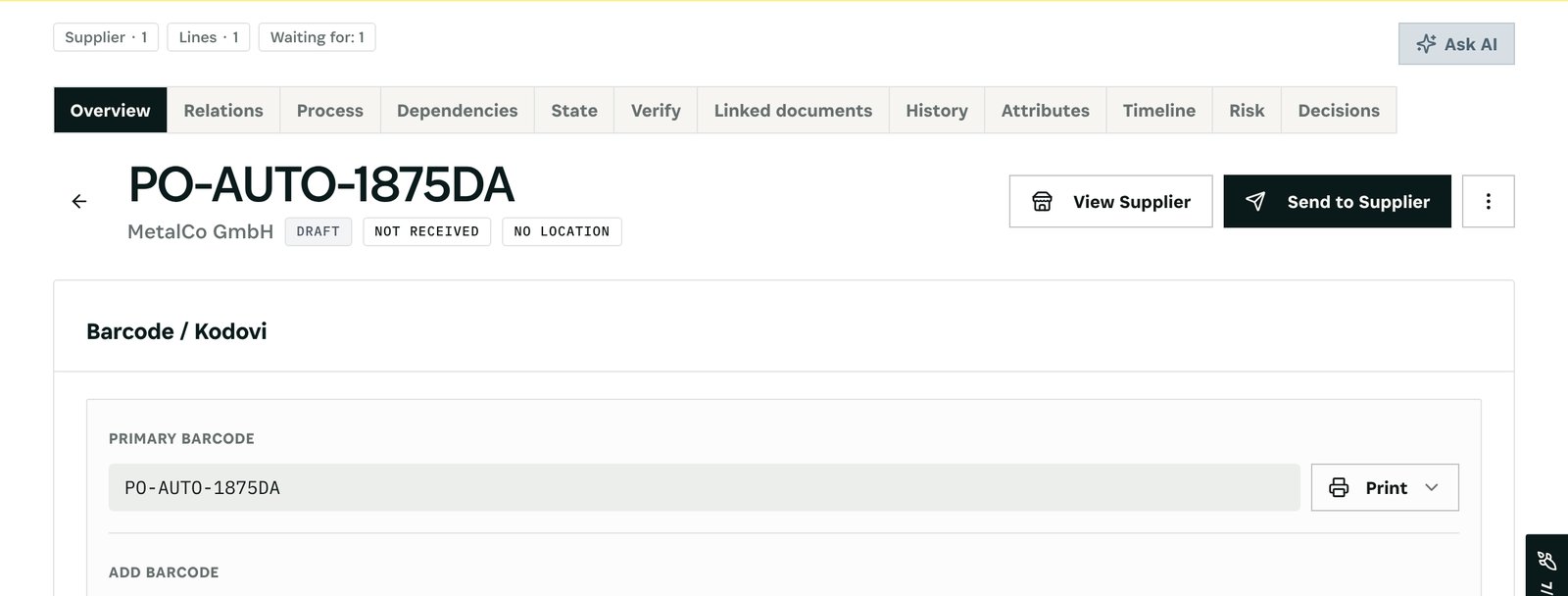
    A draft, not a surprise

    Create draft PO prepares PO-AUTO-1875DA to MetalCo GmbH for 10 units, expected on 6 November. It waits as a draft until someone sends it.
    A draft, not a surprise
  3. 03

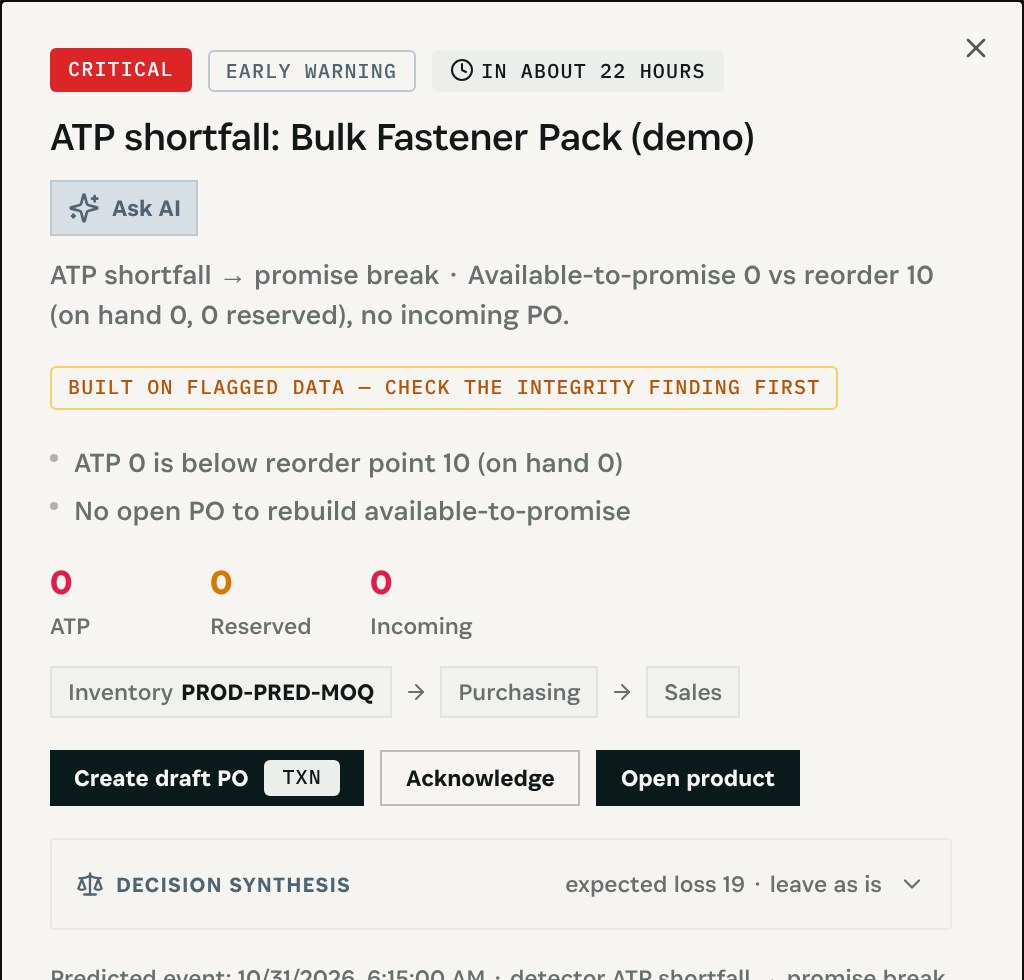
    Before promises break

    The Prediction Engine warns that Bulk Fastener Pack has nothing available to promise and nothing incoming, with the same one-step draft.
    Before promises break
03

How It Works

Purpose-built features that solve these exact problems.
01

Below the point, nothing on order

Every product and material at or below its reorder point with no open purchase order to cover it.
02

What it costs

The finding states stock, reorder point, lead time and the value at risk.
03

Draft the purchase

One button drafts a purchase order from the item's supplier for the reorder quantity, after a preview. Nothing is sent until you send it.
04

Promise check too

The Prediction Engine flags items whose available-to-promise is below the reorder point with nothing incoming, before orders break.
05

Closes itself

The next scan resolves the finding once a purchase covers the item.
04

What You'll Gain

Tangible improvements that impact your bottom line.
  1. 01
    No silent stockouts

    Every empty shelf with nothing coming is on one list.

  2. 02
    The purchase already drafted

    Review, adjust and send instead of starting from a blank order.

  3. 03
    Nothing sent by surprise

    Drafts wait for you.

  4. 04
    Promises stay honest

    Available-to-promise warnings come before the customer order does.

05

Real-World Scenarios

See how this works in practice.
Scenario 1

A rule that never fired

Signal Controller sits at zero against a reorder point of five; no purchase order exists.
Scenario 2

Promises with nothing behind them

Bulk Fastener Pack has zero available to promise against a reorder point of ten and nothing incoming.
Scenario 3

The supplier is known, the order is not

The draft goes to MetalCo GmbH, the item's supplier, with the delivery date from its lead time.
06

The Transformation

From chaos to clarity.
Before
  • Stockout found by a customer
  • Reorder alerts ignored
  • Purchases started from scratch
  • Promises on empty stock
After
  • Every empty shelf listed
  • Value at risk shown
  • Purchase drafted in one step
  • Promise warnings ahead of orders
07

Frequently Asked Questions

Quick answers to common questions.
01When is an item flagged?
When stock on hand is at or below its reorder point and no open purchase order covers it.
02Who is the draft for?
The supplier set on the item, at its price, for the reorder quantity, with the expected arrival from the supplier's lead time.
03Is the order sent automatically?
No. It is a draft. You review it and choose Send to Supplier when it is right.
04What if the item has no supplier?
Then no draft can be made; the Material without supplier finding names it so a supplier can be assigned first.
Empty Shelf, Nothing Ordered

Ready to transform your empty shelf, nothing ordered?

See how Otiox can solve your specific challenges.