Playbook: see which purchase order will arrive late before it does
The situation
A purchase order for circuit boards is due tomorrow. The supplier's last six deliveries tell a different story: four of them were late, by 5.33 days on average. A manufacturing order is planned to start before then, and a customer order depends on that build. Everything is still planned on tomorrow.
The screenshots come from the Otiox demo workspace. To follow along, choose Switch to demo in the sidebar — changes there never touch your live data.
Step 1 — See the forecast
Go to Predictive insights. Under Procurement & suppliers, the Late delivery risk card shows the purchase order.
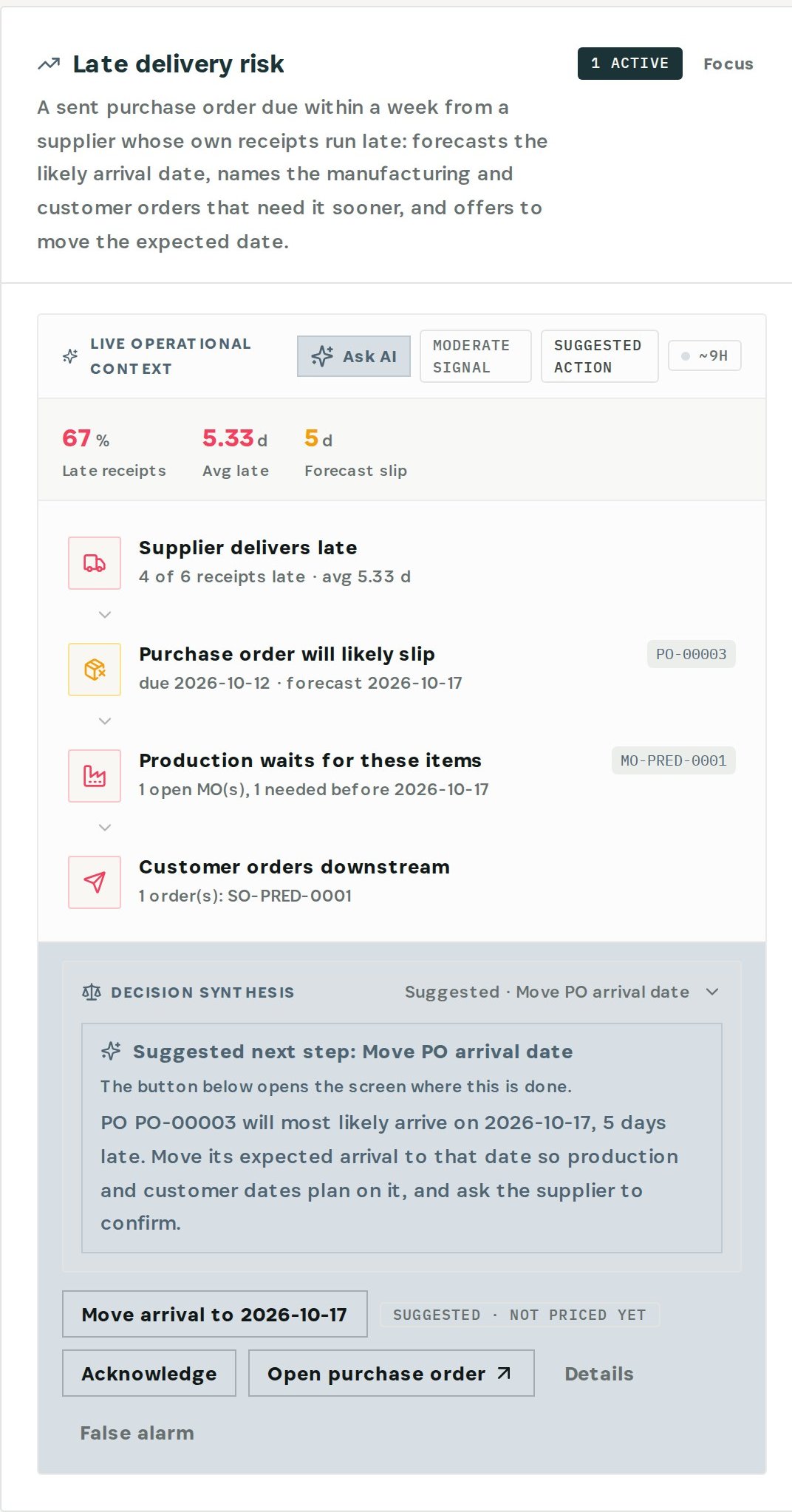
The card reads the chain: the supplier delivers late (4 of 6 receipts, 5.33 days on average), the purchase order will likely slip (due 12 October, forecast 17 October), the manufacturing order that waits for these items, and the customer order downstream.
Step 2 — Move the expected arrival
Choose Move arrival to the forecast date. Otiox previews the change and, when you confirm, moves the purchase order's expected arrival. Production and customer dates now plan on the date the goods will really arrive. The change can be reverted.
Then call the supplier: ask them to confirm the date, or to expedite.
What you have at the end
- A realistic arrival date, forecast from the supplier's own record.
- The production and customer orders it affects, named days ahead.
- A purchase order whose date matches reality.
Related
- Use case: Lead-time Drift — /use-cases/leadtime-drift
- Use case: Supply Shock — /use-cases/supply-shock