Playbook: the PO waits for a signature
The situation
The buyer created PO-2026-0004 for MetalCo GmbH five days ago — $2,400. The approval rule sent it to a manager, who has been travelling. The buyer considers it ordered. The planner counts on its delivery date. MetalCo has never heard of it. Every one of those five days lands on top of the supplier's lead time.
The screenshots come from the Otiox demo workspace. To follow along, choose Switch to demo in the sidebar — changes there never touch your live data.
Step 1 — See the stuck approval
Go to Inventory → Stock Integrity and open PO stuck in approval.
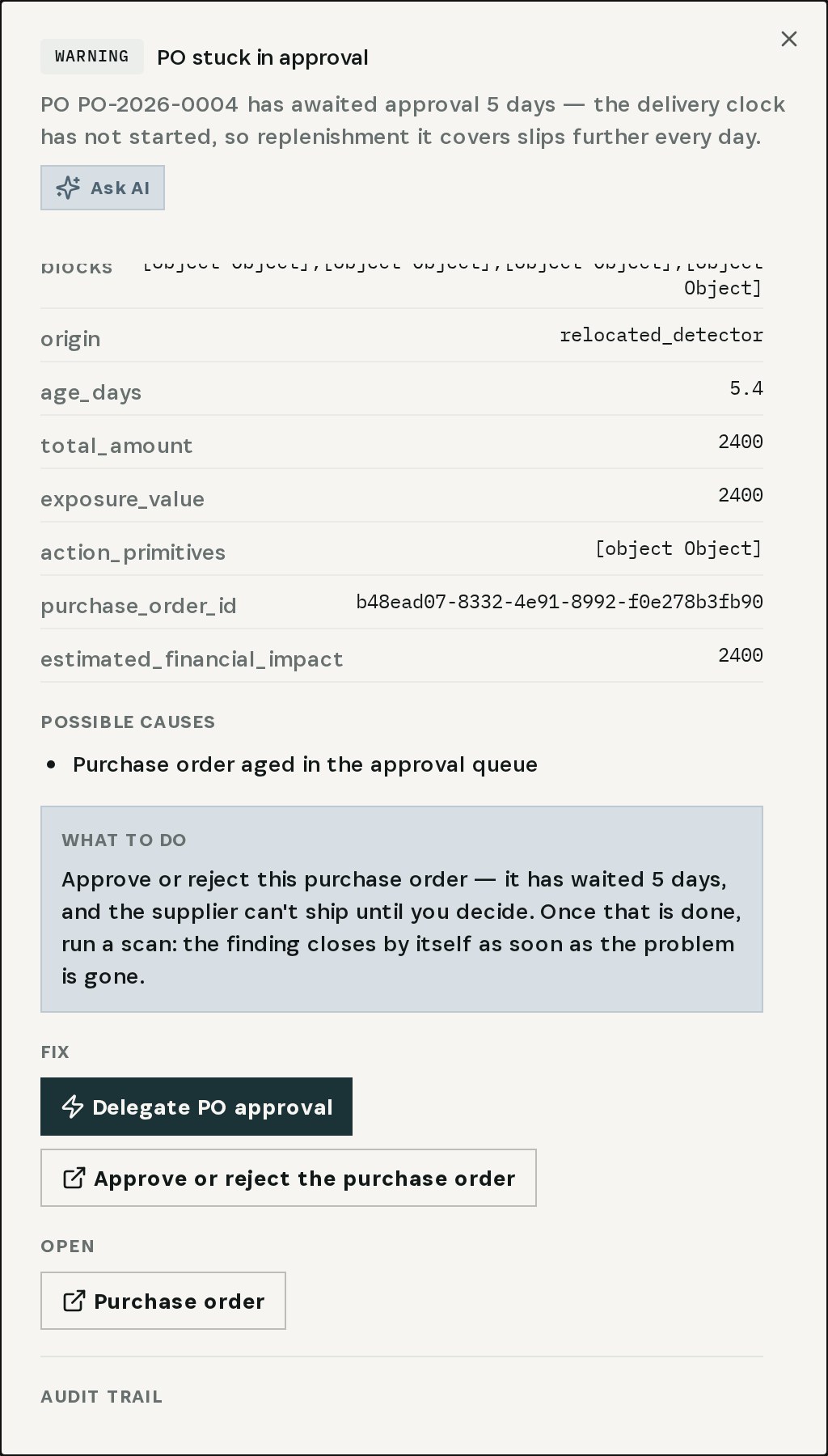
The finding says it plainly: the order has waited 5 days, the delivery clock has not started, and the replenishment it covers slips further every day. Under Fix: Delegate PO approval and Approve or reject the purchase order.
Step 2 — Open the pending requests
Choose Approve or reject the purchase order.

PO Approval Requests lists every pending request. In the demo there are two: PO-2026-0004 (MetalCo GmbH, $2,400) and PO-2026-0005 (ElectroParts KR, $1,480), both requested five days ago.
Step 3 — Review and decide
Choose Review on PO-2026-0004.
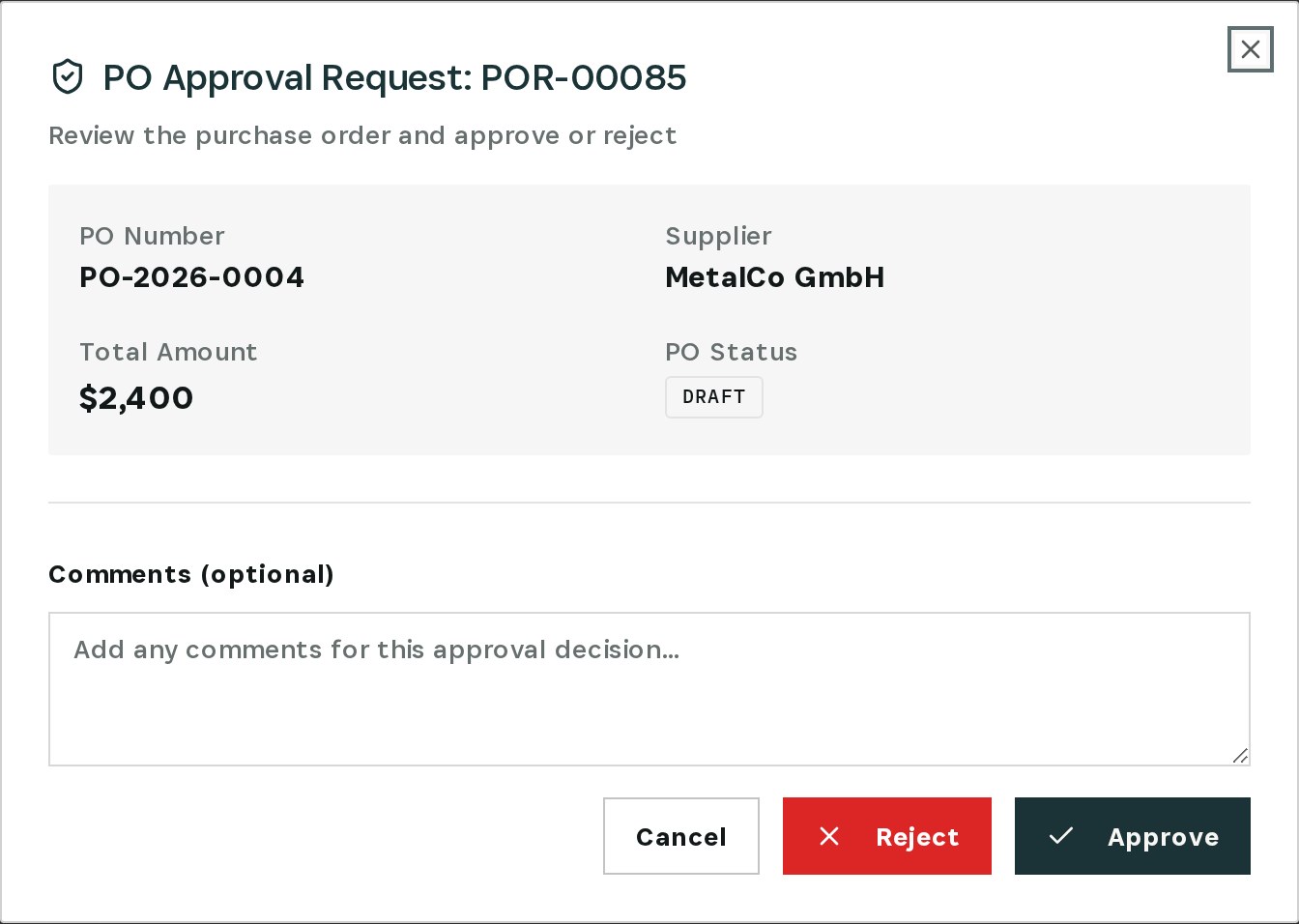
The request shows the order, the supplier, the total and the status. Add a comment if needed and choose Approve — or Reject, so the buyer knows to change course instead of waiting.
Step 4 — Approved

The request is approved, and the purchase order can be sent to the supplier. Its lead time finally starts.
Approvals stall when one person is away. Use Delegate PO approval on the finding — or Delegations under PO Approvals — so someone else can sign in the meantime.
What you have at the end
- Every purchase order stuck in approval, found with its age.
- One click from the finding to the decision.
- A delegation so the next request doesn't wait.
Related
- Use case: Approval Bottleneck — /use-cases/approval-bottleneck
- Use case: Lead-Time Drift — /use-cases/leadtime-drift