Playbook: a supplier keeps being late
The situation
Shenzhen Precision supplies your precision PCBs. Its last orders came in late, again. Before anyone changes suppliers, three questions need numbers:
- How late is it, really?
- What depends on it — which orders, builds and customers?
- Who else can supply, on what terms?
The screenshots come from the Otiox demo workspace. To follow along, choose Switch to demo in the sidebar — changes there never touch your live data.
Step 1 — See the decline in numbers
Open Predictive Insights and filter by Supplier on-time decline → supply at risk.
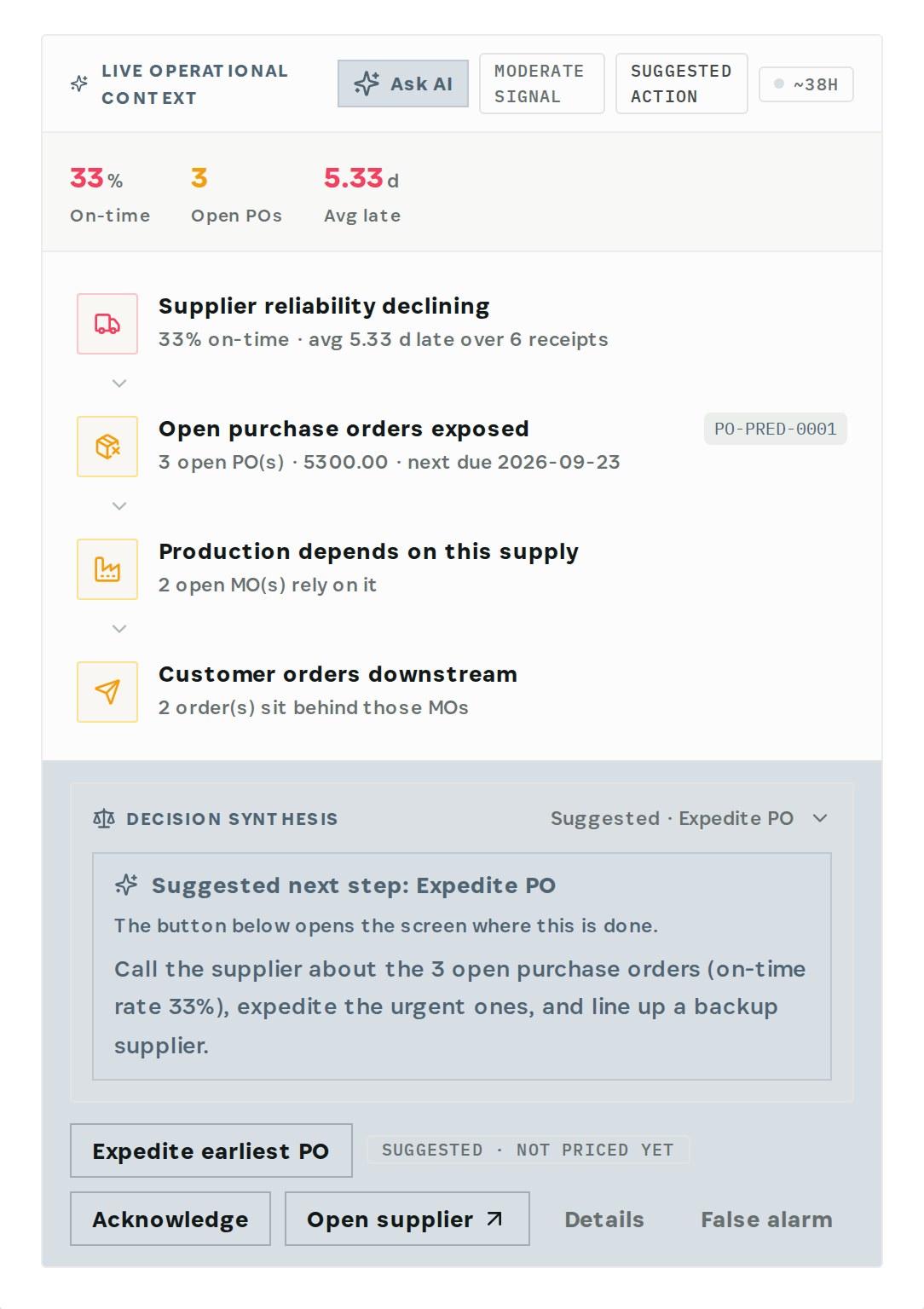
The engine compares each receipt with the expected delivery date of its purchase order. Shenzhen Precision is 33% on time over its last 6 receipts, on average 5.33 days late. It then follows the chain: 3 open purchase orders worth 5,300 → 2 manufacturing orders that need that supply → 2 customer orders behind them. The suggestion: call the supplier, expedite the urgent orders and line up a backup supplier.
Step 2 — Find what only this supplier provides
Filter by Single-source dependency → supply risk.
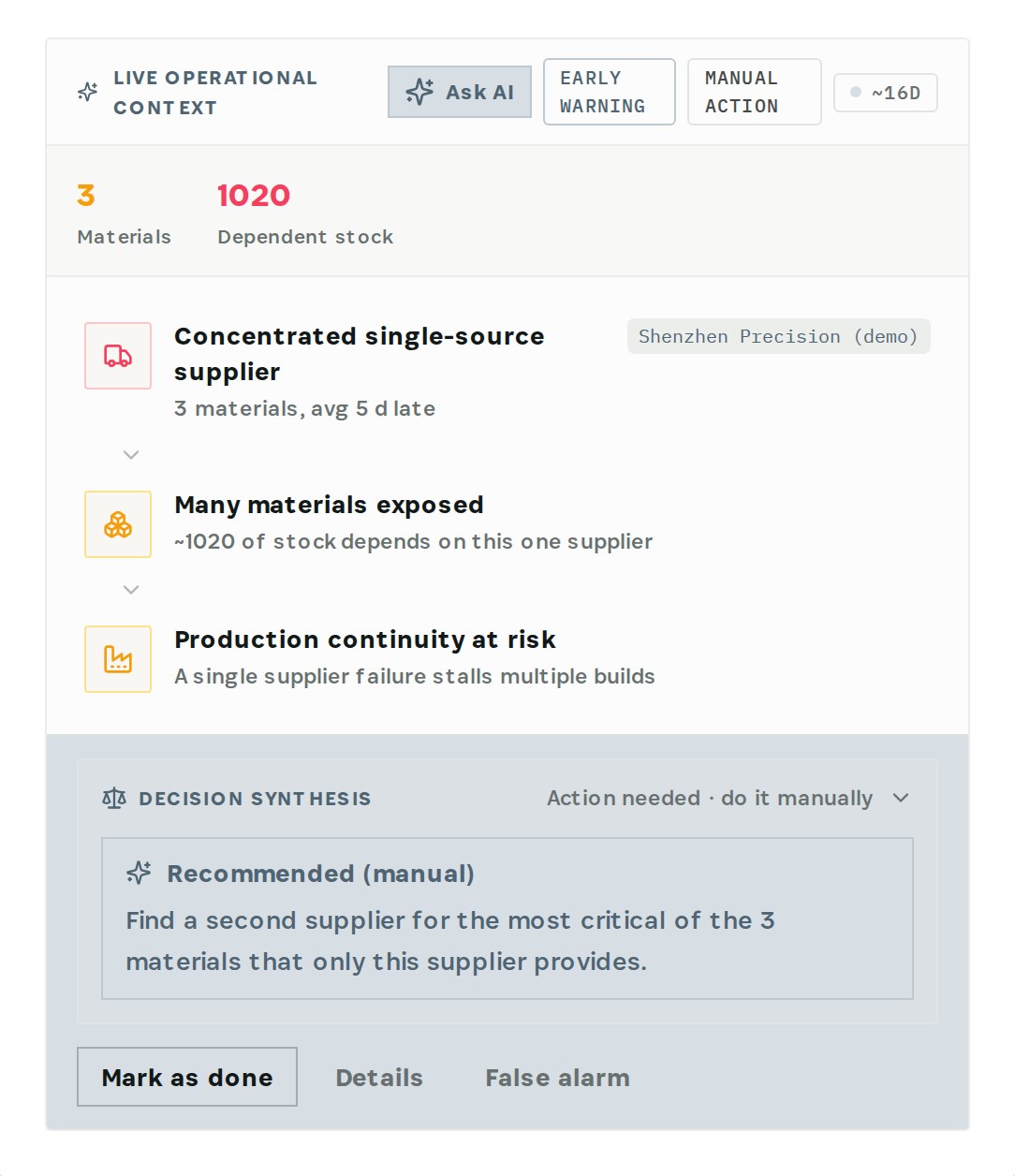
Shenzhen Precision is the only source for 3 materials, and about 1,020 units of stock depend on it. The recommendation is to find a second supplier for the most critical of them — here, Precision PCB.
Step 3 — Check the order history
Go to Purchasing → Suppliers, open Shenzhen Precision and choose Purchase History.
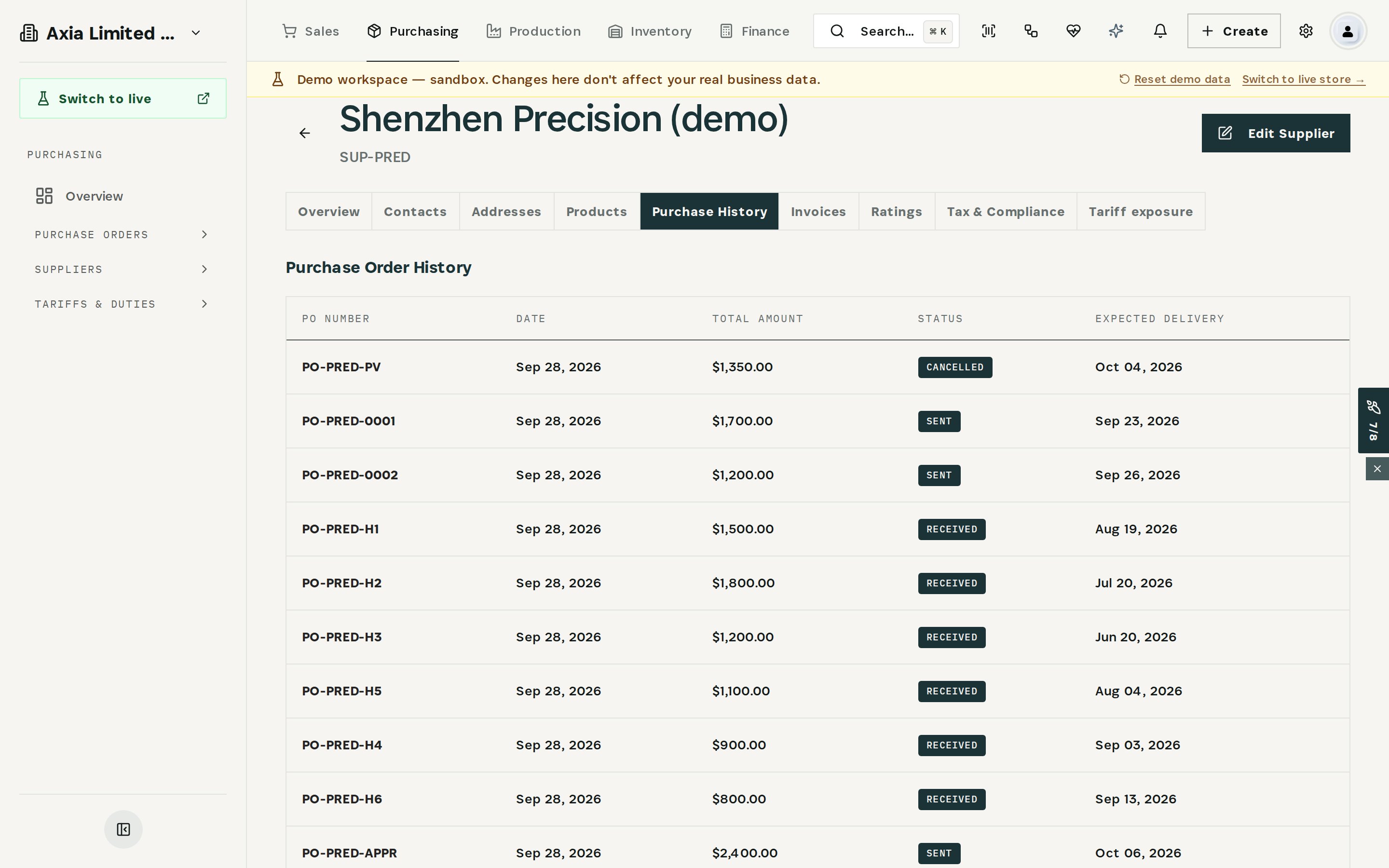
Every order with the supplier is listed with its amount, status and expected delivery date. In the demo, two orders marked Sent were expected on September 23 and 26 and have not arrived.
Step 4 — Link the backup supplier
Open the backup supplier — here ElectroParts KR — go to Products and choose Link Product. Set the item type to Material, pick Precision PCB, and enter the supplier's product name, SKU, unit price, currency, minimum order and lead time.
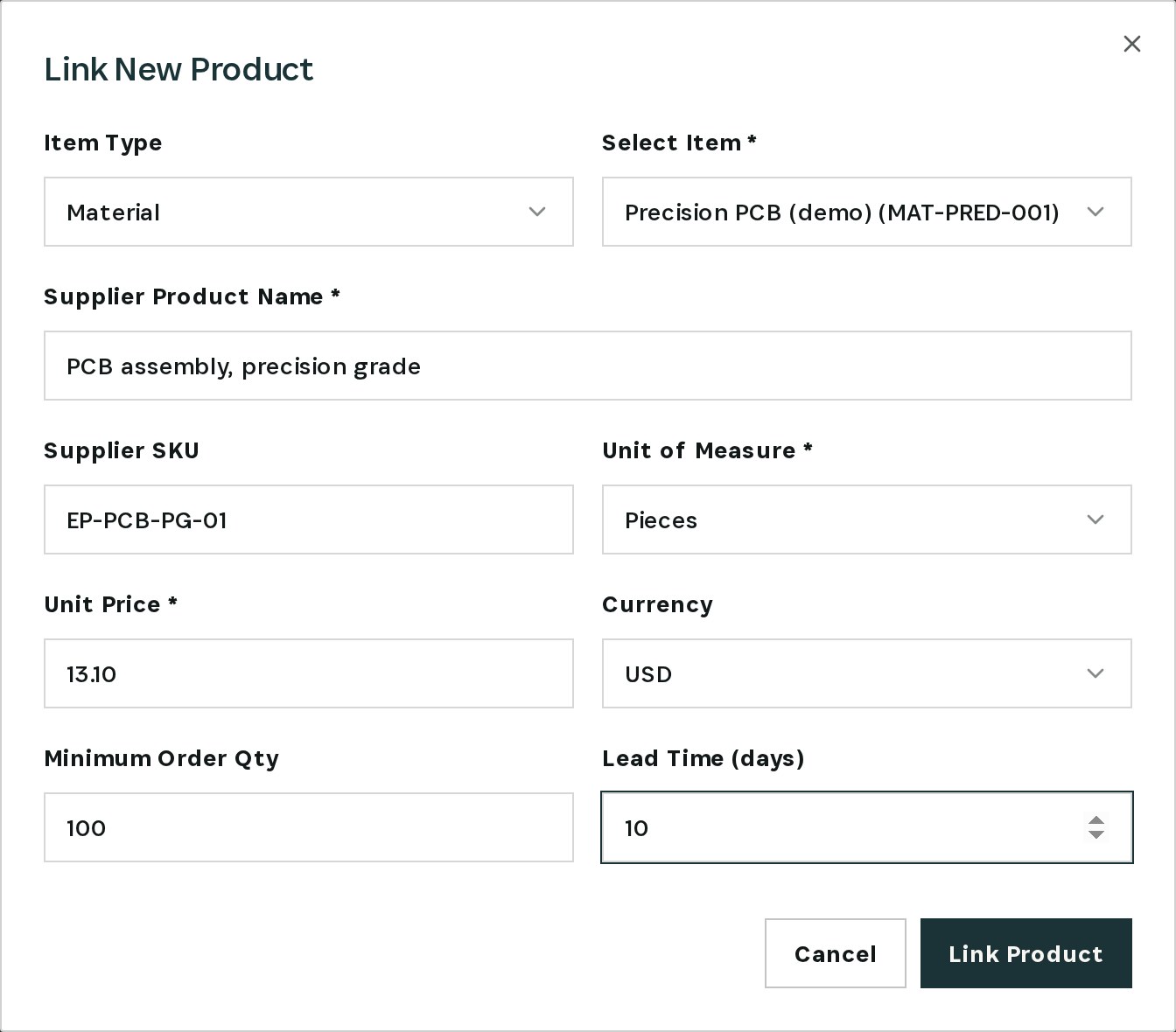
In the demo: $13.10 per unit, minimum 100, 10-day lead time. The material now has two suppliers.
Step 5 — Order from the backup
Create a purchase order for ElectroParts KR (Purchasing → Purchase Orders → Create), add Precision PCB and enter the quantity.
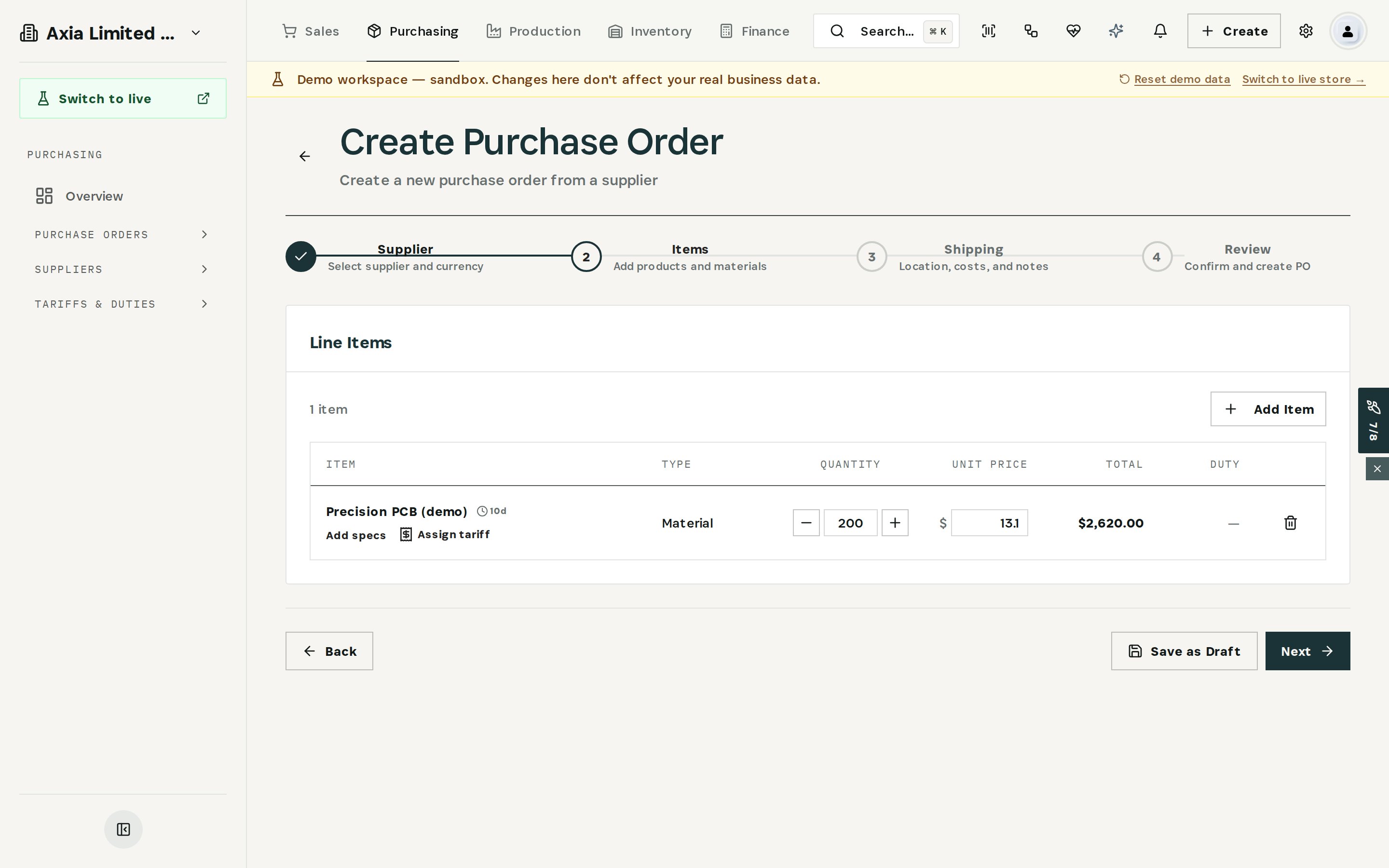
The price and the 10-day lead time come from the link you just made. 200 units come to $2,620. Save it as a draft for approval, or continue to shipping and review to send it.
Keep the old supplier's open orders under watch: Otiox doesn't move them for you. Expedite the urgent ones and cancel what the backup now covers.
What you have at the end
- The supplier's performance as numbers, not impressions.
- The orders, builds and customers that depend on it.
- A second source for the material that had only one.
- The next order already placed with the backup.
Related
- Use case: Supplier Switch — /use-cases/supplier-switch
- Suppliers, Purchase Orders and the Predictive Engine are part of the Otiox platform.