Playbook: a customer wants 5,000 units — can you promise?
The situation
Falcon Robotics asks for 5,000 SmartSensor S100 (black) by the end of October. Sales wants an answer today. Before anyone says yes, three questions need an answer:
- Do we have the components?
- What will the order cost us per unit?
- Do we have the people to build it?
This playbook answers all three with a draft manufacturing order, and then shows how Otiox keeps watching promises you have already made.
The screenshots come from the Otiox demo workspace. To follow along, choose Switch to demo in the sidebar — changes there never touch your live data.
Step 1 — Enter the quantity and check the components
Go to Production → Manufacturing Orders and select Create. Choose the product and variant — here SmartSensor S100, black — and continue to the order details. Enter 5,000 as the quantity and set the planned dates: start on October 5, finish by October 30.
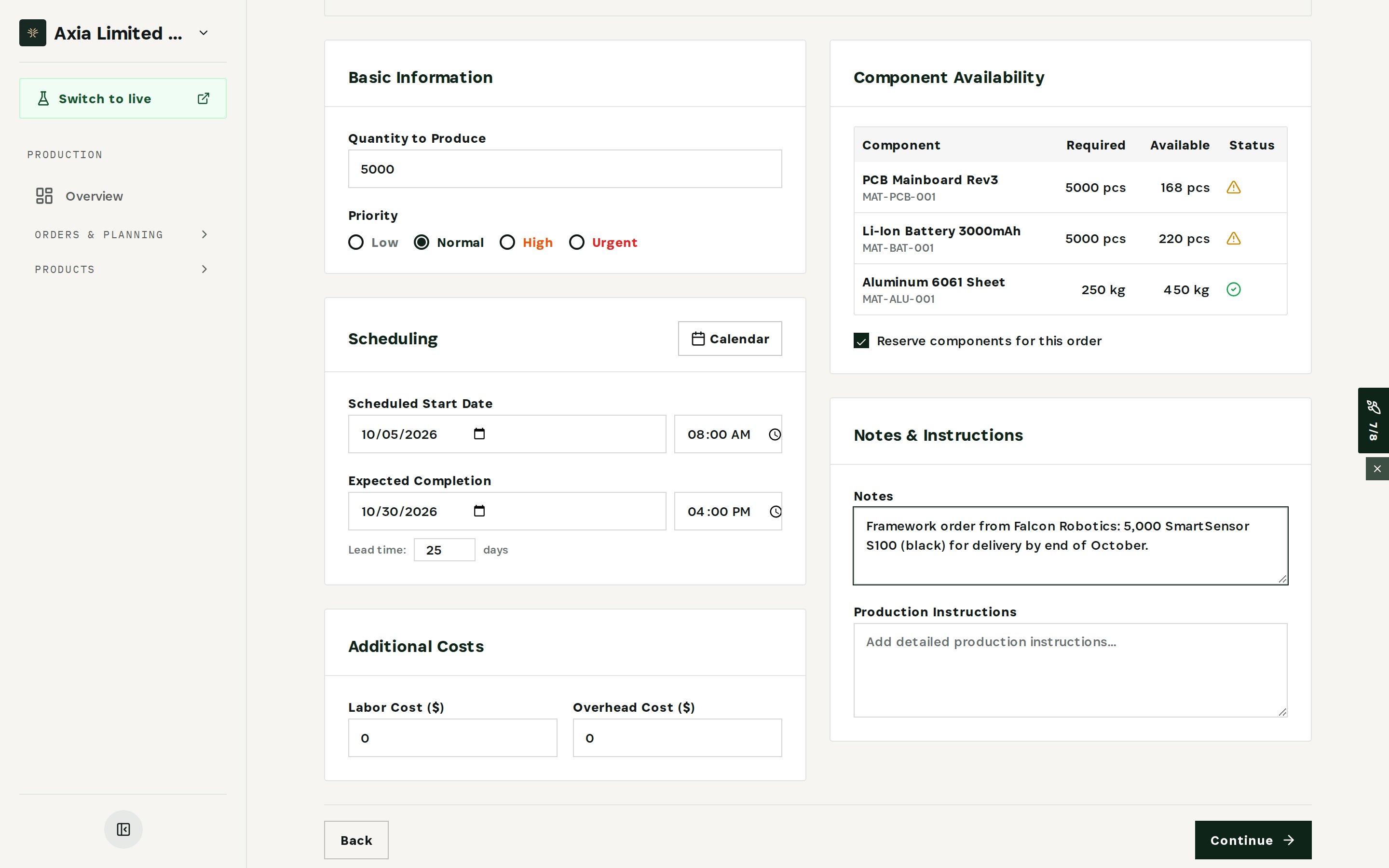
Component Availability compares every component on the bill of materials with the stock on hand:
- PCB Mainboard Rev3 — 5,000 required, 168 available.
- Li-Ion Battery 3000mAh — 5,000 required, 220 available.
- Aluminum 6061 Sheet — 250 kg required, 450 kg available.
The first answer is already clear: not from stock. The shortfall — about 4,800 PCBs and 4,800 cells — is what purchasing has to cover. Note the customer and deadline in Notes.
Step 2 — Load operations from the routing
Continue to Tasks and load them from the product's routing. Every step of the build appears in order — SMT placement, reflow soldering, final assembly, QC functional test, pack & label — with the skills it requires and the operators assigned to it.
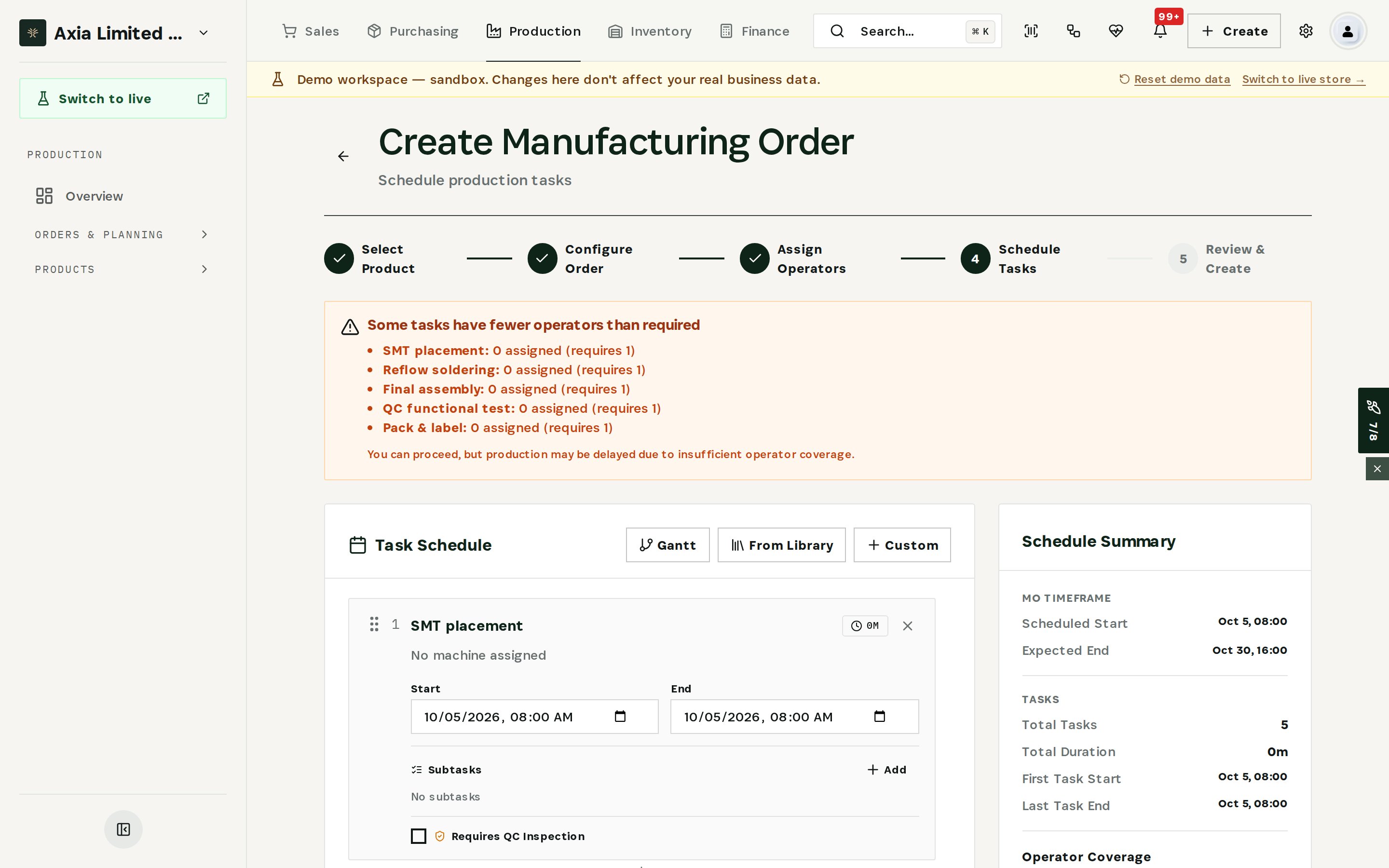
Assign operators where you can. Steps without enough qualified people are flagged, so staffing is part of the answer, not a surprise on day one. Operations can also be added by hand — now or after the order is created.
Step 3 — Review cost and coverage
The review step brings it together.
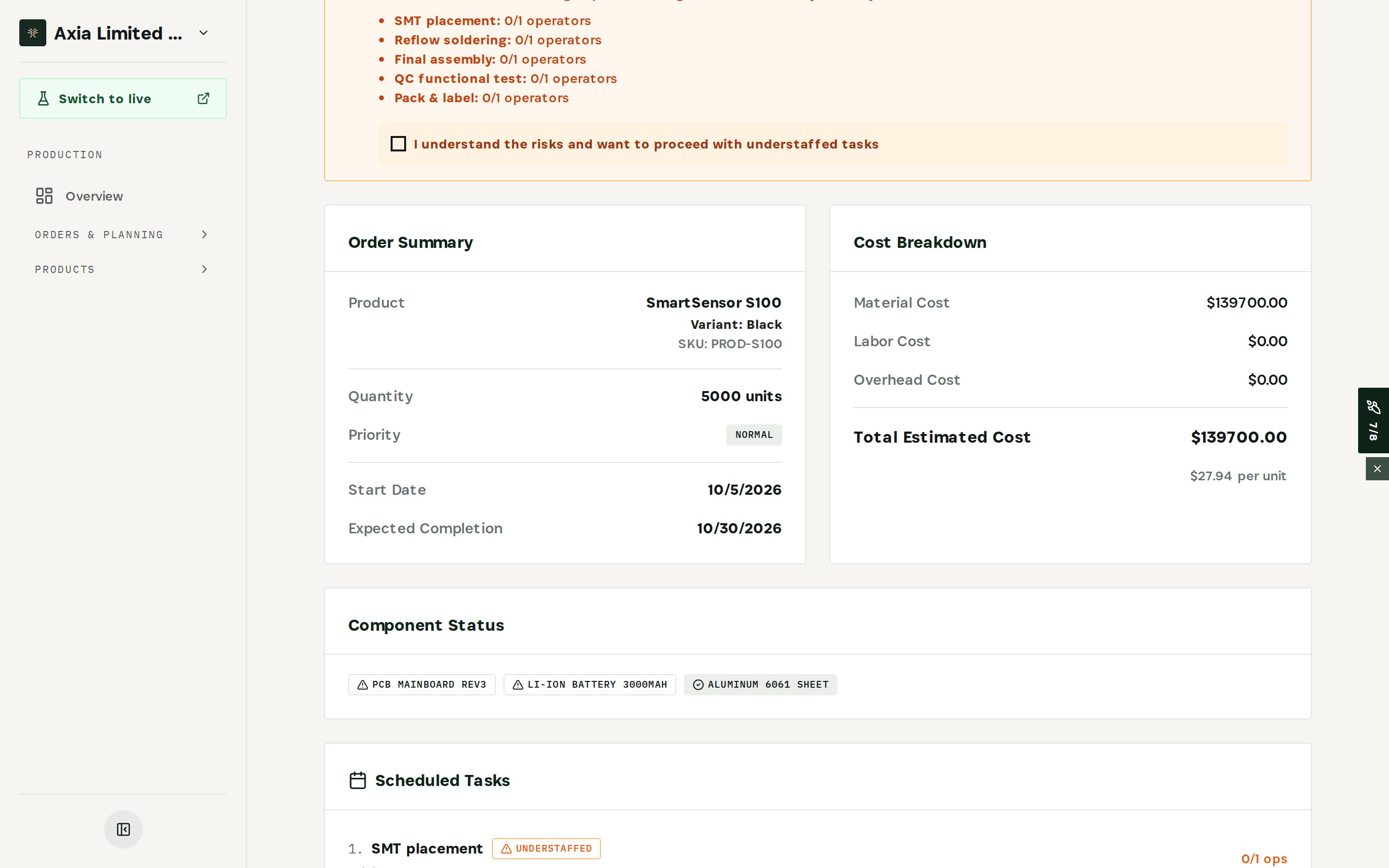
- Cost Breakdown — $139,700 in materials, $27.94 per unit. That is the floor for any price you quote.
- Component Status — the two components that are short, at a glance.
- Understaffed tasks — five operations with 0 of 1 operators assigned.
Now choose how to create the order. Reserve & Schedule (or Start Production) reserves the components as the order is created. To only evaluate the request, choose Save as Draft instead: the draft keeps quantity, dates and notes together, reserves nothing, and can be scheduled once the date is agreed. Either way, confirm that you understand the staffing risk first.
Step 4 — Give sales the answer
You can now answer with evidence: the order is possible, but not from stock by October 30. It depends on buying about 4,800 PCBs and 4,800 cells and on staffing five operations. Agree the date with the customer once purchasing confirms the components.
A promise is only as good as the components, cost and people behind it. Check all three before you say yes.
Step 5 — Watch promises you have already made
Orders you have already confirmed need watching too. The Predictive Engine compares available-to-promise stock and inbound supply with committed demand for every product.
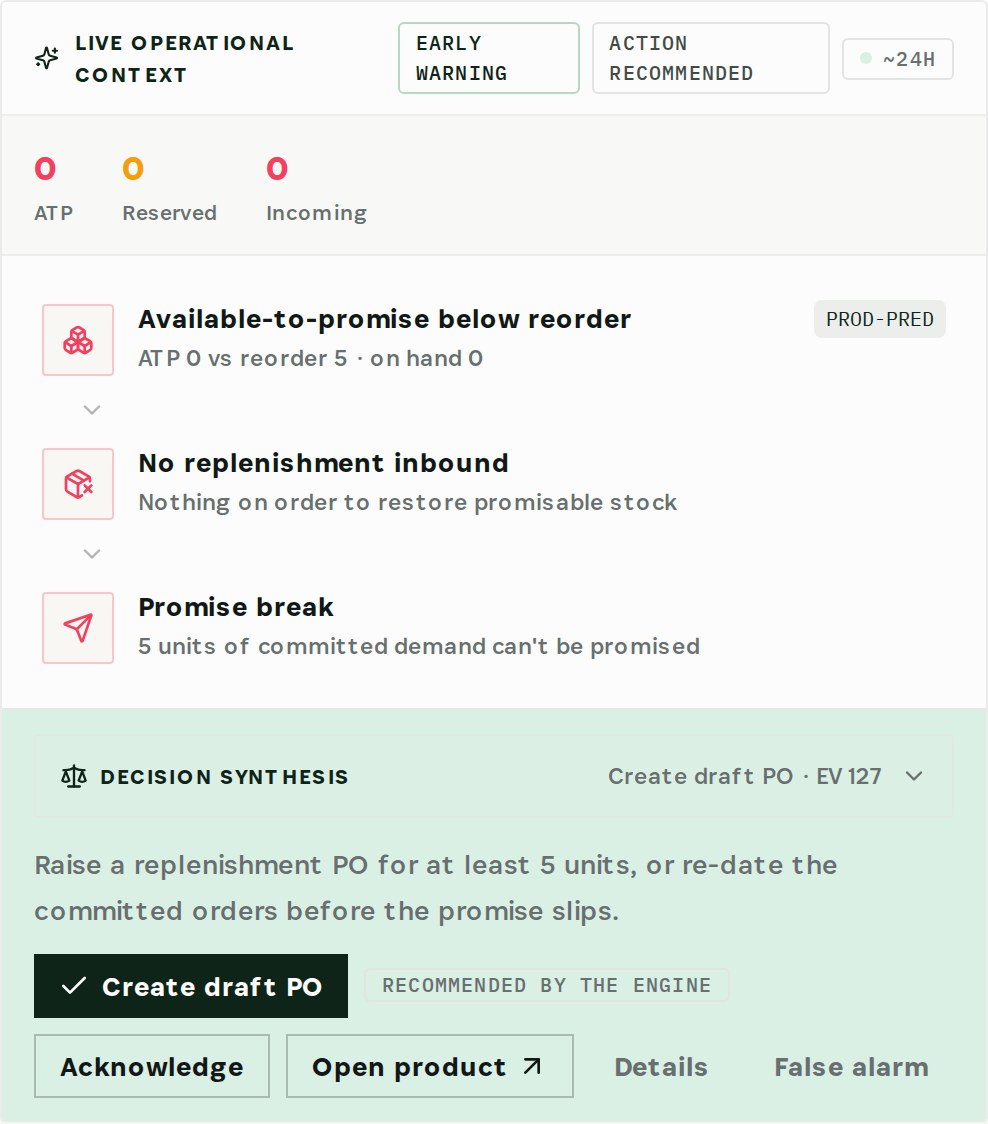
In the demo, one product's available-to-promise has dropped to 0, below its reorder point, and nothing is on order. The chain ends in a promise break: 5 units of committed demand can't be promised. Decision Synthesis recommends raising a replenishment PO — or re-dating the committed orders — before the promise slips. Choose Create draft PO to act on it, or Acknowledge to take it on yourself.
What you have at the end
- A clear answer to sales, based on components, cost and crew.
- The shortage in exact quantities — the input for purchasing.
- The material cost per unit before you agree a price.
- An early warning whenever a promise you have already made starts to slip.
Related
- Use case: Order Promise — /use-cases/order-promise
- Manufacturing Orders, Routing and the Predictive Engine are all part of the Otiox platform.