Playbook: when the month-end count doesn't match the books
The situation
It is month-end. The count of Aisle A comes back short: 25 SmartSensors, 12 PCBs and 8 cable sets fewer than the system expects. Finance wants to post the adjustment. Operations wants to know where the units went.
Writing the difference off answers finance but hides the cause, and the same gap comes back next month. This playbook shows how to find the cause first:
- Scan for inconsistencies.
- Read what each finding means and fix it at the source.
- Approve the variances that are real, and only then post them.
The screenshots come from the Otiox demo workspace. To follow along, choose Switch to demo in the sidebar — changes there never touch your live data.
Step 1 — Run the integrity scan
Go to Inventory → Stock Integrity and select Run integrity scan. The Integrity Engine checks your operation against its detectors and lists every open finding by severity.
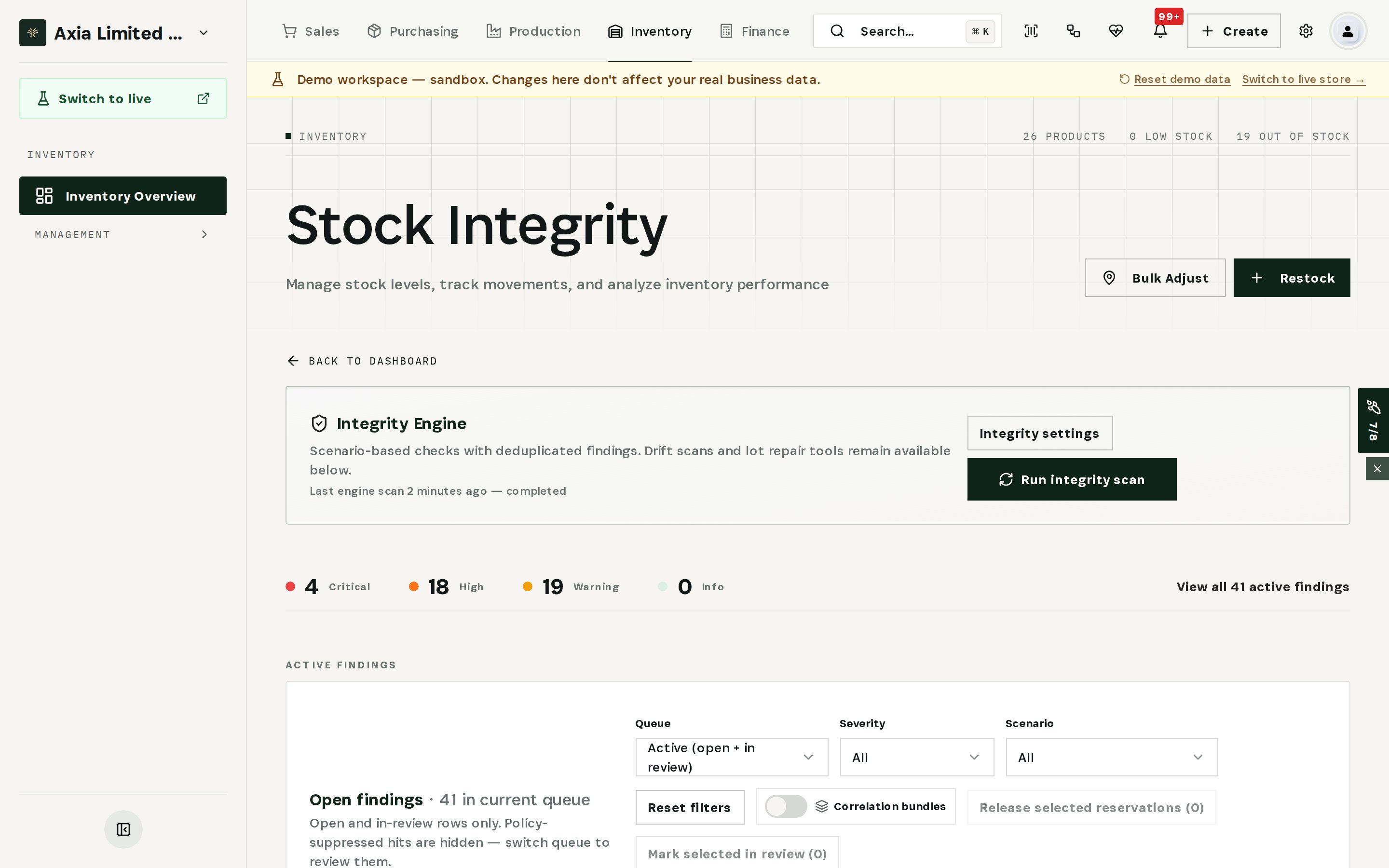
Use the Severity and Scenario filters to focus on stock problems: negative inventory, lots that don't match stock, stock with no movement history.
Step 2 — Read the finding, then act
Open a finding to see what the engine knows. In the demo, Stock with no movement history reports that Bulky Enclosure has 20 units on the books — worth 1,000 — but has never moved and never been counted.
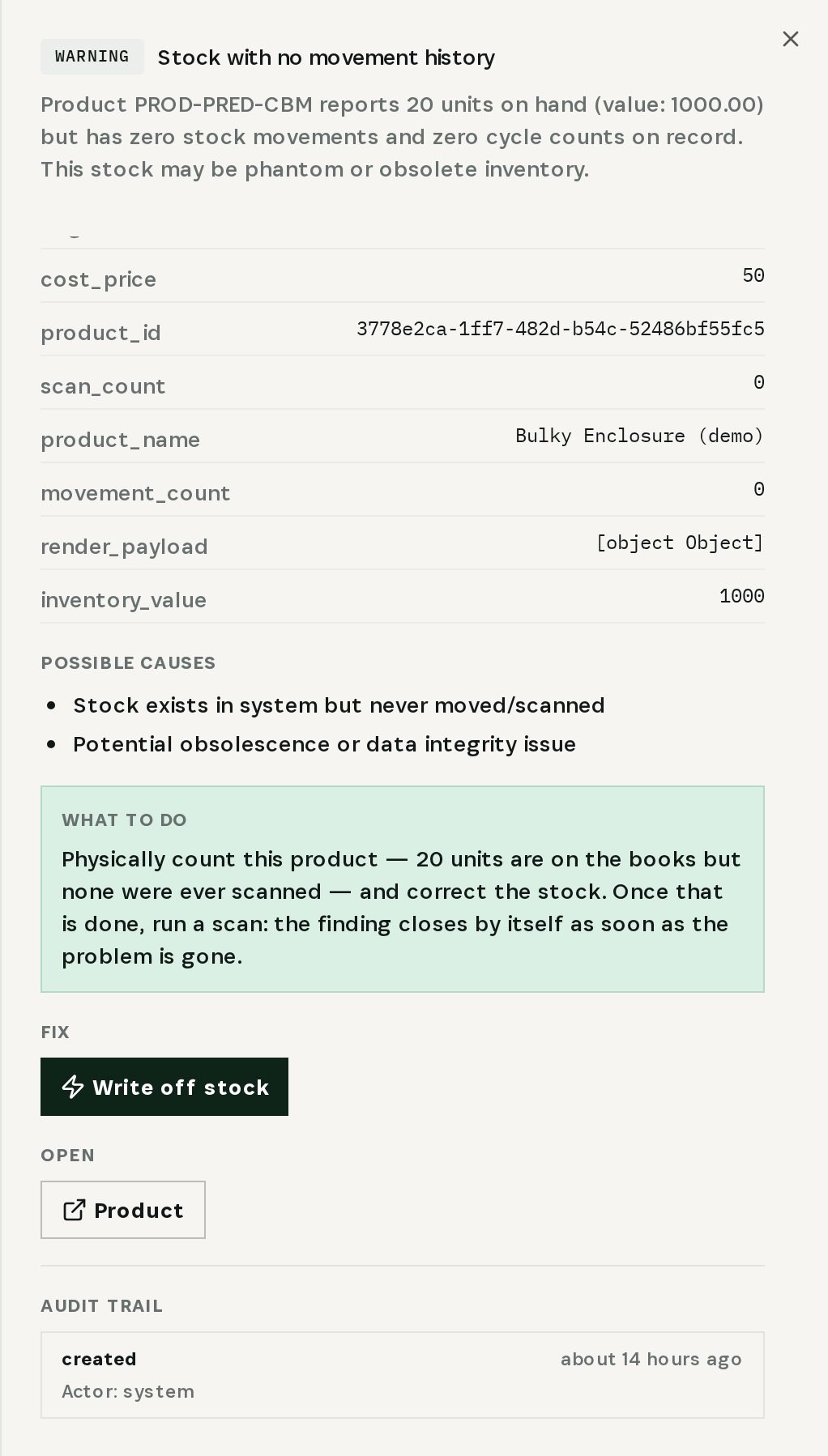
Every finding shows:
- Confidence and a root-cause hint — here, phantom stock.
- Possible causes — stock that exists only in the system, or obsolete stock.
- What to do — count the product and correct the stock; the finding closes by itself on the next scan.
- Fix — the action that applies, here Write off stock, and a link to open the product.
- Audit trail — who did what, and when.
Mark the finding I'm on it so the team knows it is being handled.
Step 3 — Check drift between bins, lots and totals
Further down the page, Drift & stock discrepancies compares bin quantities, lot totals and global stock for every product.
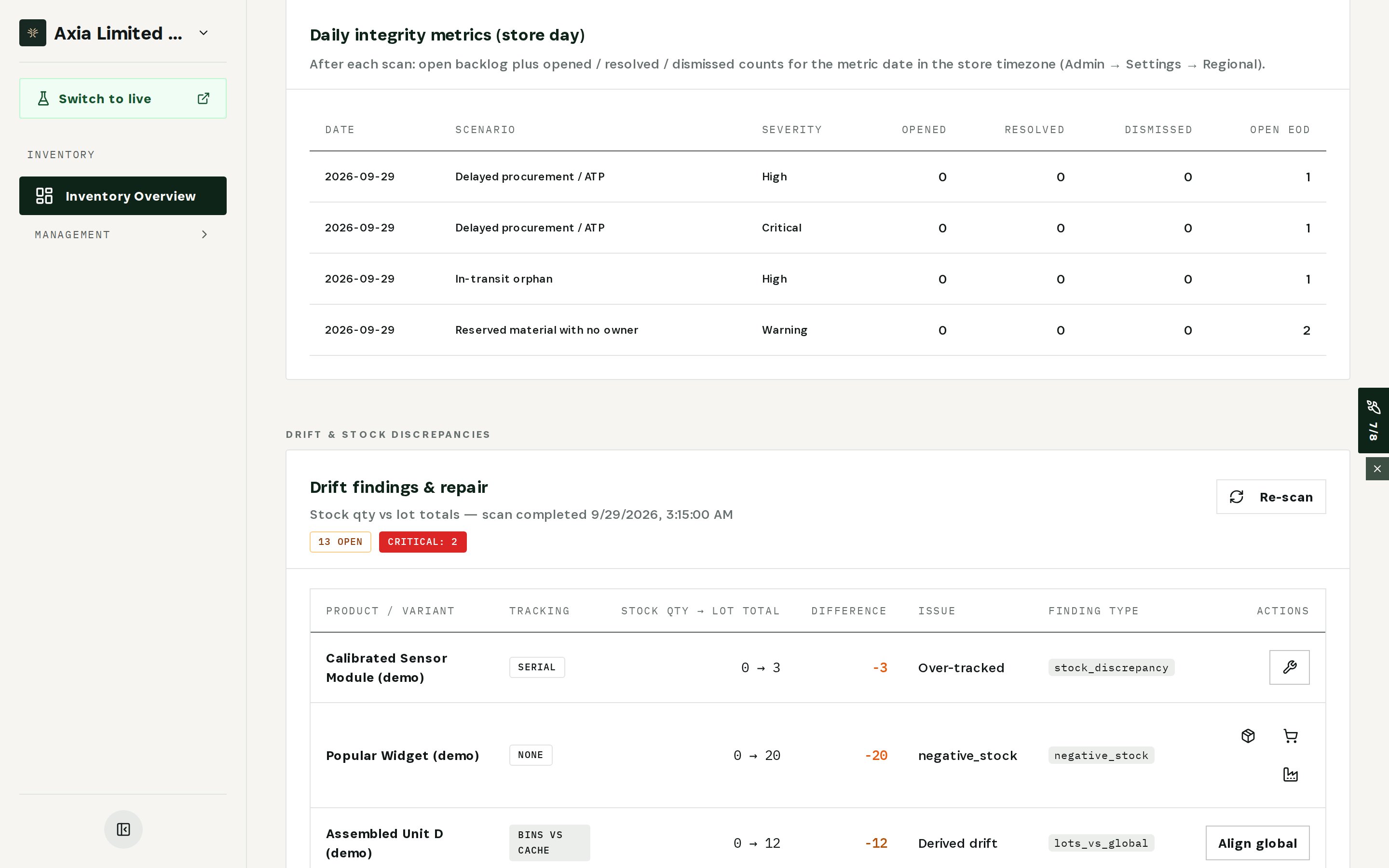
In the demo, a sensor module shows 0 on hand but 3 serial numbers — over-tracked: picking and recalls would trace units that are not there. Popular Widget shows negative stock. Each row has the repair action for its type of drift, such as Align global. Select Re-scan after repairs to confirm they are gone.
Step 4 — Approve the count variances
Now go to Inventory → Cycle Count → Approvals. Every counted line waits here with the system quantity, the counted quantity, the variance and its value.
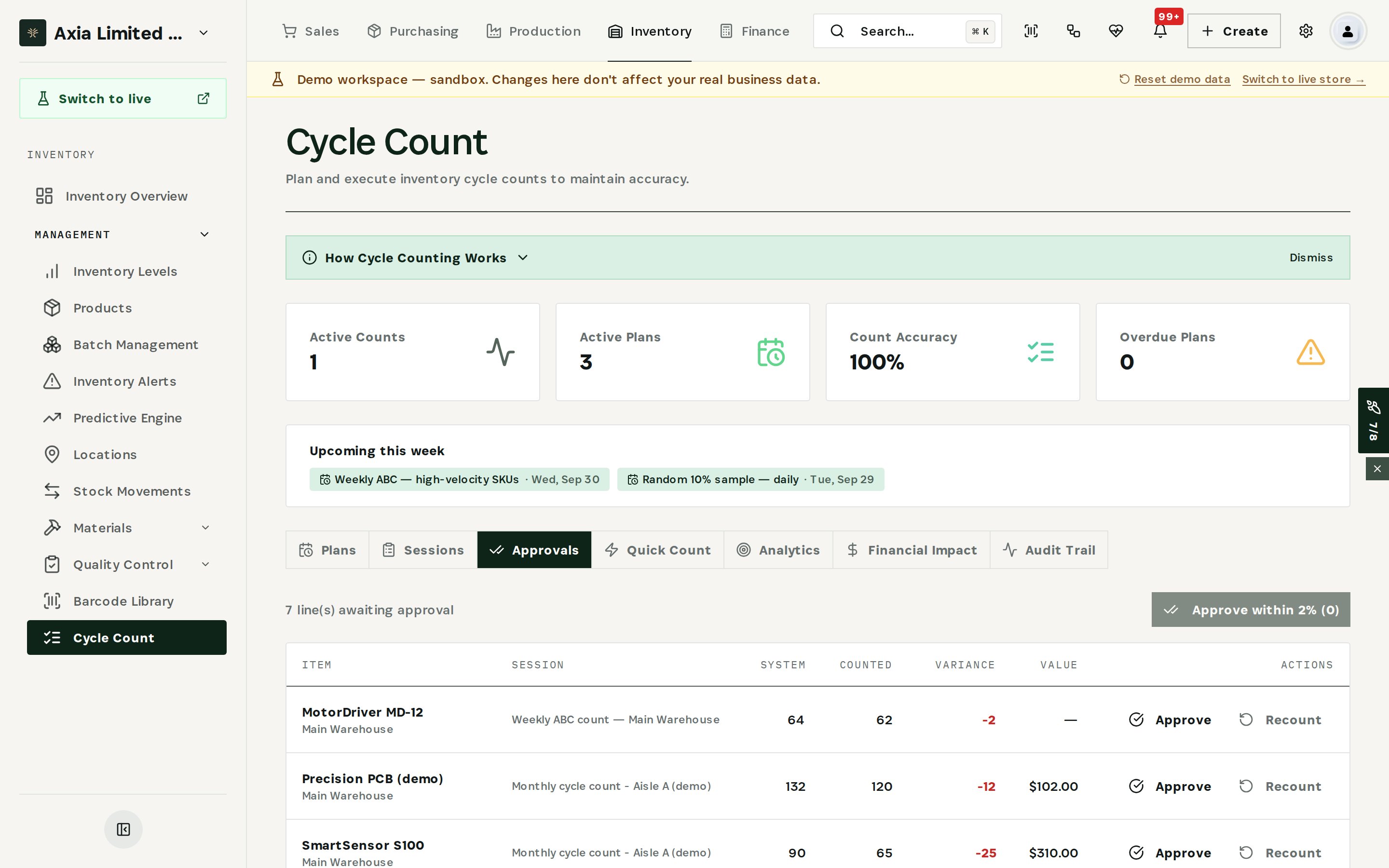
For each line, choose Approve if the count is right or Recount if it needs a second look. Approve within 2% clears small variances in one step.
Step 5 — Post the financial impact
When every line in a session is approved, the session appears under Financial Impact as ready to post. Posting sends the net inventory adjustment to the ledger as a permanent entry — it can be reversed, never deleted.
Fix the causes first, then approve and post. The variance that reaches the ledger is the one that is real.
What you have at the end
- Every inconsistency in stock explained, with its cause and the fix that applies.
- Phantom stock found before it distorts another month of inventory value.
- Only approved variances posted, each with an approval trail.
Related
- Use case: Month-End Count — /use-cases/stock-count
- Integrity Engine, Cycle Count and the Automated Transaction Ledger are all part of the Otiox platform.