Playbook: a supplier recalls a lot
The situation
ElectroParts KR sends a notice: Li-Ion cells from lot L-BAT-26W02 may overheat under load. Sixty cells from that lot are still in your main warehouse. Some have already been built into SmartSensor units, and a scheduled manufacturing order is about to use more.
This playbook walks through the three things to do, in this order:
- Take the lot out of circulation.
- Find what was built from it.
- Decide how the recall is resolved.
The screenshots come from the Otiox demo workspace. To follow along, choose Switch to demo in the sidebar — changes there never touch your live data.
Step 1 — Start the recall
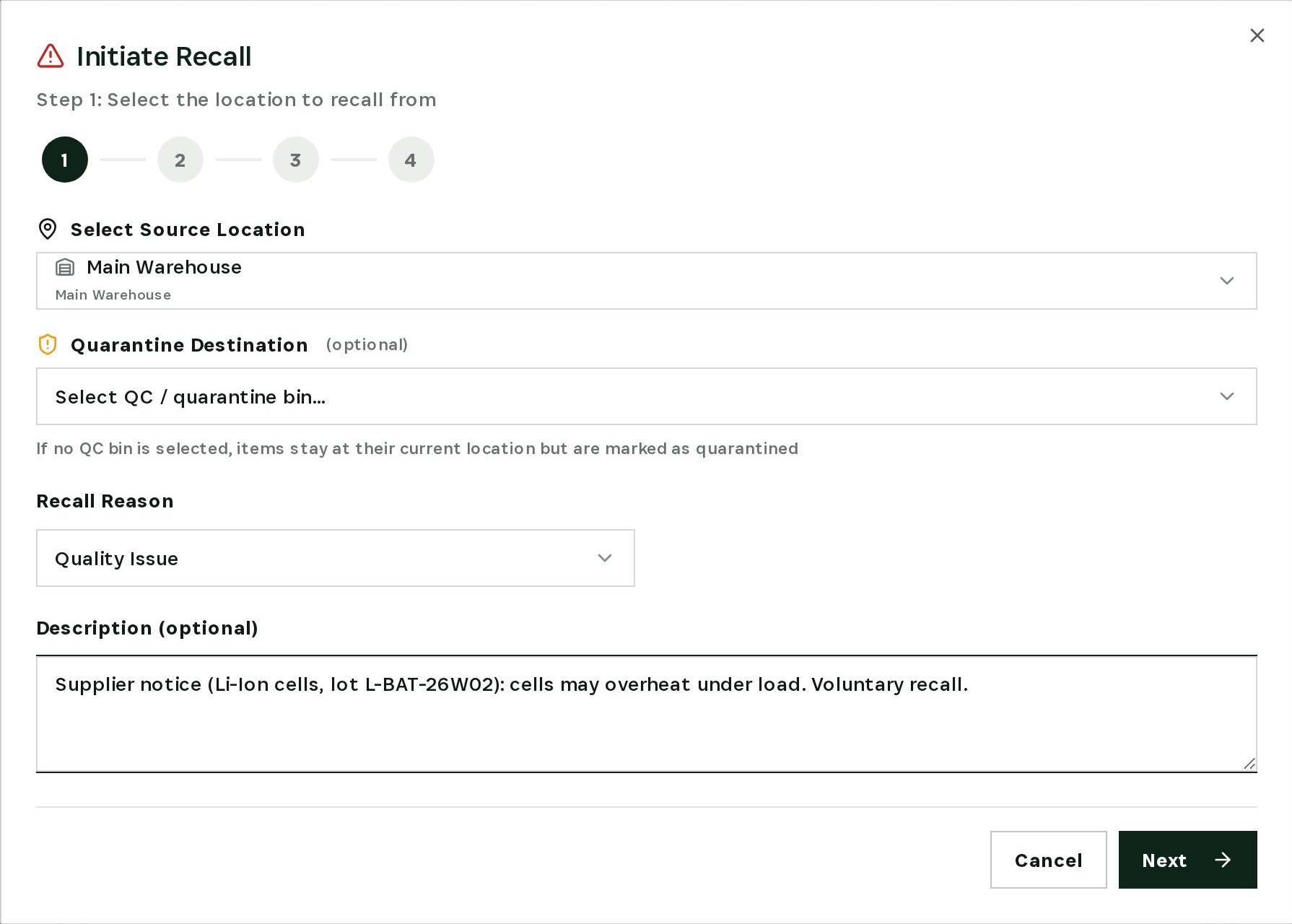
Go to Inventory → Recalls & Quarantine and select Initiate Recall. Choose the source location (here, Main Warehouse), the recall reason and a short description of the supplier's notice. A quarantine bin is optional: without one, the stock stays where it is but is marked as quarantined.
Step 2 — Pick the exact lot
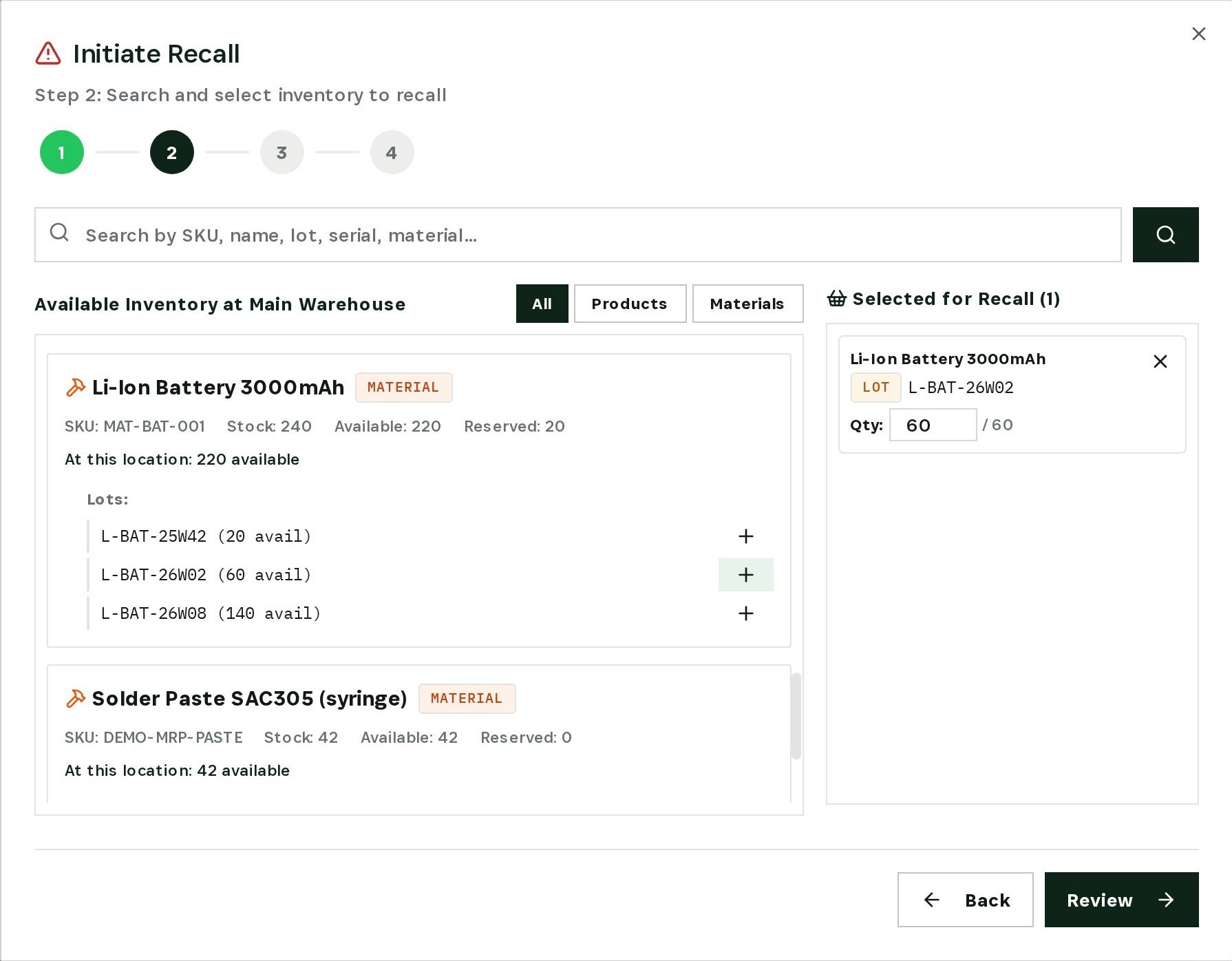
Otiox lists every product and material at that location. Materials show their lots with the quantity available in each. Add L-BAT-26W02 and confirm the quantity — all 60 cells.
Step 3 — Review and execute
The review screen repeats the location, reason, description and every lot in the recall. When it is right, select Execute Recall.
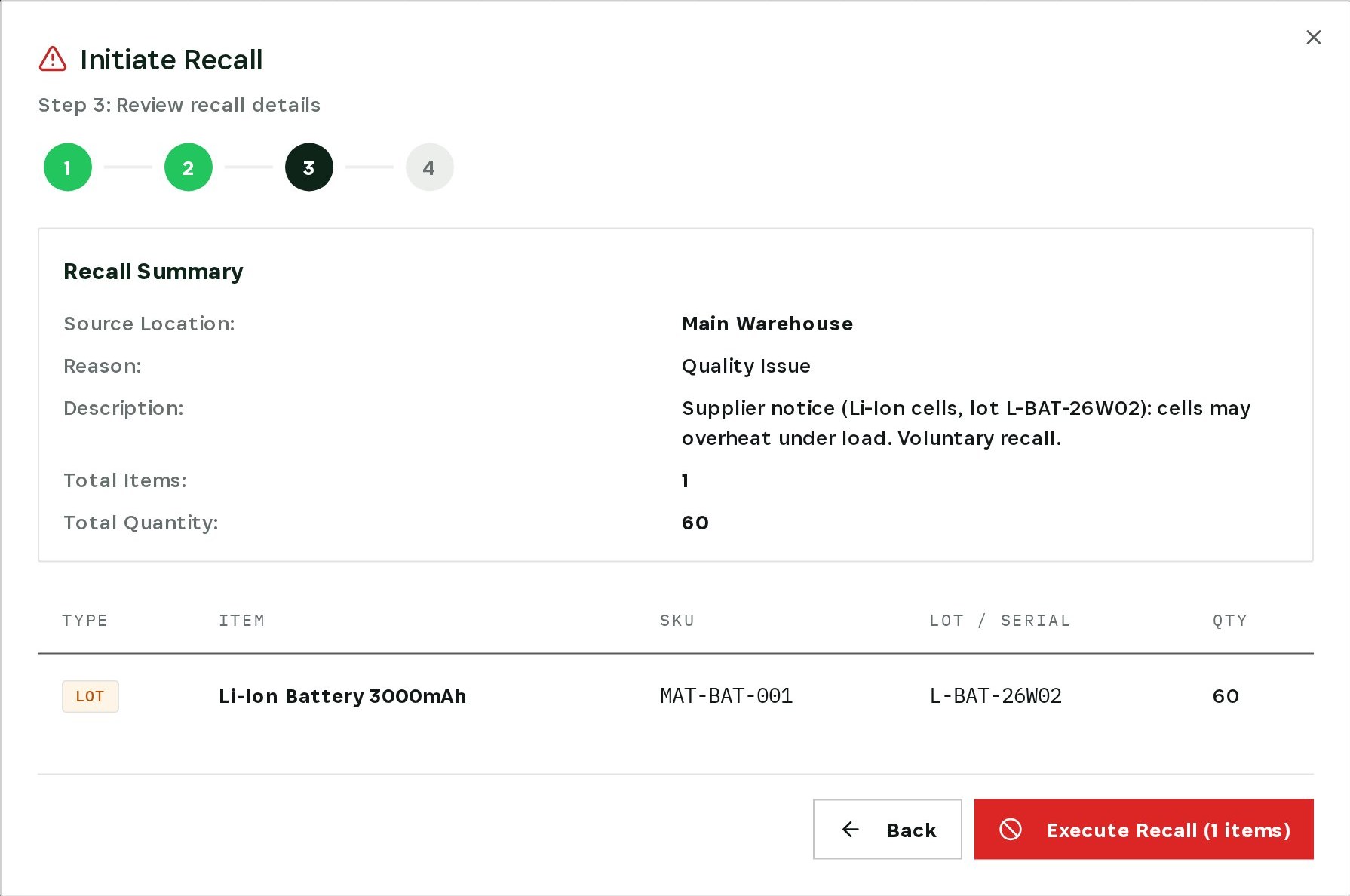
The lot's status changes to Quarantine immediately. Its available quantity drops to zero, so it can no longer be picked, reserved or shipped while the recall is open.
Step 4 — Trace it into finished goods
Now the harder question: what did this lot go into? Go to Inventory → Lot Genealogy & Traceability and search for a finished-goods lot — here, SmartSensor lot L-S100B-26W10.
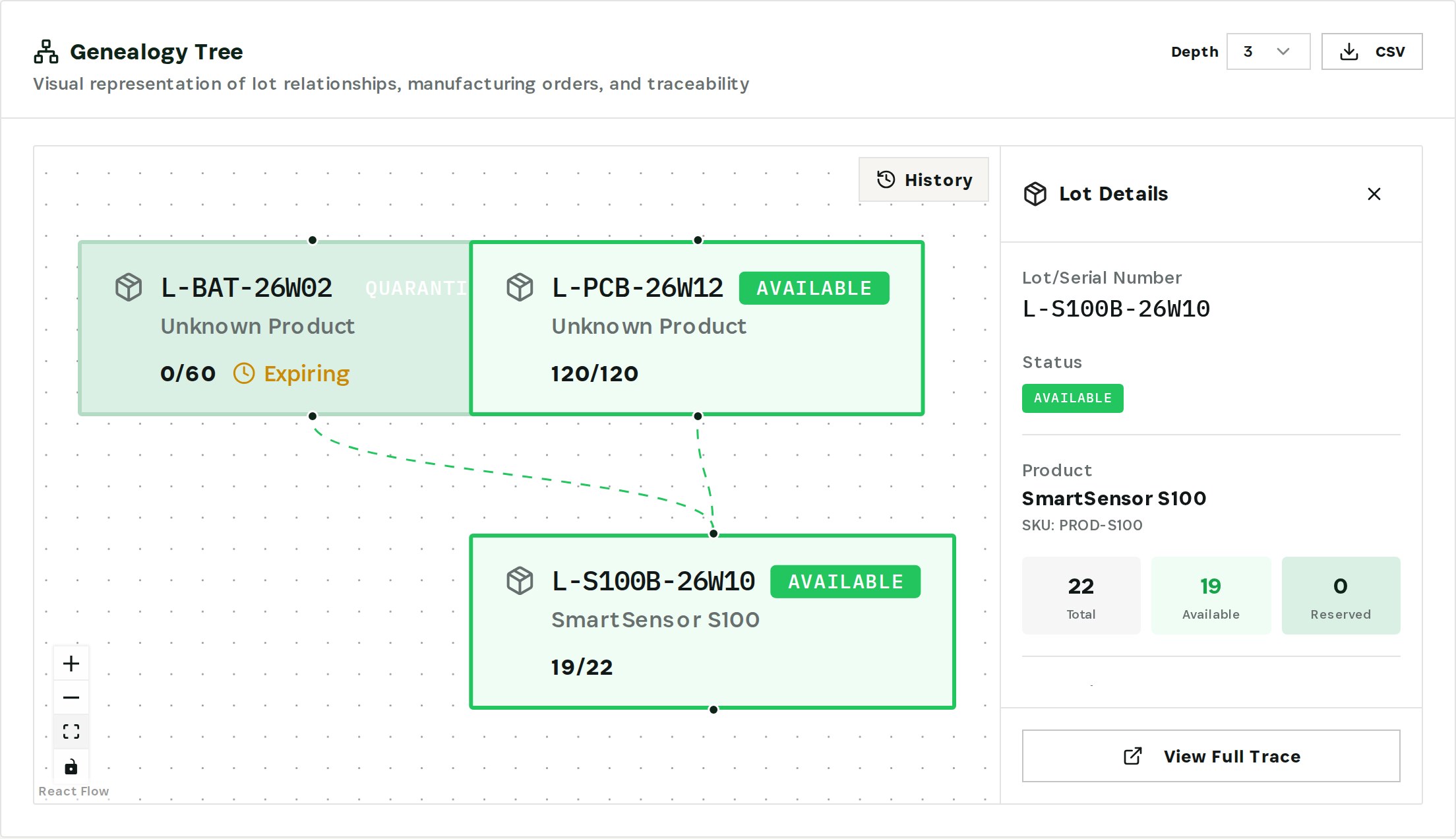
The genealogy graph shows that L-S100B-26W10 was built from the quarantined battery lot and PCB lot L-PCB-26W12. Nineteen of its 22 units are still available — those are the units to inspect before anything ships. Use Depth to follow the chain further, and CSV to export it for the supplier claim or your quality file.
Check planned production too. In the demo, scheduled order MO-2026-0001 still reserves 30 cells from the recalled lot; re-plan it with another lot before it starts.
Step 5 — Resolve the recall
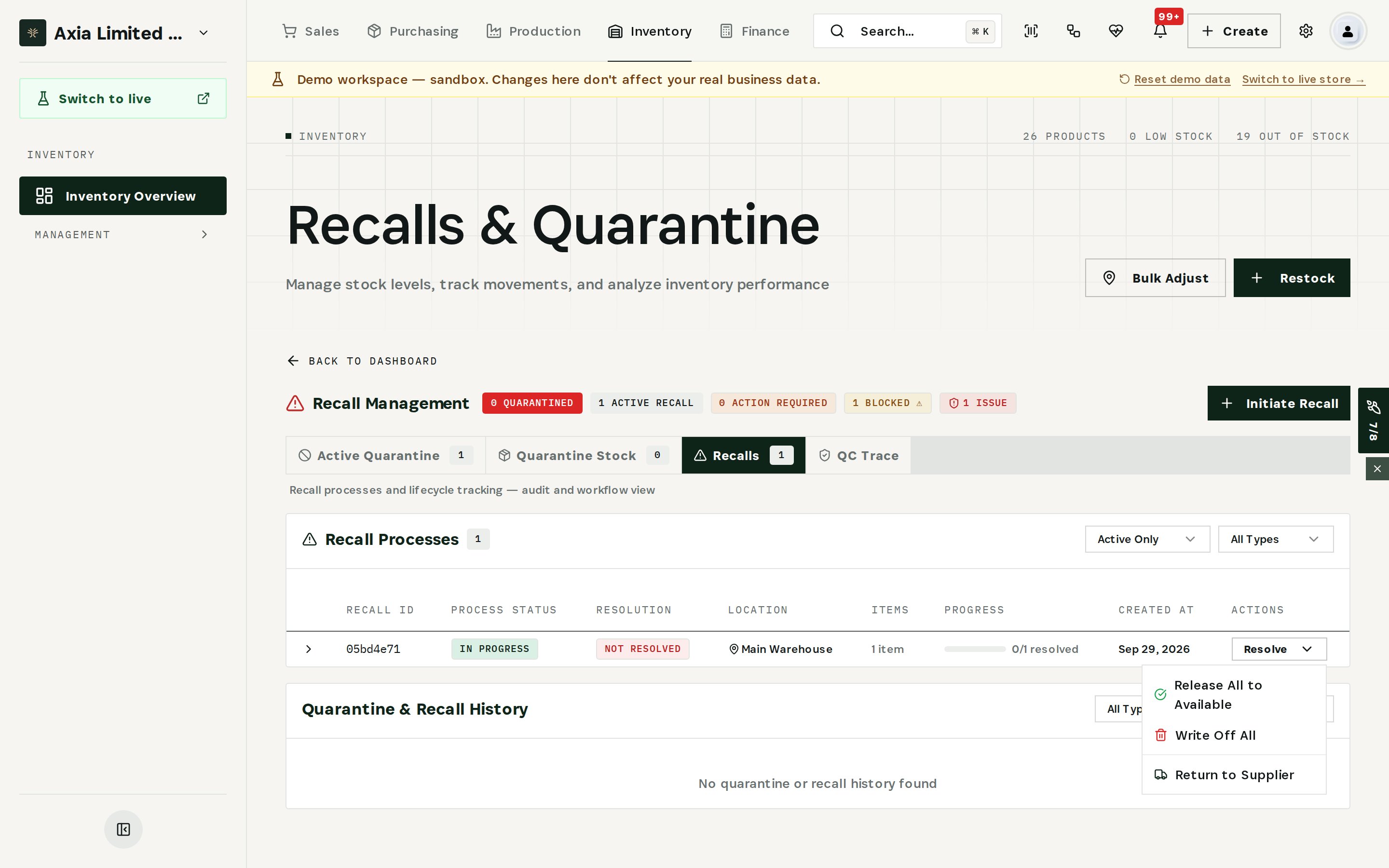
Open the Recalls tab. Every recall shows its status, location, items and progress. Use Resolve to close it out:
- Return to Supplier — create a supplier return for credit. Stock stays quarantined until the return ships.
- Write Off All — remove the stock from inventory if it cannot be returned.
- Release All to Available — put the stock back if the supplier withdraws the notice.
What you have at the end
- The affected lot out of circulation in a single guided recall.
- The finished goods built from it, found by search instead of by spreadsheet.
- Planned builds that would have repeated the problem, caught before they start.
- A recall record with reason, lot and quantity — ready for the supplier and the auditor.
Related
- Use case: Lot Recall — /use-cases/lot-recall
- Lot & serial tracking, Quality Control and Supplier Returns are all part of the Otiox platform.