Playbook: stock that is about to expire
The situation
Some stock has a date on it. Forty Signal Controllers expire on October 7, a syringe lot of solder paste on October 8, and 120 units of a seasonal reagent in mid-November. Each date is on a label. The questions that matter are:
- Which lots run out first?
- Will any order or build use them in time?
- What do we do with the ones nothing will use?
The screenshots come from the Otiox demo workspace. To follow along, choose Switch to demo in the sidebar — changes there never touch your live data.
Step 1 — Open the lots that are running out
Go to Inventory → Batch Management. A banner counts the lots expiring within 7 days; choose View Expiring to filter to Near Expiry (30d).
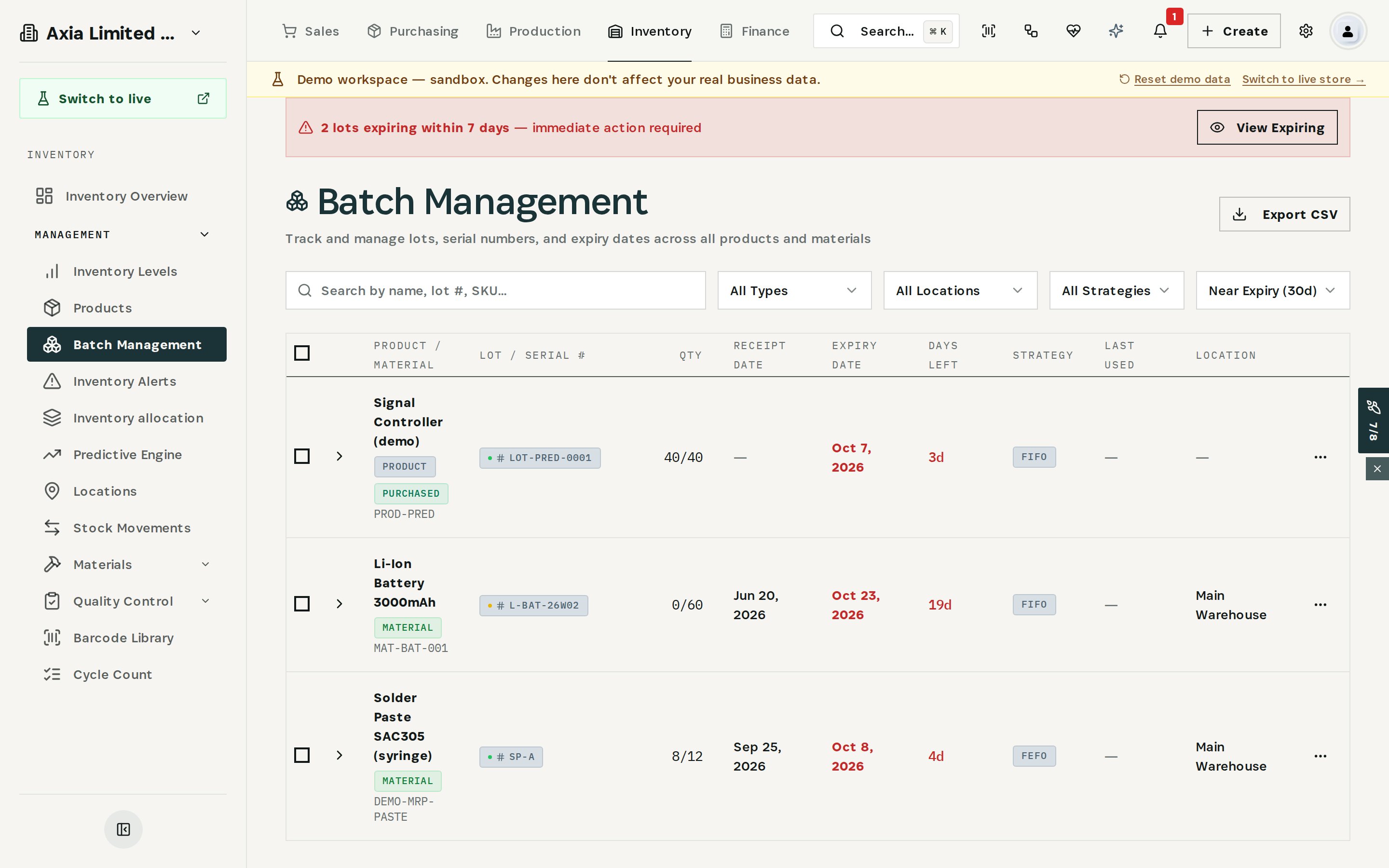
Each lot shows its quantity, receipt date, expiry date, days left, the strategy that picks it (FEFO, FIFO or LIFO) and its location. Use Export CSV if the list has to go to someone else.
Step 2 — Check whether anything will use it
Open Predictive Insights and filter by Lot expiry → scrap/finance.
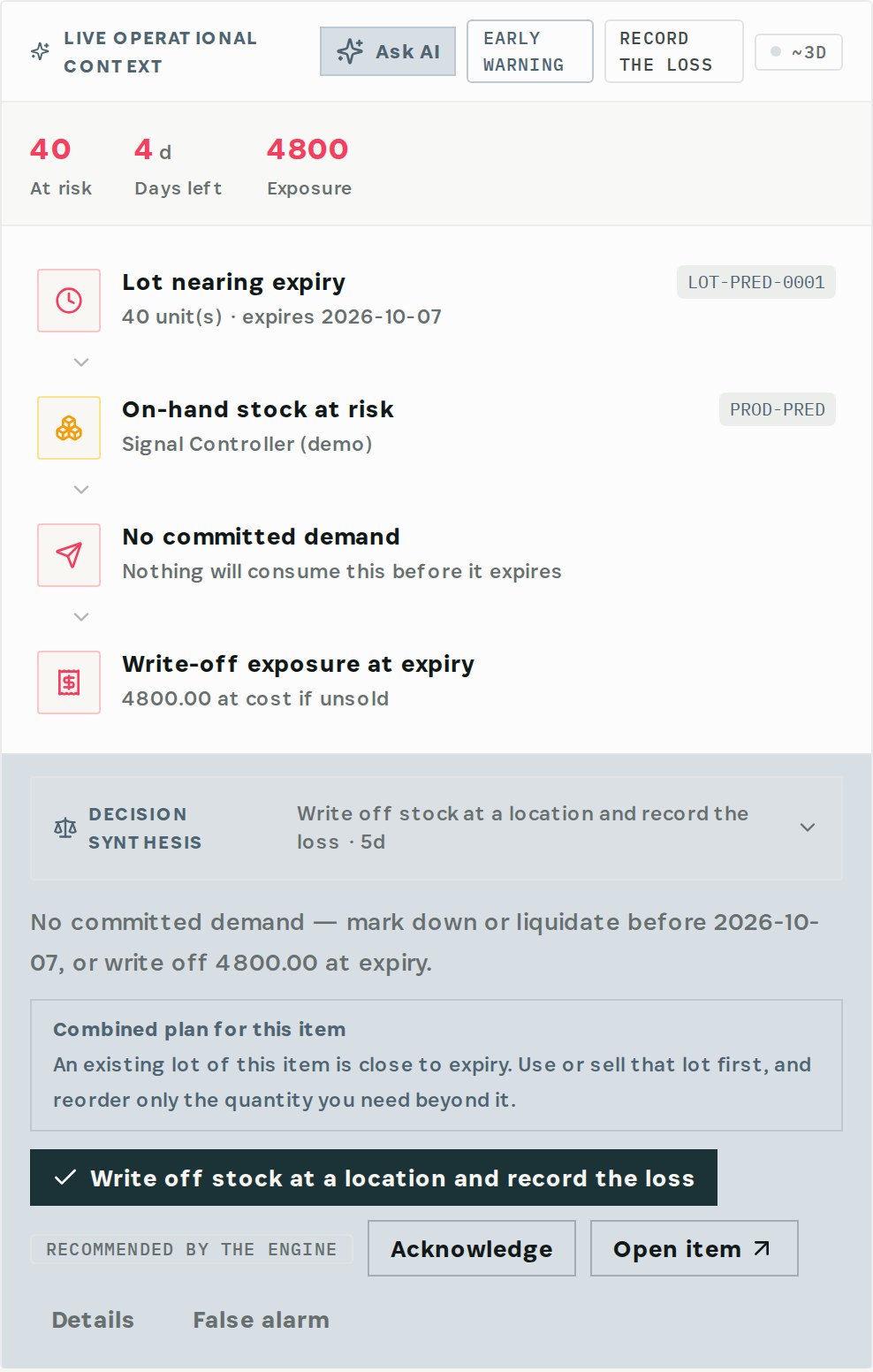
For lot LOT-PRED-0001 the engine finds 40 units expiring on October 7 and no committed demand — nothing will consume them before they expire. The write-off exposure is 4,800 at cost if they are not sold.
Not every expiring lot is a problem. Solder paste lot SP-A expires in four days, but open demand will use all of it — so the engine says so instead of raising a loss.
Step 3 — Read the recommendation
Expand Decision Synthesis on the card.
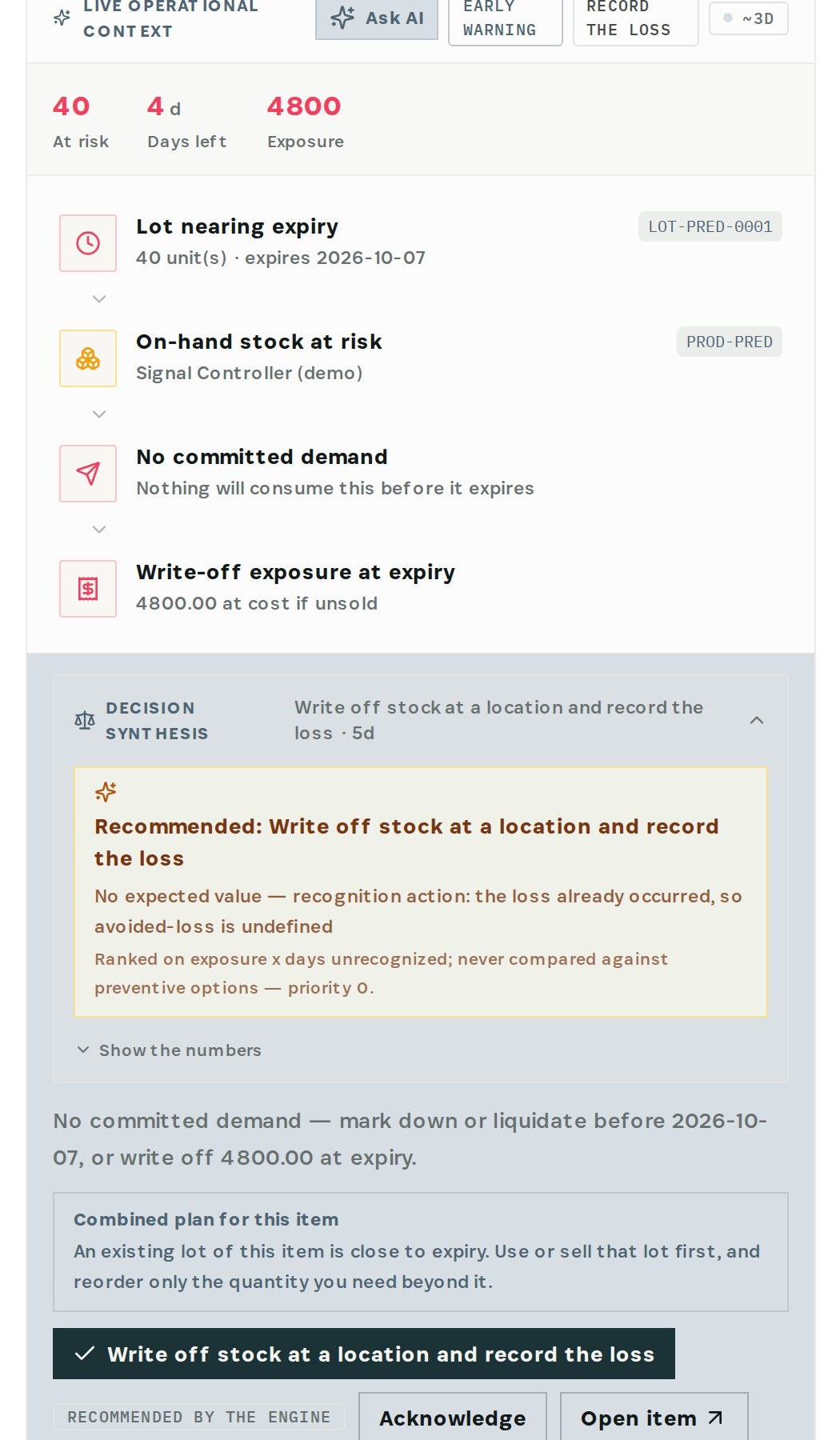
The recommendation is to mark down or liquidate before October 7, or write off 4,800 at expiry. The combined plan for this item adds the part that saves money next time: use or sell the expiring lot first, and reorder only the quantity you need beyond it.
Step 4 — Act on the lot
Back in Batch Management, open the lot's menu.
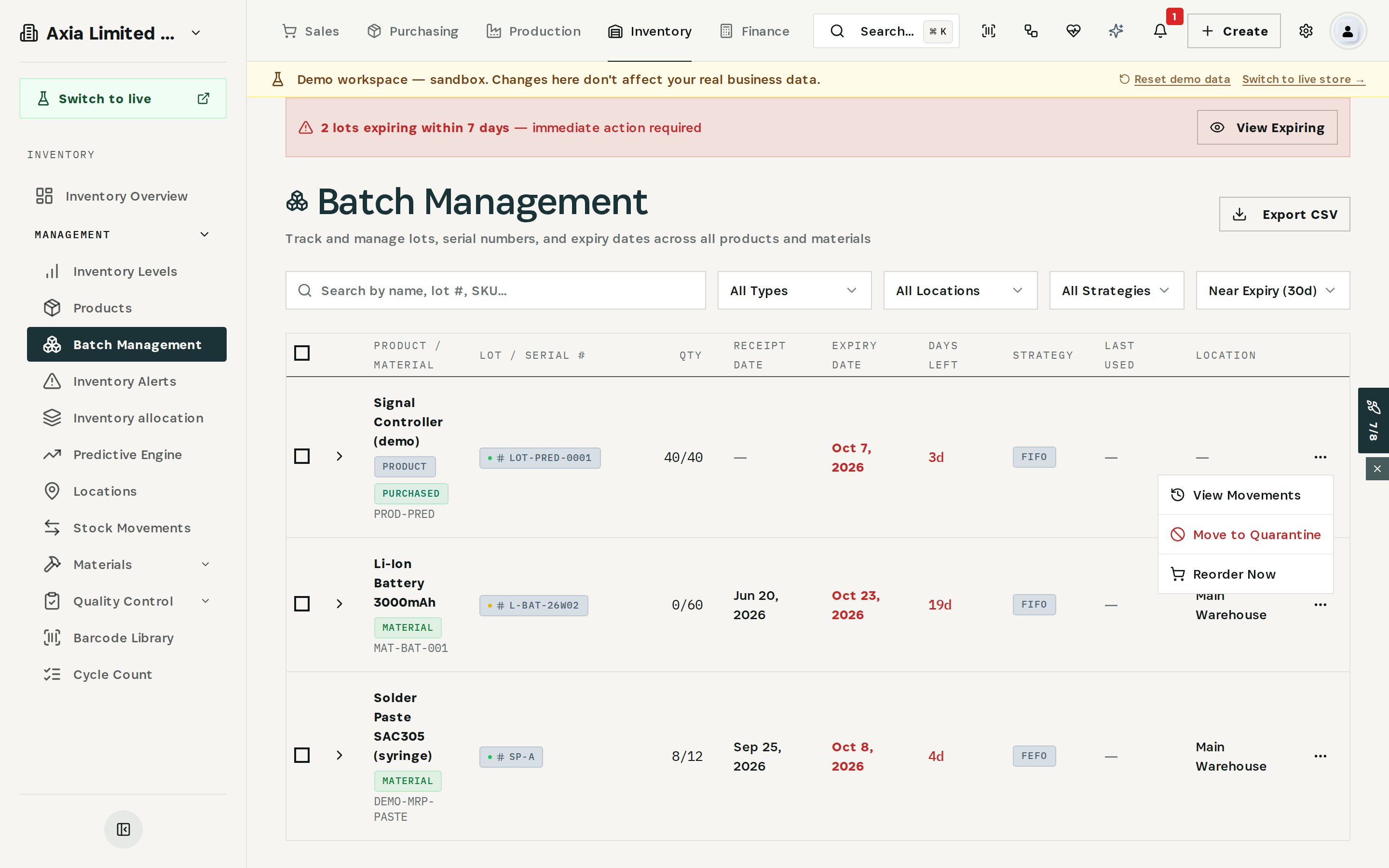
- View Movements — where the lot came from and what has been used.
- Move to Quarantine — takes it out of picking while you decide; use it for lots that are already expired.
- Reorder Now — when the lot will be used up and you need more.
Set the strategy of perishable items to FEFO. Picking then suggests the lot that expires first, and fewer lots reach this page at all.
What you have at the end
- Every lot sorted by days left.
- The lots no order or build will use, separated from the ones that will be used.
- The loss in money before the date, with a decision to mark down, quarantine or write off.
- A reorder based on what is left after the old lot is used.
Related
- Use case: Expiring Stock — /use-cases/expiring-stock
- Batch Management, Lot & Serial tracking and the Predictive Engine are part of the Otiox platform.