Playbook: responding to a supply shock
The situation
Duties on components sourced from China are about to rise to 35%. At the same time, your PCB supplier in Shenzhen is running five days late on an open purchase order. Each problem on its own is manageable. Together, they put margin and a customer delivery at risk — and the window to act is a few days, not a quarter.
This playbook shows how to answer three questions in Otiox, in this order:
- How much margin does the tariff take, and on which products?
- Which customer orders does the late supplier actually put at risk?
- What is the cheapest response that works?
The screenshots come from the Otiox demo workspace. You can follow along in your own demo: in the sidebar, choose Switch to demo. Changes there never touch your live data.
Step 1 — Model the tariff as a scenario
Go to Purchasing → Tariffs & Duties → Scenarios and select New Scenario. Give it a name your team will recognise — here, China 35% supply shock — and a one-line description of the assumption.
Under Add Override, search for each affected product or material and enter the new rate. In the demo, SmartSensor S100, MotorDriver MD-12 and Enclosure ENC-A are overridden to 35%.
A scenario never changes your tariff rules, costs or prices. It is a simulation you can keep, compare and discard.
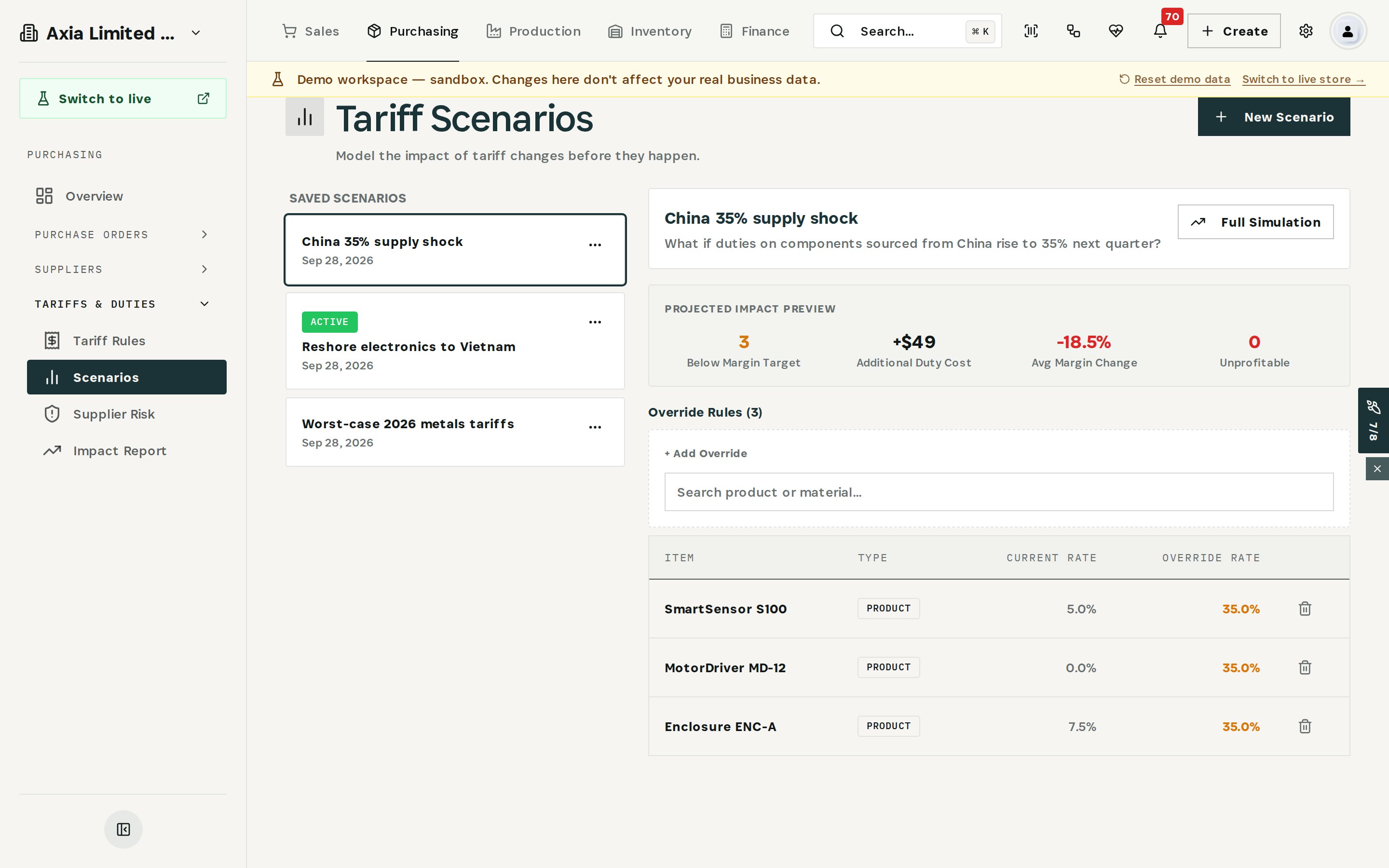
The Projected Impact Preview updates as you add overrides: products pushed below margin target, the additional duty cost, the average margin change and how many products would become unprofitable.
Step 2 — Run a full simulation
Select Full Simulation, choose the scenario and select Run Simulation. Otiox recalculates landed cost and margin for every product in the catalogue under the new rates.
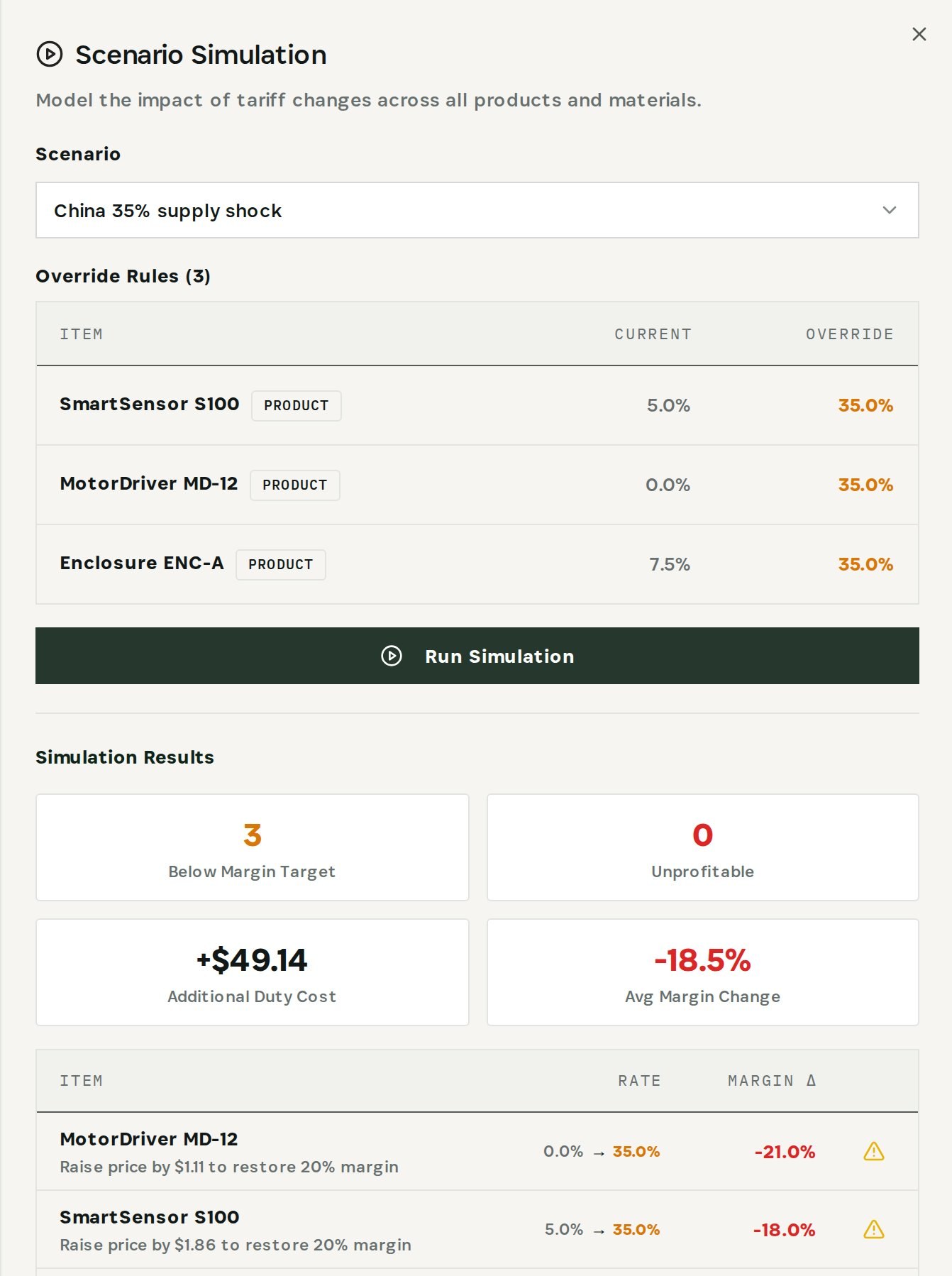
In the demo the result is clear: three products fall below their margin target and average margin drops by 18.5%, while none become unprofitable. The table below the totals goes one step further and tells you what to do about it — for example, raise the price of MotorDriver MD-12 by $1.11 to restore a 20% margin.
That is the first decision made: you know which prices to change, by how much, before the new duty is charged.
Step 3 — Open the Predictive Engine
Tariffs are a cost problem. A late supplier is a timing problem, and it spreads. Go to Inventory → Predictive Engine.
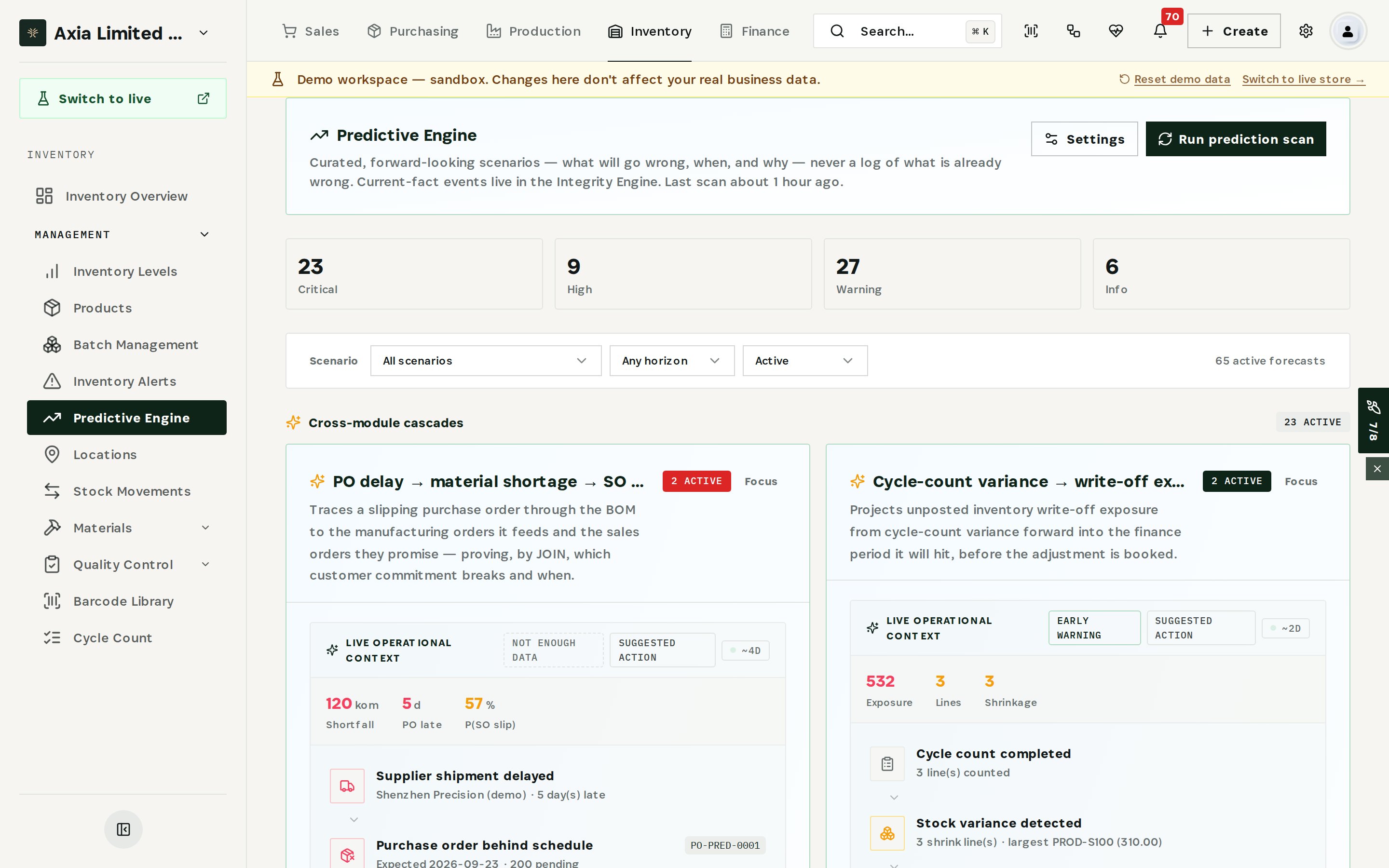
The Predictive Engine lists what is likely to go wrong, when and why — ranked from critical to informational. Cross-module cascades are the forecasts that follow one problem across inventory, purchasing, production and sales.
Step 4 — Follow the cascade to the customer
In the Scenario filter, choose PO delay → material shortage → SO at risk. Otiox shows the full chain for the late supplier:
- Supplier shipment delayed — Shenzhen Precision is 5 days late.
- Purchase order behind schedule — 200 units still pending on the PO.
- Manufacturing order short on material — the build is 120 PCBs short.
- Inventory can't cover the build — nothing on hand to fill the gap.
- Customer order at risk — the sales order due on 3 October.
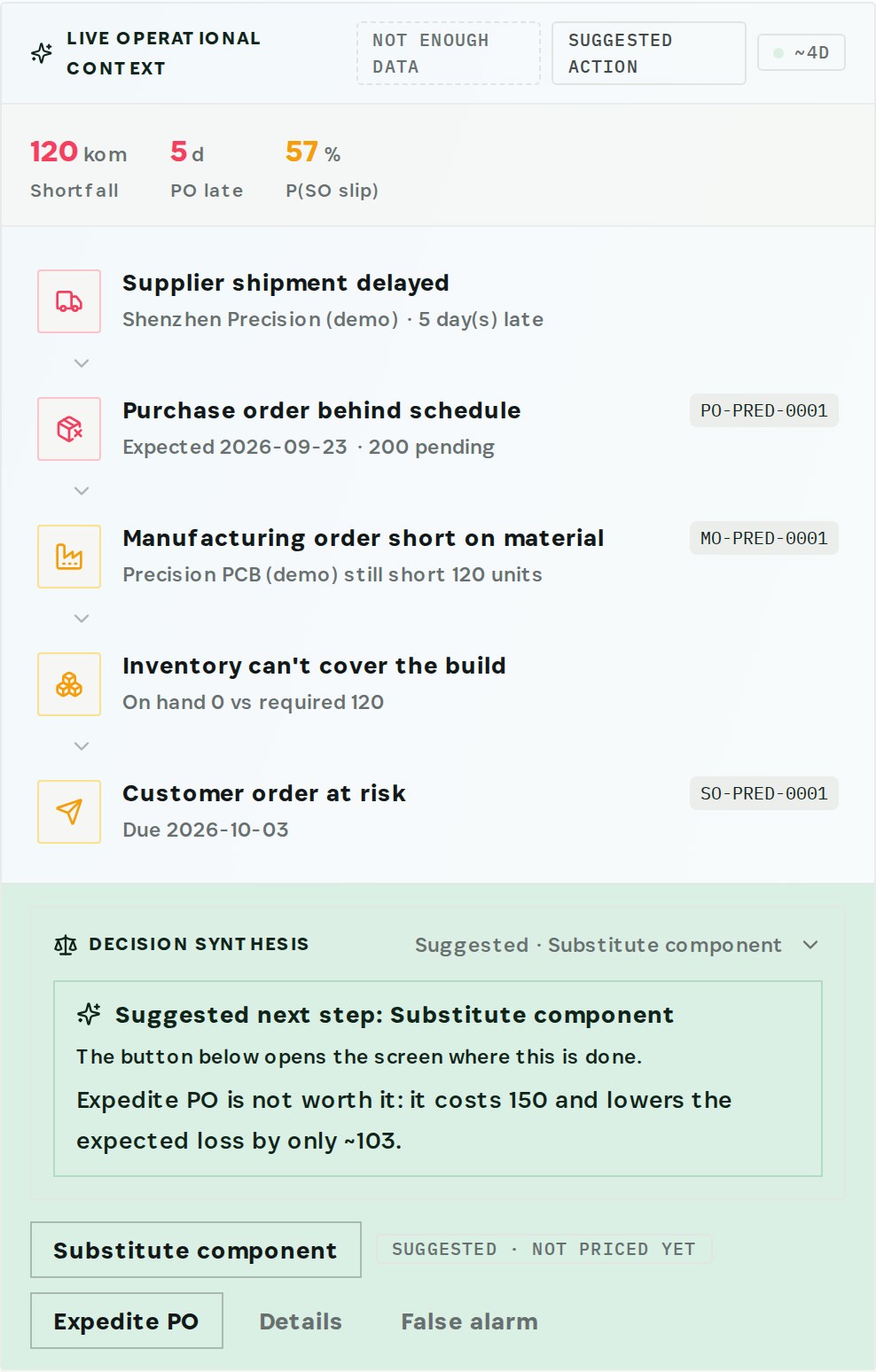
The headline numbers sit above the chain: the shortfall, how many days late the PO is, and the probability that the customer order slips.
Step 5 — Choose the response that costs least
Every cascade ends in Decision synthesis. Otiox weighs the options against what each one actually costs. In the demo the recommendation is to substitute the component, and it explains why the obvious move is wrong: expediting the PO costs 150 and lowers the expected loss by only about 103.
Select Substitute component to open the screen where the change is made. If the forecast does not apply, mark it as a False alarm so the engine learns from it.
Recommendations never change anything on their own. They open the screen where your team makes the change.
What you have at the end
- A saved tariff scenario you can compare with alternatives, such as re-sourcing to another country.
- The exact price changes that restore margin, product by product.
- The customer orders a late supplier puts at risk, and when.
- A priced recommendation for the response, instead of expediting by reflex.
Related
- Use case: Supply Shock Response — /use-cases/supply-shock
- Tariffs & Duties, Predictive Engine and Purchase Orders are all part of the Otiox platform.