Playbook: a status says shipped, but nothing left the building
The situation
An order is marked shipped. Nobody picked it, nobody packed it, no carrier has it. The status was forced to clear a queue — and from that moment the order counts as revenue, the customer expects a parcel, and every report says the work is done.
This is not rare. In the demo workspace, Otiox checked 29 recent claims: 7 were supported by the records behind them, 22 were contradicted or had no evidence at all.
Step 1 — See which statuses do not hold up
Open Command → Claims & Consistency.
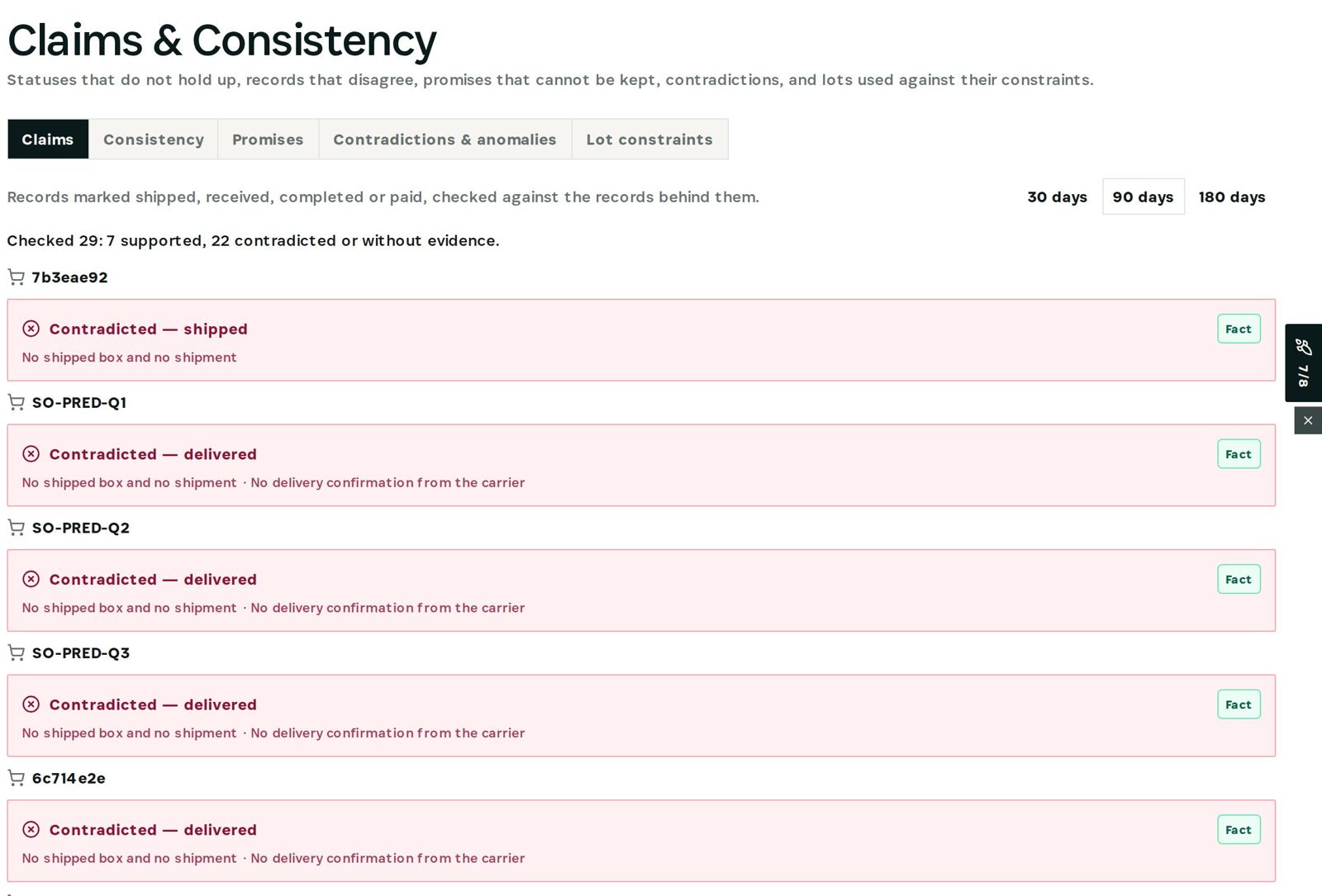
Each row is a claim and the reason it fails: *No shipped box and no shipment*, *No delivery confirmation from the carrier*. The first one in the list is an order forced to shipped a few minutes earlier — the check caught it immediately.
Step 2 — Verify the record itself
Open the order and choose the Verify tab.
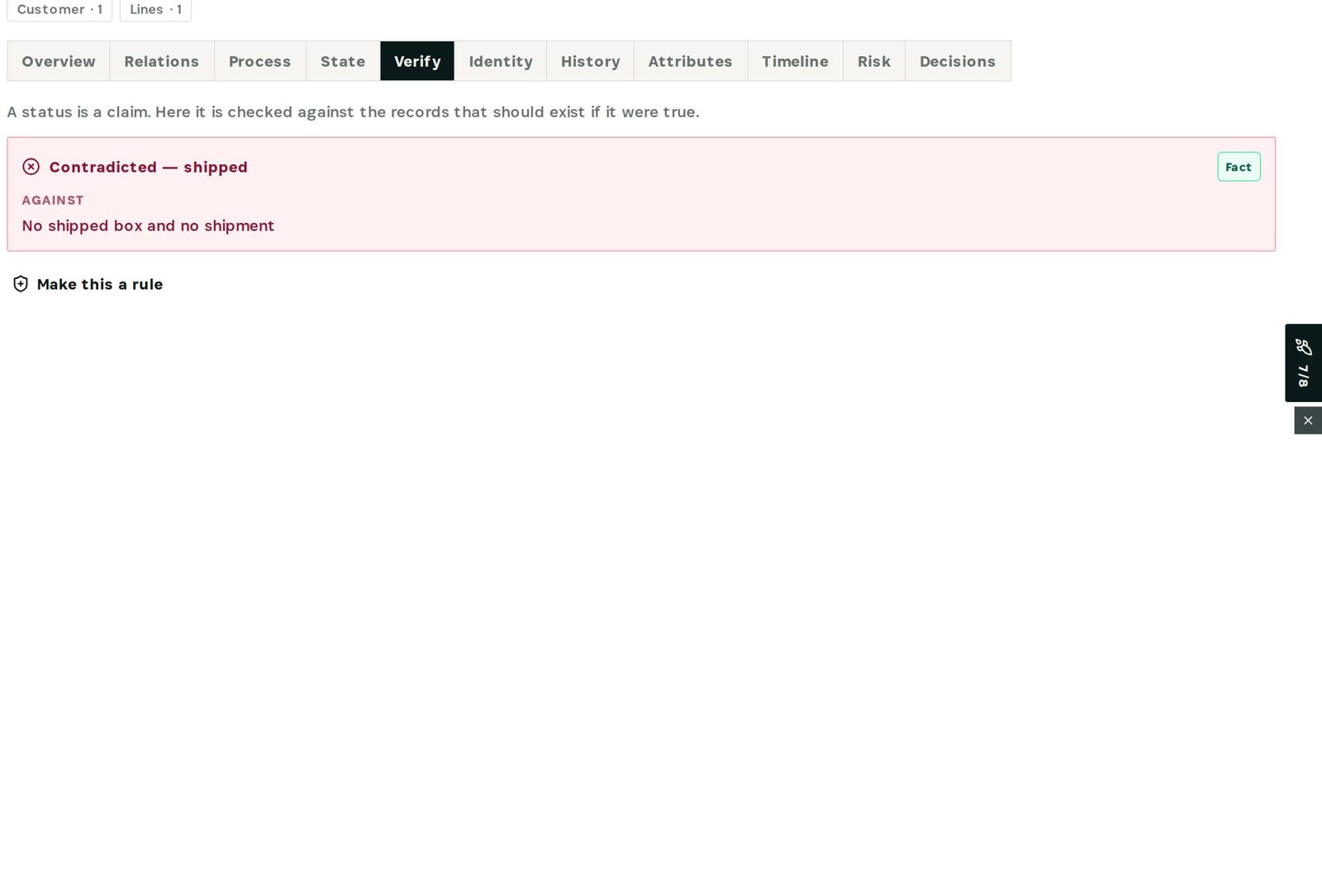
The order states its claim (*shipped*), the verdict (*Contradicted*) and the evidence against it. Because Otiox models how records depend on each other — an order → its boxes → its shipment → the carrier event — it knows what *must* exist for the status to be true.
Step 3 — Correct it and make it a rule
Fix the order on its own page (pick, pack and ship it, or put it back to processing). Then choose Make this a rule: the same check now watches every future status, in monitor, warn or block mode.
What you have at the end
- Every *done* status backed by evidence — or flagged.
- The reason for each contradiction, not just a red badge.
- A rule that stops the same shortcut next time.
Screenshots come from the Otiox demo workspace. Choose Switch to demo in the sidebar to follow along; changes there never touch live data. Command reads your records and never changes them.