Playbook: year-end stock value, as it really was on that day
The situation
The financial year closed on a Wednesday. The stock count happens the following week, and stock has moved every day since. The auditor wants quantity and value on the closing date.
Step 1 — Quantities on the date
Open Command → Time Machine → Stock on a date and pick the closing date.
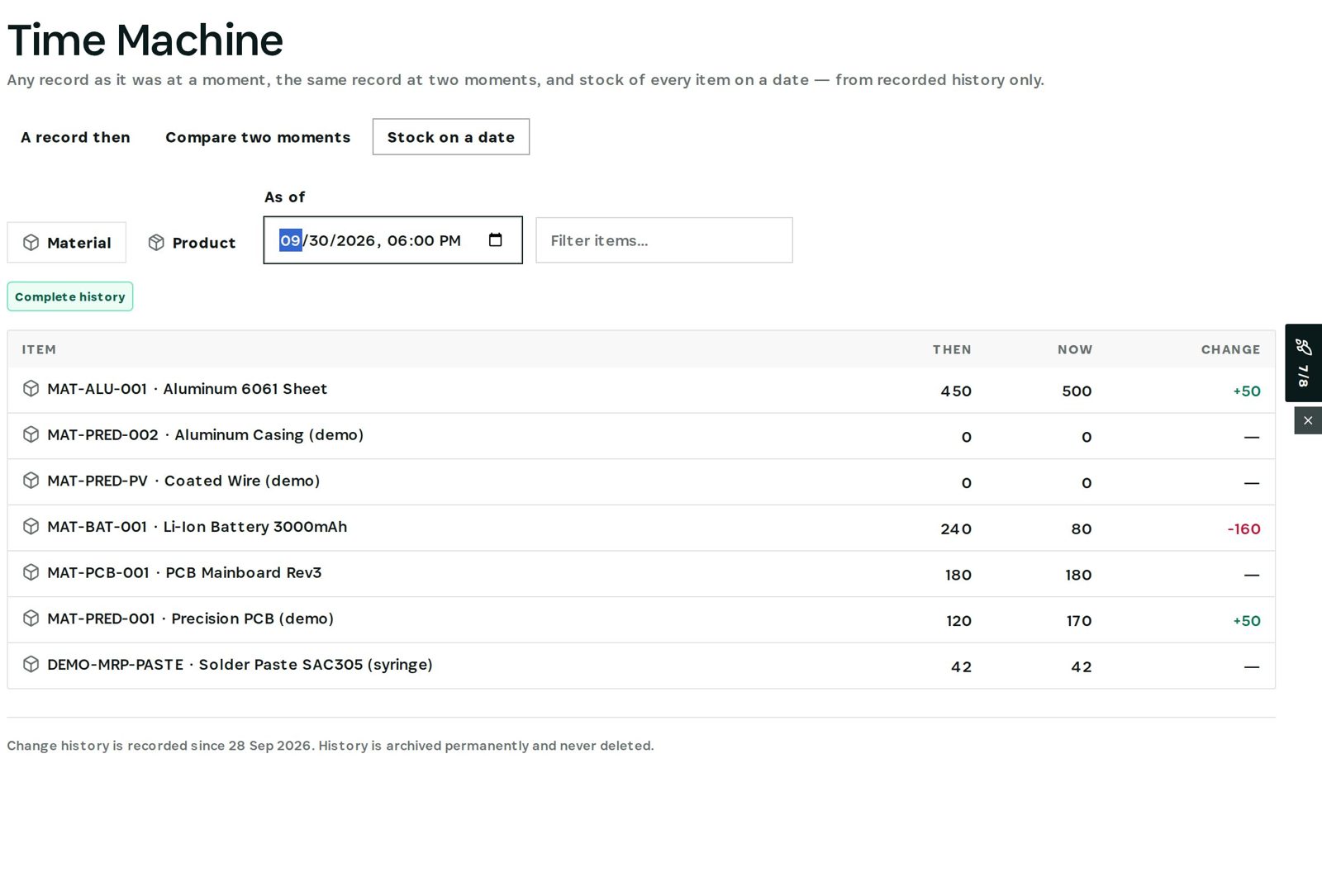
Each item shows its quantity then, now and the change — taken from recorded history, not rebuilt from counts.
Step 2 — Value on the date
Open Accounting → Inventory valuation → Valuation and set As of to the same date.
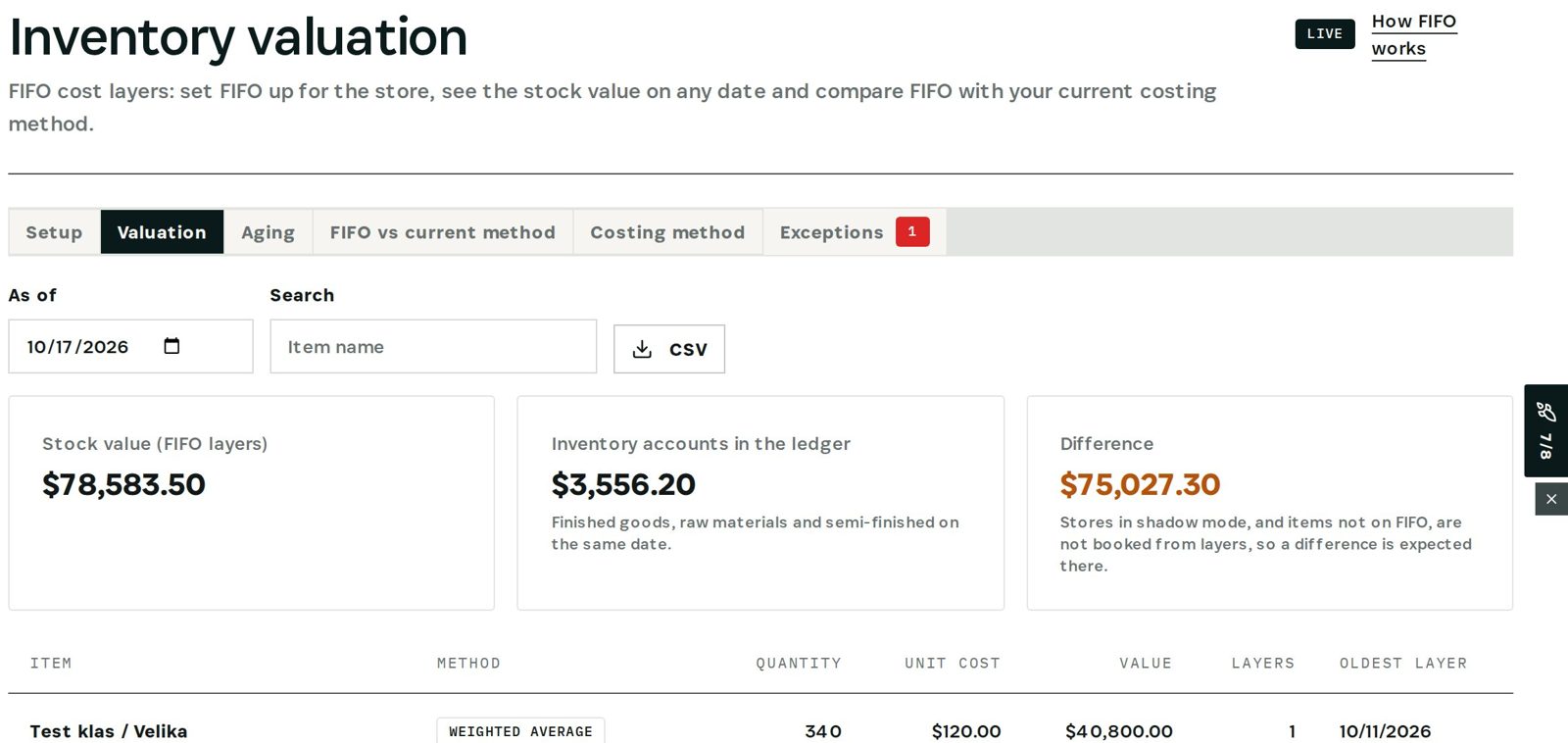
Stock is valued from the FIFO cost layers that existed that day, shown next to the inventory accounts in the ledger on the same date and the difference. Where a difference is expected — stores still in shadow mode, items not on FIFO — the page says so. Export the list as CSV for the auditor.
What you have at the end
- Year-end quantities without a recount.
- Value at that day's costs.
- Stock and ledger reconciled, with differences explained.
Screenshots come from the Otiox demo workspace. Choose Switch to demo in the sidebar to follow along; changes there never touch live data. Command reads your records and never changes them.