Playbook: from materials to finished goods, in one place
The situation
The floor runs a dozen orders a week. Some wait for material, some for a machine, some for an approval. The planner learns which ones are late when someone asks.
Step 1 — See production at a glance
Open Production → Overview.
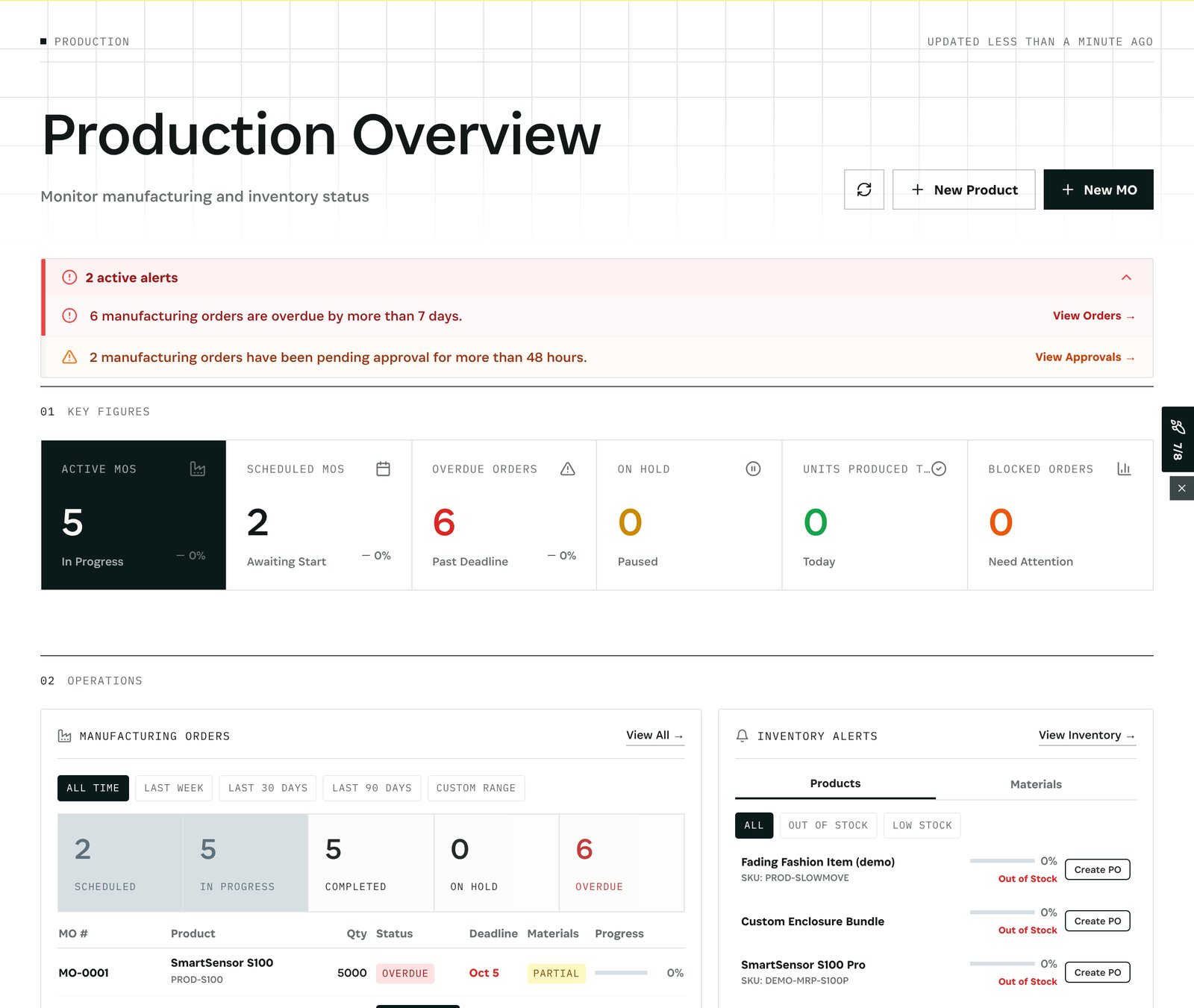
What you see in the demo: 5 orders in progress, 2 scheduled, 6 overdue, none on hold or blocked. Two alerts at the top: *6 manufacturing orders are overdue by more than 7 days* and *2 have been pending approval for more than 48 hours*, each with a link to the orders. Below, the order list with materials state and progress, and the inventory alerts that affect production.
Step 2 — Plan the work
Open Production → Planning.
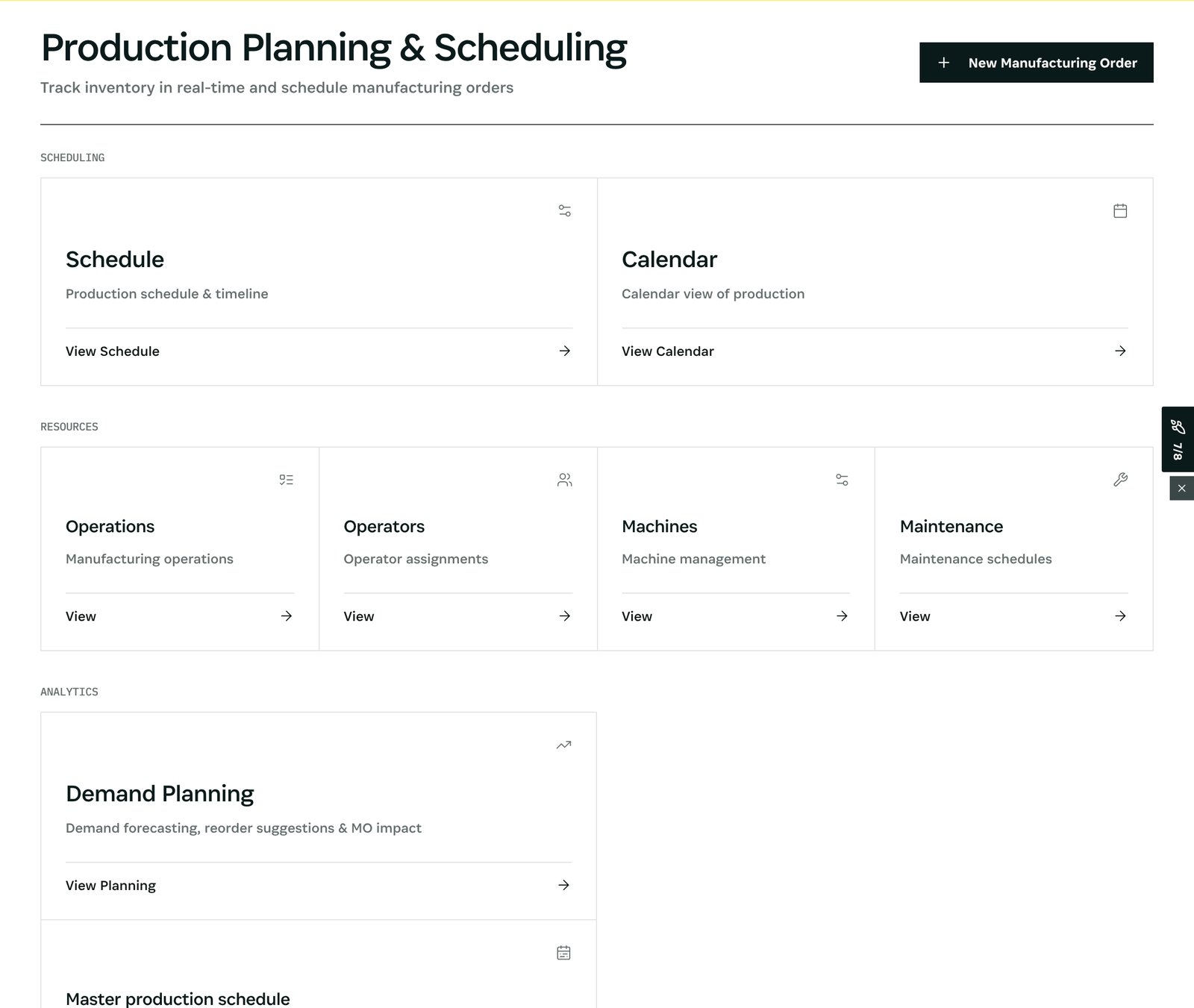
What you see: the Schedule and Calendar, the resources (Operations, Operators, Machines, Maintenance) and Demand Planning with the master production schedule. A machine marked down or a maintenance window moves the schedule; the orders that move show it in their Process tab.
After
- An order that goes silent is flagged as stuck after 24 hours without activity.
- A late order's Process tab explains why: waiting for material, a machine, a step.
What you have at the end
- Every order's state, at a glance.
- What is late, and why.
- A plan that follows machines, people and material.
Screenshots come from the Otiox demo workspace. Choose Switch to demo in the sidebar to follow along; changes there never touch live data.