Playbooks/ Last updated: 2026-10-30
Playbook: one stock for every shop
The situation
Three shops and a webshop share the same stock. A customer in one shop wants an item that the system says is there, but it is in another shop's back room, or already promised online.
Step 1 — See stock across every location
Open Inventory.
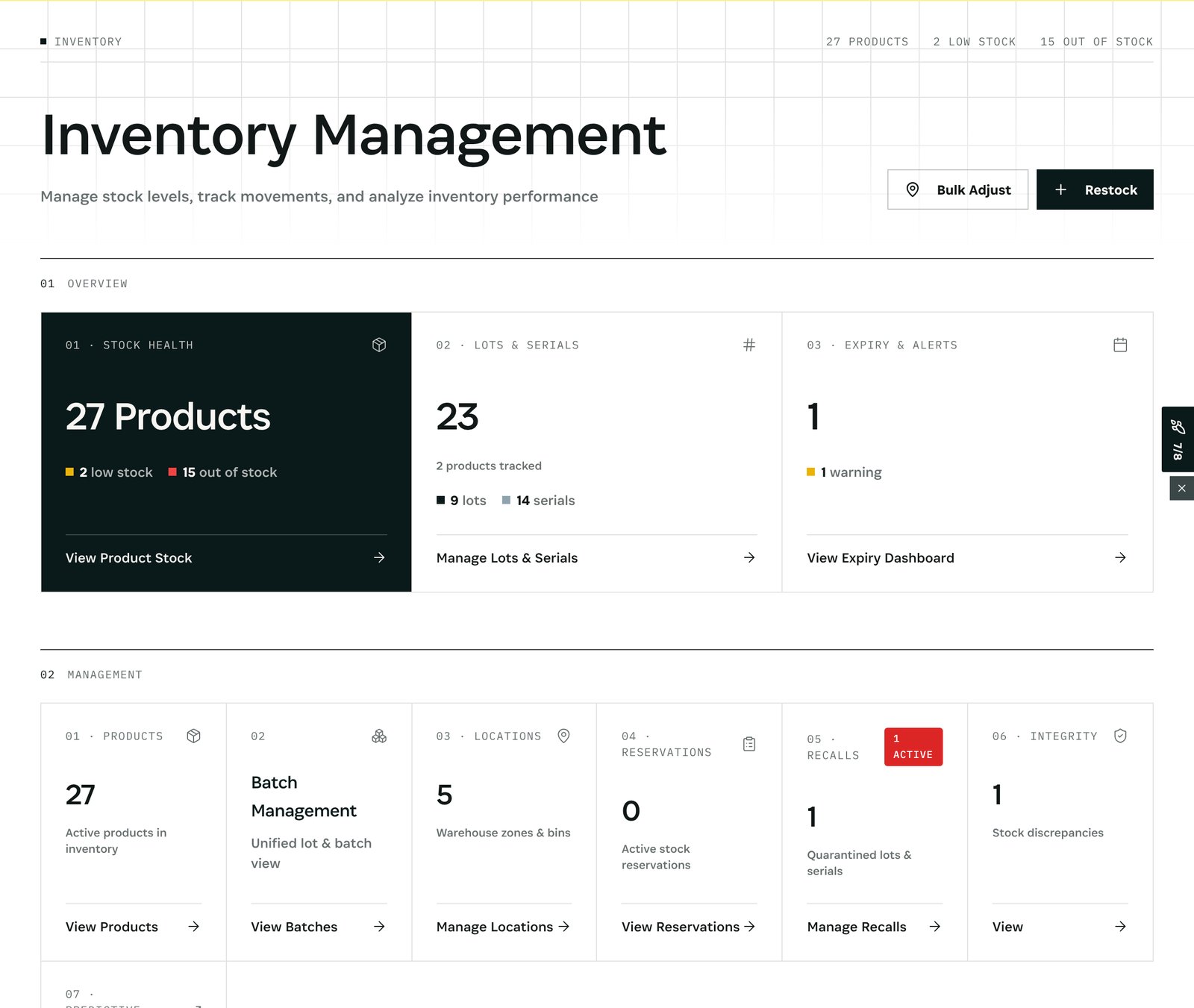
What you see: stock health (27 products in the demo, 2 low, 15 out of stock), lots and serials, 5 locations, reservations and recalls. Manage Locations shows the stock in each shop and warehouse; Transfers moves it between them.
Step 2 — Handle every order the same way
Open Orders.
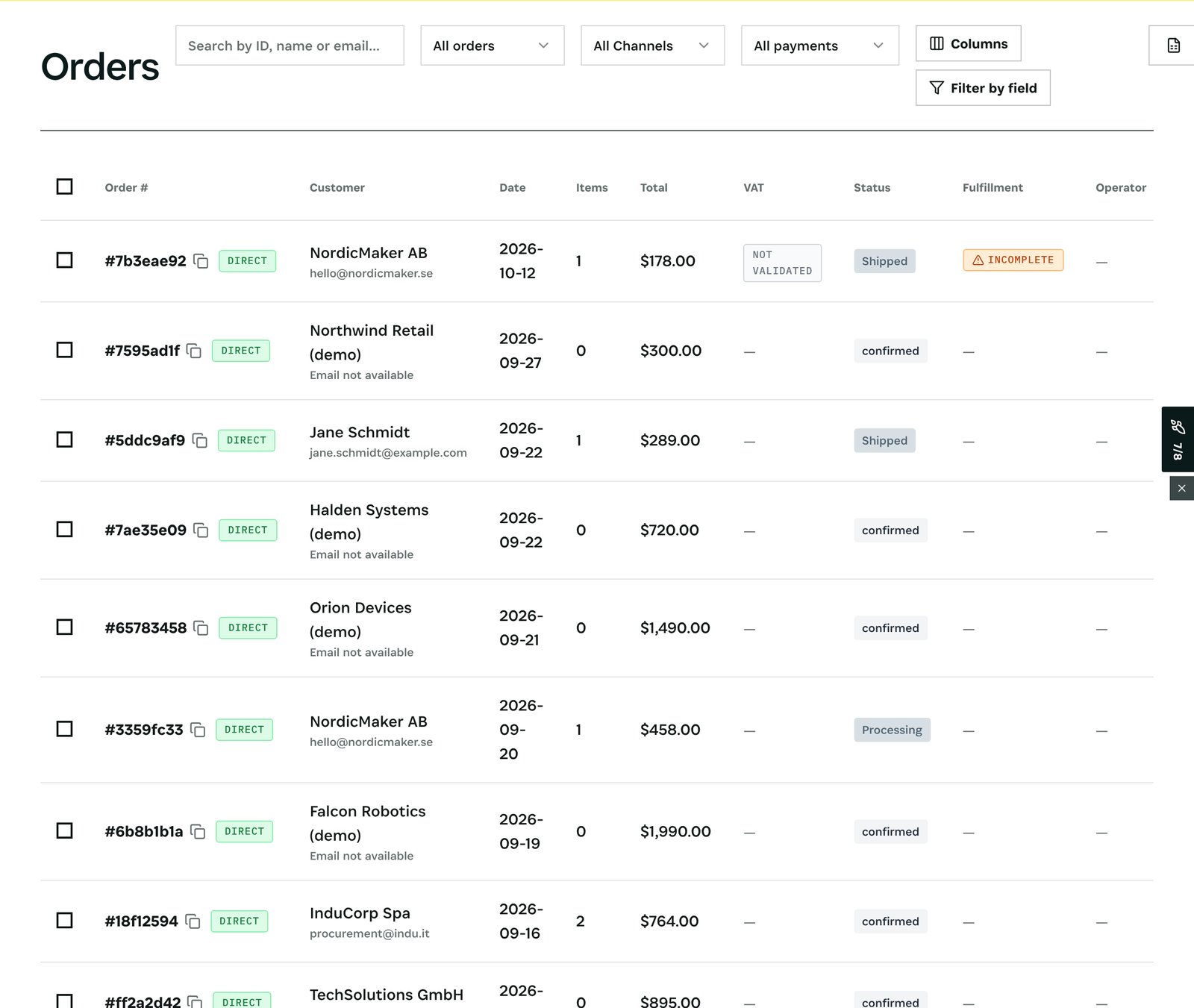
What you see: every order with its channel, customer, total, VAT, fulfilment, payment and returns. A webshop order reserves stock the same way a shop sale takes it, so the same unit is never sold twice.
After
- A transfer between shops moves stock from one location to another, with its own record, so both shops always show what they really hold.
- Returns come back to the location that receives them and are available again once checked.
What you have at the end
- One stock, seen per location.
- Every sale handled the same way.
- No unit promised twice.
Screenshots come from the Otiox demo workspace. Choose Switch to demo in the sidebar to follow along; changes there never touch live data.