Playbook: run your online shops from one place
The situation
Orders come from a Shopify store, a WooCommerce store and the occasional direct sale. Stock, fulfilment and invoicing live in different places, and the shop's prices drift from the ones in your records.
Step 1 — Connect the shops
Open Integrations → Sales Channels.
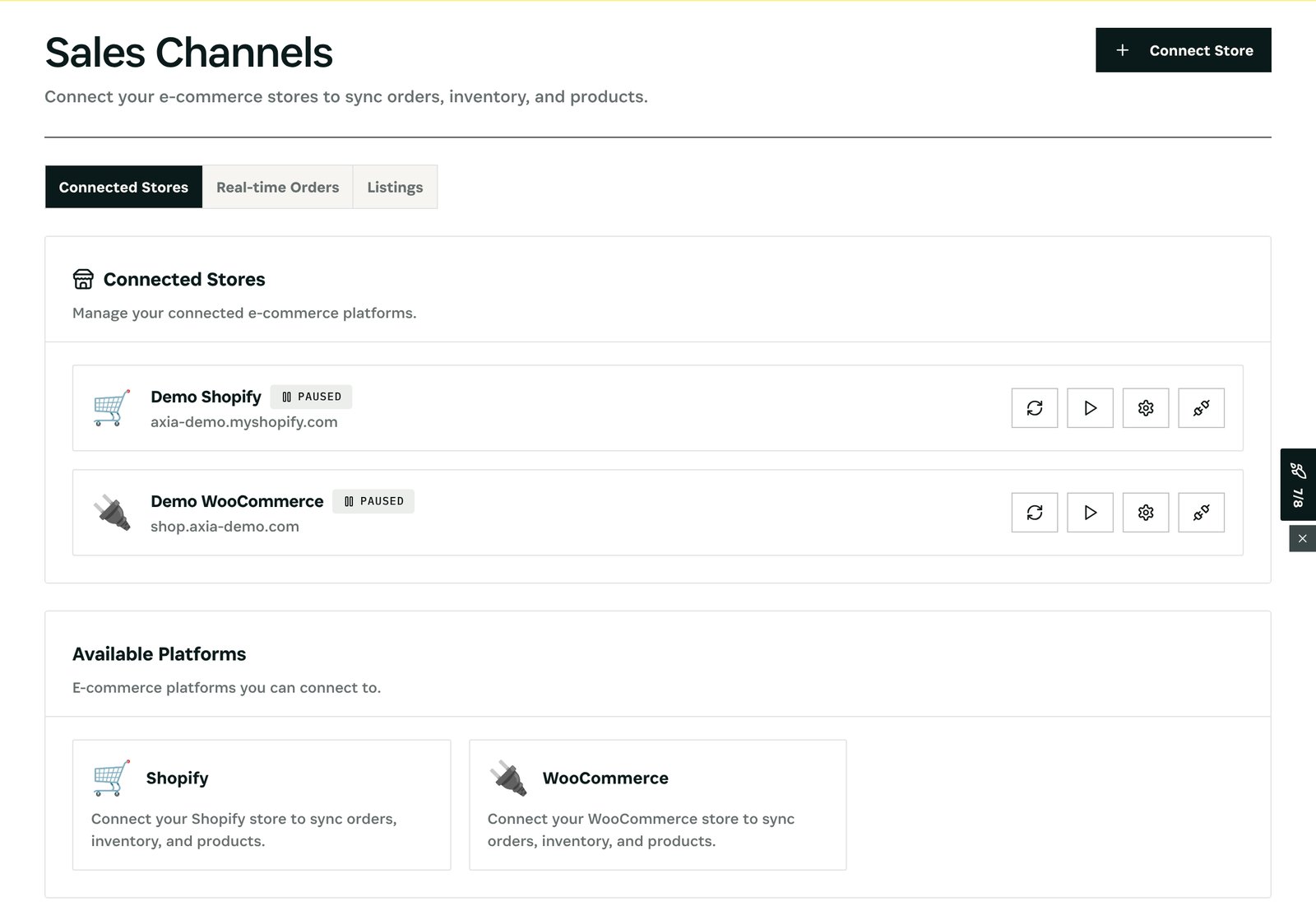
What you see: each connected store with its status and domain, and buttons to sync, pause or configure it. Real-time Orders shows orders as they arrive; Listings shows which products are listed where. In the demo both stores are paused, so nothing is sent to a real shop.
Step 2 — Handle every order in one list
Open Orders.
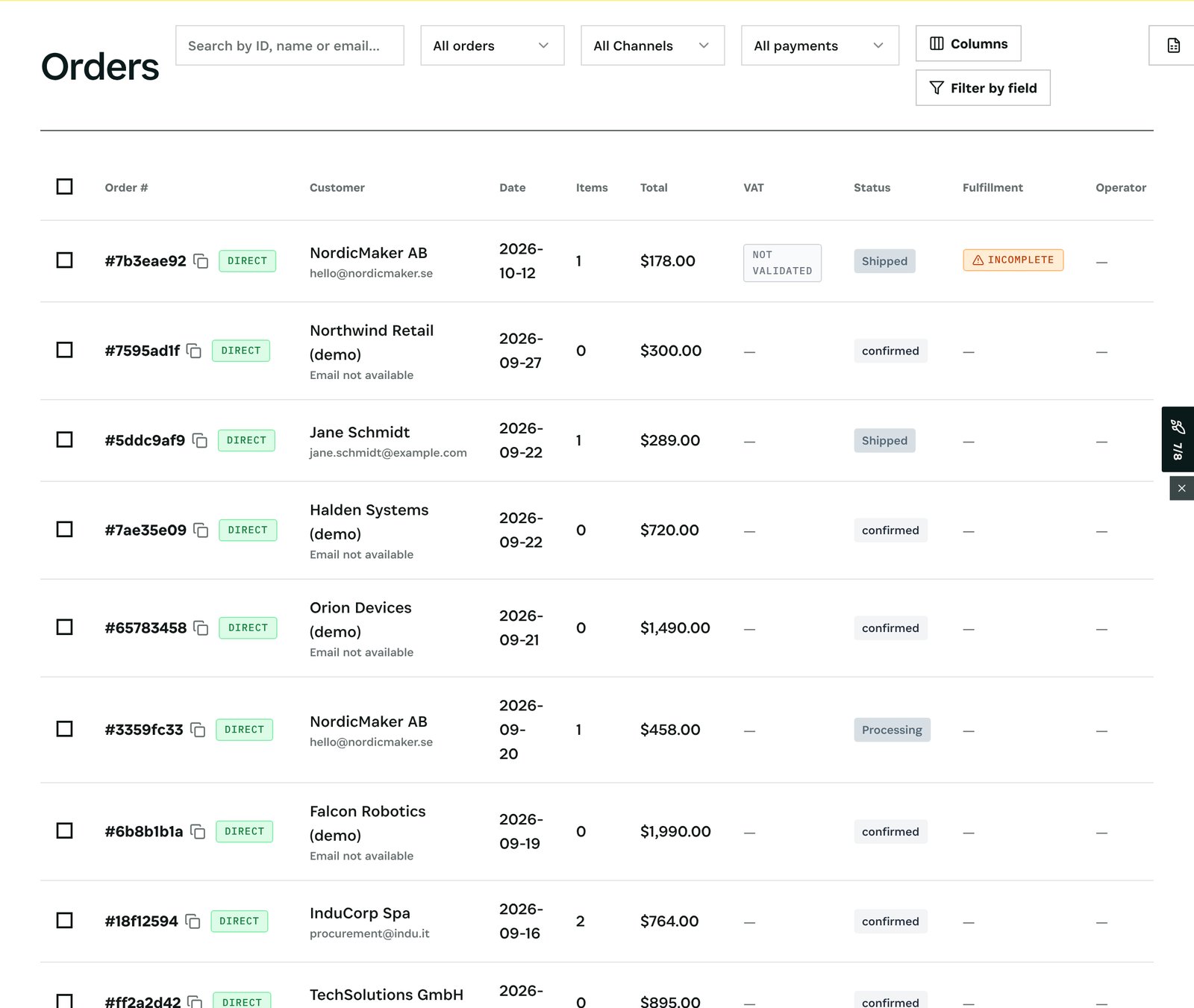
What you see: orders from all channels together, filterable by channel and payment, each with its customer, total, VAT, status, fulfilment, payment, returns and refunds. A direct order and a Shopify order go through the same picking, packing and invoicing.
Step 3 — Keep prices in line
Open Command → Identity & Matching and choose Check shop prices.
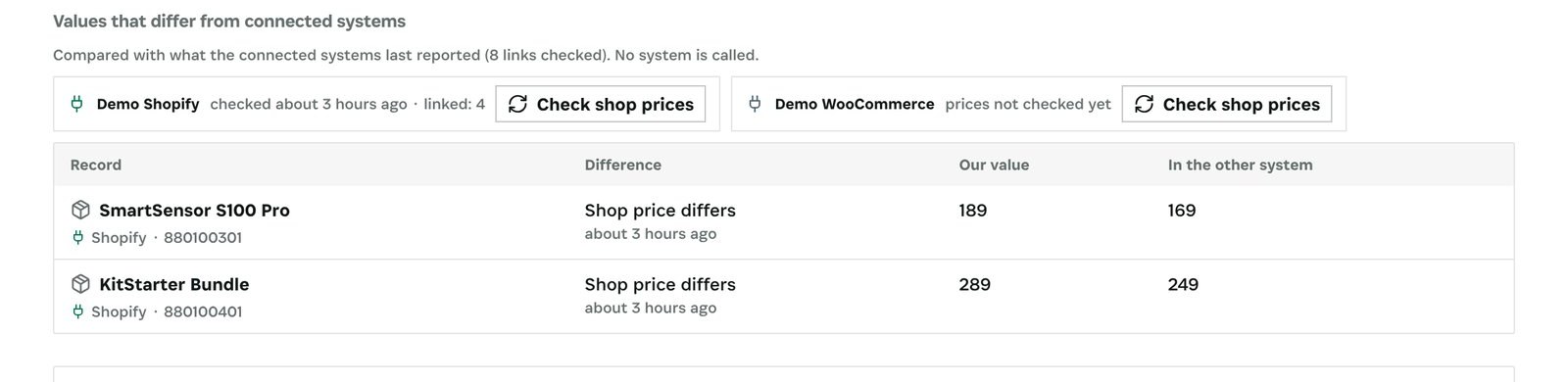
What you see: SmartSensor S100 Pro at 189 in your records and 169 in the shop; KitStarter Bundle at 289 against 249. Decide which price is right and set it in one place.
After
- Stock sold in one channel is no longer available in the others.
- Each price check is kept with its time, so you can see what the shop showed on any day.
What you have at the end
- Every shop connected to one stock and one order list.
- Fulfilment and invoicing the same for every channel.
- Shop prices that match your books.
Screenshots come from the Otiox demo workspace. Choose Switch to demo in the sidebar to follow along; changes there never touch live data.